Showing posts with label science simulations. Show all posts

Friday, March 6, 2015

explain3D - 3D animations that explain how things work


Cover art

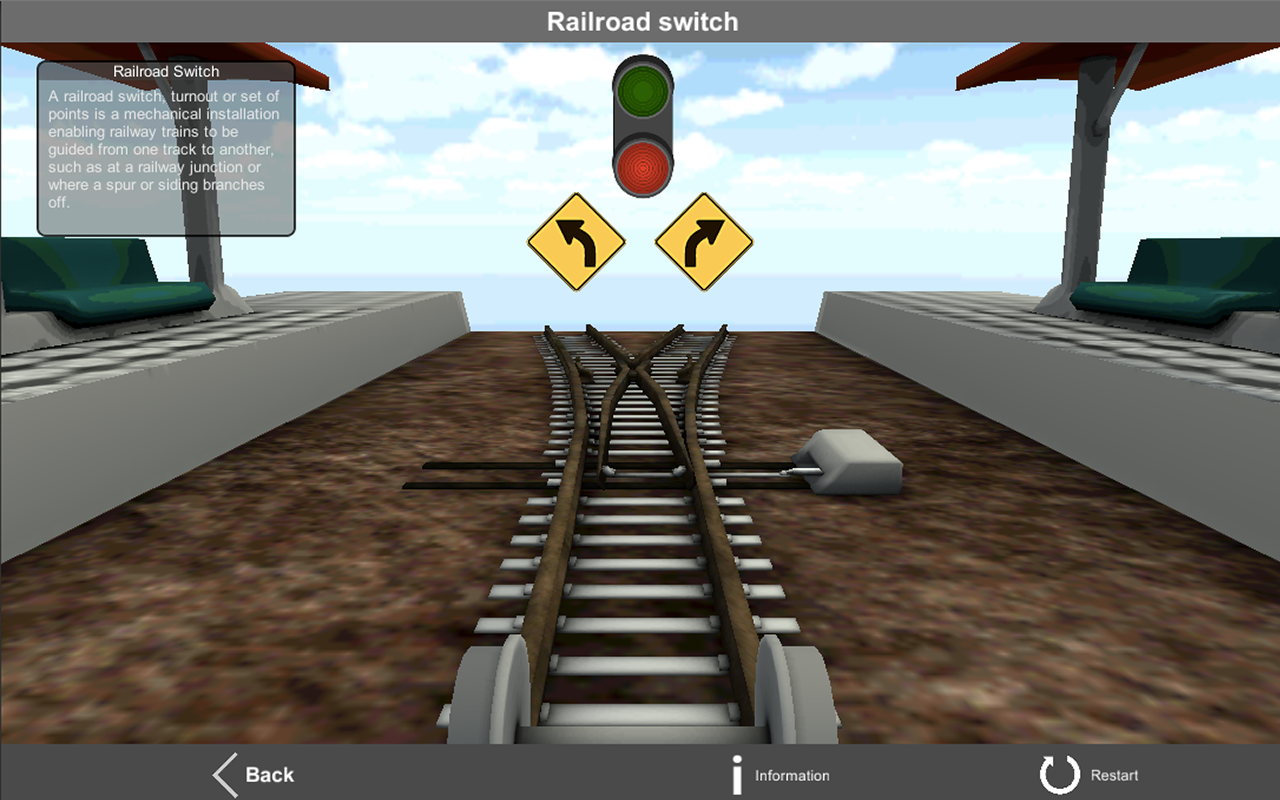
explain3D is an app, available for iOS, Android and Windows Phone, that uses 3D animations to explain how things work. It is not free (under $2 for each version) but is a great resource for educators.

Explain 3D: How stuff works - screenshot

Explain 3D: How stuff works - screenshot


Simulations (20) include:
  • Car workshop – 4 stroke engine, Car clutch, Manual transmission, Disc brakes, Ignition system
  • Discover the Universe – ISS space station, Space shuttle, Solar system
  • Electricity around us – Hydroelectric dam, Wind turbine, Nuclear power plant
  • Transport simulations – Railroad switch, Submarine, Jet engine
  • Our homes – Lock and key, Elevator, Toilet, Desk Lamp
  • Tools – Jackhammer, Hand pump
They are well done and explain the concepts well.

Here is a video explaining the app:


Thursday, December 11, 2014

Molecular Workbench - Visual, Interactive Simulations for Teaching & Learning Science


Molecular Workbench is a free and open source site with some really nice interactive simulations in science.

There are hundreds of simulations in physics, chemistry, biology, biotechnology and nanotechnology. There are embedded assessments and the ability to create your own simulations and even create modules with text, simulations and more all together.


It is a download for Windows, OS X and Linux and they are creating the next generation of simulations using HTML5 so they can be used online. Google is helping them with this.
http://mw.concord.org/nextgen/#interactives


Take a look - there are some great activities on here.


Related:

PhET - excellent, free, virtual labs and simulations for science - new materials available  


Monday, September 22, 2014

CK-12 announces online Physics Interactive Simulations (free)


CK-12, a great resource for free e-textbook and curricular resources, has just announced the launch of it's Physics Interactive Simulations. The simulations are all online and free.

There are currently 66 simulations available, with a lot more coming soon. Some of them may look familiar as some look like some I used on PhET, another source of great online labs and simulations.

These simulations are great ways for students to learn about physics concepts and can be used as part of labs, projects, or on their own. PhET has same/similar ones with lots of educator resources.

You have to sign in to use them, but you can sign in with a Google account so students will have access.

The really nice thing - they work on Chromebooks!!

Here are some of the simulations they have:


Related:

CK-12 - free e-textbooks and more

PhET - excellent, free, virtual labs and simulations for science 


Thursday, October 18, 2012

SciencePrimer - free site with science resources and activities

Home

SciencePrimer is a free web site that has some great science resources. The site has illustrations (animations with explanations) of concepts, practice questions and problems with hints and solutions, calculators and conversion tools, and a science glossary.

The illustrations are really good. They include interactive animations that let you change different specifications or characteristics, an explanation of the topic, and videos.


This site has some great resources that can help students understand and learn science resources.


Related:

MyPhysicsLab - Free Physics Simulations

PhET - excellent, free, virtual labs and simulations for science

Physion - free Physics Simulation Software

Great Physics Resources for Students and Teachers


Tuesday, October 16, 2012

MyPhysicsLab - Free Physics Simulations


MyPhysicsLab is a free site that contains, you guessed it, physics lab simulations. They are simple and created in Java, but illustrate the physics concept quite well. They are organized into topics: springs, pendulums, combinations, collisions, roller coasters, molecules. There is also a section that explains how they work and the math/physics/programming behind creating them.

Simulations are a great way to really explore and visualize a topic. Many times, a simulation is better than a hands-on lab because of the manipulations and visual ques that exist. I use simulations in combination with hands-on labs.

This is another great resource for physics students and teachers to use to explore and learn about physics concepts.


Related:

PhET - excellent, free, virtual labs and simulations for science

Physion - free Physics Simulation Software

Great Physics Resources for Students and Teachers


Wednesday, June 13, 2012

Physion - free Physics Simulation Software


Physion is free Physics simulation software that can be used by educators to create physics simulations for their class or by students to create physics simulations to explore concepts or as part of a project. The teacher can even create experiments for the students to use in class (virtual labs).

You use the included tools to create physical objects, including gears, and joints (springs and pulleys) that obey the laws of the Physics. It is similar to software I used as an engineer.

Below is a video that shows how it works. It's easy to use and fun. Students can use it to explore all kinds of concepts on their own, as well as using teacher created simulations. It can be used on Windows and Linux OS's. A Mac OS version is in development.


Here is a video showing some of the complex simulations you can create using it:


This is a great resource for physics teachers to create virtual labs and investigations, as well as a tool for students to explore physics concepts and create their own labs. There are also scenes that others have created that you can download and use.

The site has a Wiki and Forums to find help and ideas.

Physion: http://physion.net/


Related:

PhET - excellent, free, virtual labs and simulations for science


Tuesday, May 29, 2012

BioLogica - interactive Biology lessons and learning resources


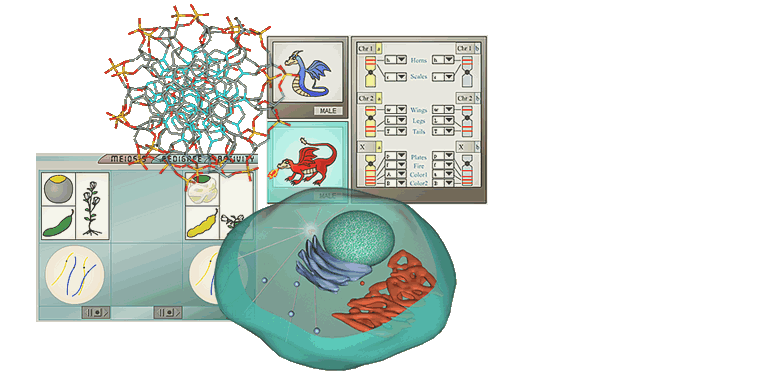
BioLogica is a site that has interactive labs and learning activities on biology that help students learn concepts. Students work through the activities, get feedback and hints and create a portfolio of their work.


BioLogica runs on Windows and Mac's. It doesn't just help students learn concepts in Biology, it also helps them make connections between different concepts and ideas. It focuses on genetics, including helping students to learn the parts, processes, and mechanisms of genetics.

The activities pose a problem for the students and then lets them solve it. The software will have the students explain their reasoning, help them with hints and eve suggest additional resources and material to help them. Teachers can monitor student performance and collect the student work into electronic portfolios.

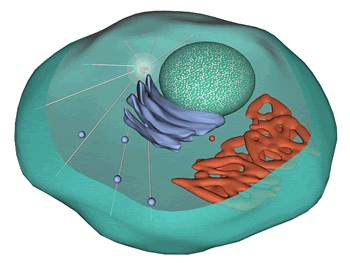
There are also 3D interactive models of the cell on the site. These are great for helping students learn about the cell.


There are demos of the activities on the site and you can download a free copy of the prototype version of the software.  http://biologica.concord.org/index.html


Monday, February 13, 2012

Orbiter Space Flight Simulator - free for Windows computers


Orbiter is a free Space Flight Simulator for Windows. It is not a web app, but must be downloaded and installed on your computer.

With Orbiter, you can launch and fly the space shuttle. It launches from Kennedy Space Center and then you fly it to rendezvous with the International Space Stations. You can also fly Mercury, Gemini, Apollo, Vostok and other spacecraft, including your own design or designs others have made.

The simulator is very realistic and allows you to fly spacecraft, design your own craft, plan interplanetary missions, and learn about space flight and orbital mechanics in a fun way.

This is a great resource for science classes, especially Physical Science, Astronomy, and Physics.

Here are some screen shots from Orbiter:


Atlantis deploying HST Atlantis launch  Atlantis virtual cockpit  Delta-glider in orbit

I plan on using this with my Physics classes as part of their end-of-the year rockets project.


Wednesday, November 30, 2011

Molecular Workbench - free visual, interactive science experiments and lessons


Molecular Workbench is a free and open source system that provides visual, interactive simulations for science. The simulations are in lesson format, with embedded assessments and the ability to change variables and see what happens. There are hundreds of free simulations in physics, chemistry, biology, biotech and nanotech.

Some are similar to the simulations in PhET, but these are more lesson based vs. just a simulation. They are well written and designed and the interactive simulations really explain concepts well and let students explore them in more depth.

The other very cool feature is that educators can customize any of these simulations to better fit their lessons and you can use the software (free) to create your own from scratch using their modeling tools.

Here is a screen shot from the Heat and Temperature module. The introduction page has a simulation that shows molecular movement based on temperature.


Molecular Workbench is one of those resources that has a lot of potential. Teachers can use them as part of class, as extra help, or as an online course. Students could even use the software to create their own simulations and lessons as an assignment.


Related:

PhET - free online science and math simulations - very cool!


Wednesday, September 21, 2011

Exploriments - interactive animations for science and math


Exploriments is a site that has interactive simulations that help students learn and understand math and science. Students are active and engaged, rather than passive. They get to explore different topics and ask, and answer, questions like "what-if" and find the cause and effect of things. There are learning objectives for each Exploriment and everything works together and builds on previous knowledge.

The Exploriments are organized by Physics, Chemistry and Math and then further organized by topic. The physics ones are well done and I've used a few with my students already.

The free access does not give you full access or function, but there are some great things to use. You can upgrade to the premium access if you want to.


Tuesday, December 14, 2010

PhET - free online science and math simulations


PhET is an awesome resource from the University of Colorado at Boulder. The site has interactive simulations for physics, chemistry, biology, earth science, and math that teachers and students can use.

The simulations can be run on the site or downloaded. The simulations are accurate and real and can help students learn concepts in more depth. They are easy and fun to use, and really do demonstrate the concepts well. In the physics ones I use, a big benefit is that students can quickly and easily change variables and conditions and then see what happens. This is very hard and time consuming in many hands on labs.

The simulations are also a great alternative to live labs if you don't have the resources available. Some of the simulations are better than any hands on lab because the students can truly see and understand what is happening.

You can search by topic, grade level, or just see the newest ones added. There are teacher resources for many of the simulations. Teachers who use the simulations post lesson plans and resources to the site for others to use also.

I use the Physics simulations in my classroom and they work great. This is one of those sites that every science and math teacher needs to check out.

Here's a list of some of the new simulations they have:


LinkWithin

Related Posts Plugin for WordPress, Blogger...