Showing posts with label data. Show all posts

Monday, November 18, 2019

Otus - LMS, Data Management and Assessment Management, all in one easy-to-use product


Otus is an interesting product, created by educators. It is integrated classroom tools for students and teachers and powerful transparency for families and school leaders.

It combines the best features of a learning management system, assessment management and data management into one. 


Has a great gradebook supporting traditional points-based classrooms and standards based grading.


It provides powerful assessment options to support every subject, grade level, and pedagogical method.


And has a mobile app for educators, students and families.


Here are some great overview videos as well:


And they've earned a lot of awards along the way:


Otus Awards and Recognition 2019
  • CODiE Best Administrative Solution (Link)
  • CODiE Finalist Best Data Solution
  • Cool Tool Award for Best Personalized Learning Solution from The EdTech Awards program (Link)
  • Edtech Digest Best Personalized Learning Solution (Link)
  • Tech & Learning Awards of Excellence (Link)
  • New Professorship in Education and Data Sciences Announced (Link)

2018
  • Edtech Digest Best Learning Analytics/Data Mining Solution (Link)
  • The Tech Edvocate Best Learning Analytics/Data Mining App or Tool (Link)
  • Commonsense Education Top Picks (Link)
  • Great Online Gradebooks and Grading Tools
  • Classroom Management Apps and Websites
  • Lesson-Planning Apps and Websites
  • Best Messaging Apps and Websites for Students, Teachers, and Parents
  • Tech & Learning Awards of Excellence (Link)
  • CODiE Finalist Best Student Assessment Solution

2017
  • Tech & Learning Awards of Excellence (Link)
  • Edtech Digest Finalist Best District Data Solution

2016
  • Tech & Learning Best in Show: ISTE 2016 (Link)
  • CODiE Finalist Best Classroom Management Solution
  • CODiE Finalist Best K-12 Course or Learning Management Solution

Check it out here: https://otus.com/ and sign up for a free demo. 


.

Tuesday, December 29, 2015

Backupery - free backup of Evernote and Google Bookmarks for Education users

Image result for www.backupery


Backupery is a service that provides back up of your Evernote Data and Google Bookmarks.

It is free for education users. Backupery provides free licenses for teachers, students, or faculty members at a qualified academic institution, high school, university, or community college. The process to get the license is very simple - a user just needs to contact us and provide his/her name, and name of the institution or URL of the institution web page. http://www.backupery.com/edu/,

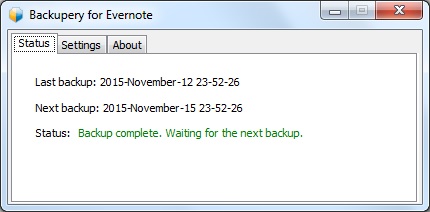
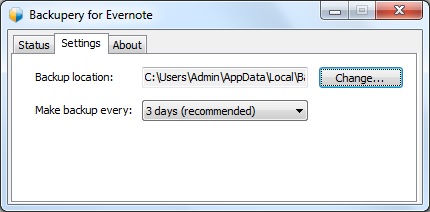
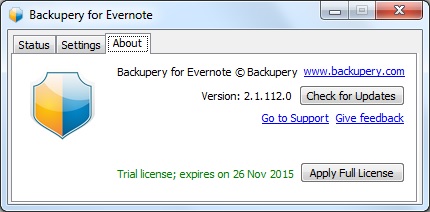
Backupery for Evernote is a Windows software application that performs regular backup of your Evernote data. This backup can be saved to your computer, external hard drive, USB memory, Google Drive and much more. It is easy to use and setup, easy to restore your date, backups attachments, works in the background, is secure and even has de-duplication and free space optimization.


Backupery for Chrome Bookmarks is a Windows software application that performs regular backup of your Google Chrome bookmarks. This backup can be saved to your computer, external hard drive, USB memory, Google Drive and much more. It is easy to use and setup, easy to restore your date, backups attachments, works in the background, is secure and even has de-duplication and free space optimization.


It is very important to have backups of your data. When I was CIO, I had my school district backing up all data to Barracuda Backup (on premise and 3 offsite) and had all of our Google Apps for Education data backed up with Backupify.

I backup my personal Google Drive files using the Google Drive sync app, and I do regular backups using Google Takeout of all of my Google Data. I also do regular exports of my Evernote data. All of my backups are also copied to an external hard drive, which I store in a fire-proof safe. I will now be using Backupery to also backup Evernote. I was using Revert.io but they were bought by another company (ThisData) and are no longer free (they do have excellent tools, including Google Admin, and pricing though).


Tuesday, April 21, 2015

Importance of having a Data Backup Solutions

CopyBackupFiles Want to backup files? Here are 8 free web applications that can help you

Data backup is even more important than ever these days. Everything is digital now and you need to safeguard and backup your data. 

I have my personal data backed up in multiple ways, and even backup my Evernote files with a free service. Our district has a Barracuda backup server as well as off site back up at Barracuda's data centers and we use Backupify to backup our Google Apps data.

Below are some more resources on data backup and an infographic from SingleHop with more information and resources on how virtual servers can help keep your data recoverable and secure.

Monday, March 23, 2015

Using Vernier Data Tools on a Chromebook


Determining grip strength with the Hand Dynamometer, Go!Link, and Graphical Analysis for Chrome

Chromebooks are very powerful, and very useful, devices. You can even use them with Vernier Data Tools.


Vernier is a huge name in data collection tools for science and math and they have been working to support Chromebooks for some time.  Earlier this year they released their Graphical Analysis tool for Chromebooks (free) and they have continued to make their products work with Chromebooks.


There are two different ways you can use their tools with Chromebooks. One is using a USB connector and the other is wireless. For the USB connection for the sensors, you need the USB connector and the Graphical Analysis Software. For the Wireless connection, you need the Labquest device and the software. Many schools already have the Labquest devices anyway.

USB
  1. Students begin their experiment by connecting sensors to their Chromebook USB port.
  2. Using Graphical Analysis for Chrome, students set experiment parameters and start data collection.
  3. Real-time sensor data is shown as a graph, a meter, or a table for different learning styles.
  4. Students can annotate their graph, perform curve fits, run calculations, and more.
  5. Students can easily create and send a finished lab report to their instructor, save their work to Google Drive™, or export data to Plotly™ for further study.
Wireless
  1. Students in a lab group set up an experiment with Vernier sensors and LabQuest 2.
  2. Each student launches Graphical Analysis for Chrome on a Chromebook and connect to LabQuest 2.
  3. After starting data collection, experiment data are wirelessly streamed from LabQuest 2 to each Chromebook.
  4. Every lab group member analyzes data on a Chromebook in class or at home.


Vernier devices and sensors are used by high school and college courses around the world and it's nice to see that Chromebooks are supported.


Related:

What can you do on a Chromebook? Pretty much everything.


Wednesday, January 7, 2015

Do School Districts Need Their Own Data Centers Anymore?


Do school districts need their own data centers anymore? Yes and no, They still need a connection out to the internet, as well as a firewall for security, and then distribution of the internet connection to each school. But, do they need anything more than that?

My school district has a multi-million dollar data center to support 41 buildings, 21,000 students and over 4,000 faculty and staff. Above is just two of the 10 racks in the data center. It's expensive to maintain (engineer, air conditioning, power) and can fail. There are lots of servers and a left hand setup for files and databases, along with appliances for different types of software. However, much of it is legacy now. In addition, you need to backup all of your data, preferably offsite.

Schools are turning more toward web services, even our district. Google Apps, Evernote, Edmodo, and more are all web based. PowerSchool, Destiny and other services that used to be local servers are now hosted by the vendors. E-rate no longer pays for servers either.

So, can school districts just provide internet connections and routings to each building? I think most can. Save the money from a data center and use it for faster switches, more WiFi and increased internet bandwidth. Let vendors handle issues and maintain their own servers. Make sure they back up your data to multiple locations.

We use Backupify to backup and archive all of our Google Apps data and the other vendors backup the data to multiple locations. We are still maintaining some systems and file servers, as well as an Exchange server, but most school systems can get away from that.

I was just speaking with a smaller school district that is looking to revamp their entire technology. They are moving to Google Apps and Chromebooks (and moving all files to Drive) and are moving to have Pearson host PowerSchool instead of hosting themselves. By the end of the summer, they will not host any systems or software and will focus on increased bandwidth and wireless access in the district. The money savings will also be used to buy more student devices.

In today's web based world, servers and hosting your own systems seems outdated.


UPDATE: I forgot to mention one thing - make sure you have a backup internet connection. Our district has three distinct internet connections so that if any one POP goes down, or a cable goes down, we still have a connection. Some schools use 4G connections as a backup too.

Friday, March 16, 2012

CollateBox - tool for data collection, sharing, collaboration


CollateBox is a new service, still in Beta by invitation, that promises a new way to collect, share, and collaborate with data online. It is supposed to be better, more secure, easier to use, and have more features for using data than Lotus, Excel or Google Docs.

It is still in Beta by invite only, so if you are interested, hurry and get your invite on their site.


LinkWithin

Related Posts Plugin for WordPress, Blogger...