Not everyone likes to, feel comfortable, or can go completely paperless. Some like the feel of paper. Sometimes it's easier to take notes on paper. Sometimes, digital equipment isn't allowed in an area. Whatever the reason, there are some great paper-based resources that work with digital.
I often share tips and resources for getting organized and have shared some paper-based solutions in the past.
Here are some tips/resources that are paper based or similar:

1. plain old paper - yup, plain old paper is still around. You can easily take notes, sketches and more with any notepad and pen or pencil. Want or need it digital? Just take a photo of it with your smartphone or scan it. You can also use paper based organizers and do the same thing.
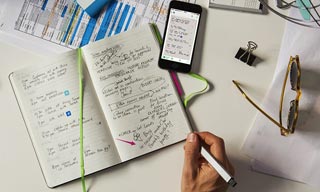
2. Moleskin Notebooks - these are specially made to work with Evernote and your smartphone camera. Write in the notebooks and then take a photo of it with the Evernote app and your notes are now in Evernote. You can make them private, share, tag and more with them.

3. Livescribe Pen - write with the special pen on the special paper and capture your notes digitally. The WiFi version automatically syncs over WiFi. I love mine and sync it to my Evernote account. No WiFi where you are? No worries, the data is stored in the pen and can be synced to your computer later. This is a great compromise for using paper while saving the info digitally. You can also record audio with it.

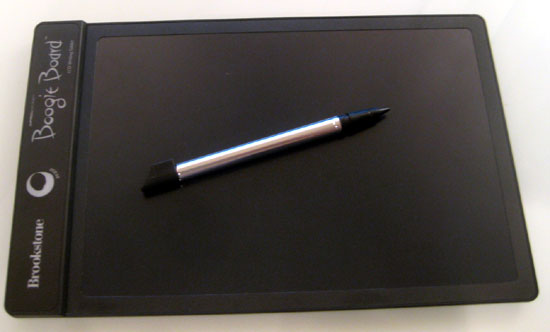
4. Boogie Board - the Boogie Board is an electronic pad that allows you to write on it with a stylus and then erase it. There are also models that let you store what you write and sync it to your computer. I use the basic model for quick notes at home and the Sync model for notes at my desk (instead of using post-its). I can then save the notes if I want by syncing it to my computer (and my Evernote account) or via Bluetooth to my smartphone. Nice for quick notes and meetings.
There are a variety of ways to capture information - use what works for you.
Related:
Tips and Resources for Getting Organized
Getting Students and Teachers Organized - includes some tips for paper based systems
Evernote for Education Resources