Showing posts with label livescribe. Show all posts

Friday, March 20, 2015

Rocketbook - cloud integrated notebook you microwave to erase


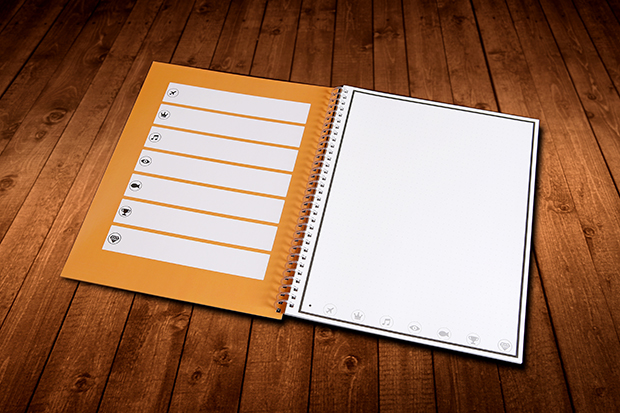
Rocketbook is a cool new product. It is similar to Livescribe notebooks in that it has micro-dot paper that uses a special pen and captures what you write to the cloud. The difference is that you can reuse the notebook - put it in the microwave for 30 seconds and the special ink (Pilot FriXion pen) is erased. The company says you can reuse the notebooks about 25 times, which is very nice. One pen is included.

The notebook and app work together and there are 7 icons on the bottom of each page that you assign to the app of your choice, including Dropbox, Evernote, Google Docs or even your email.

Paper notebooks appeal to a lot of people and are easier, at least in my opinion, to take math, science, engineering notes (equations) and draw sketches.


Paper notebooks are a great resource and appeal to many users. Having a paper notebook that also works with digital resources is even better.

It is scheduled to release in June 2015 - they have already surpassed their initial funding goal by over 1000% so it is happening. You can go to the site and contribute to it for early access to products too.


Related:

Analog (ie paper) resources that work with digital
Evernote for Education Resources

Livescribe Pens and Notebooks

Tips and Resources for Getting Organized

Getting Students and Teachers Organized - includes some tips for paper based systems


-

Monday, January 12, 2015

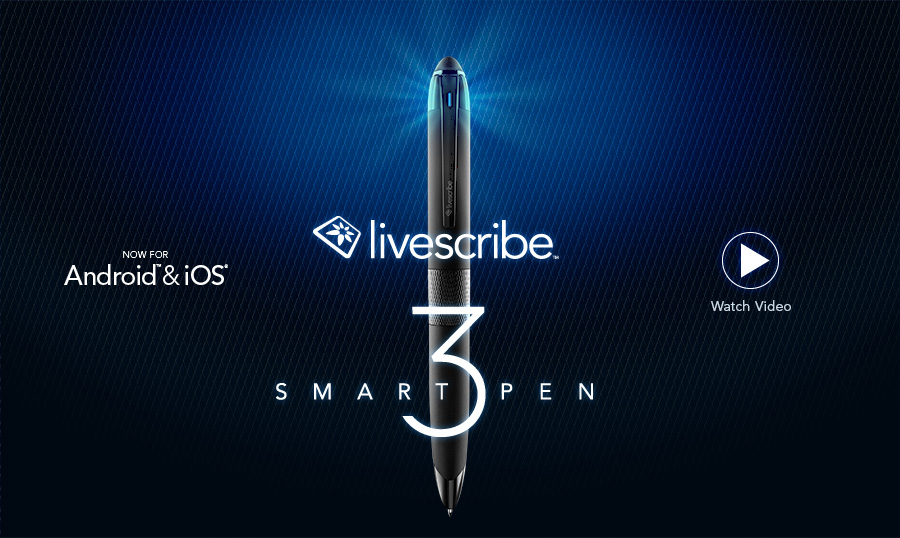
Livescribe announces Livescribe 3 for Android coming this Spring


Livescribe 3 Smartpen: Dicho y hecho


I love my Livescribe SmartPen. I use it all the time to take notes at meetings and keep myself organized. I love how it also records audio and keeps it in sync with your handwritten notes and can sync over WiFi to my Evernote account. 

Livescribe released the Livescribe 3 last year with an iOS app that let you sync directly to your iPhone (and into Evernote and OneNote). It also allows searching handwriting, converting handwriting to digital text and more. "Your Livescribe 3 pairs with Livescribe+ to instantly sync everything you write on paper directly onto your iPhone or iPad. Your notes become more useful when they are organized, tagged, searchable and converted to text."

Finally, they are releasing an Android app, which they state has been designed from the ground up for the Android platform. This is great news for Android users.

The Livescribe pens allow people who like to take notes on paper to do so, but have a digital copy of their work to share, store and recall whenever needed. 


LS-AndroidSidePanel


Related:

Livescribe Sky WiFi Smartpen - save notes and audio via WiFi to Evernote

Analog (ie paper) resources that work with digital

--

Thursday, December 18, 2014

Analog (ie paper) resources that work with digital


Not everyone likes to, feel comfortable, or can go completely paperless. Some like the feel of paper. Sometimes it's easier to take notes on paper. Sometimes, digital equipment isn't allowed in an area. Whatever the reason, there are some great paper-based resources that work with digital.

I often share tips and resources for getting organized and have shared some paper-based solutions in the past.

Here are some tips/resources that are paper based or similar:


1. plain old paper - yup, plain old paper is still around. You can easily take notes, sketches and more with any notepad and pen or pencil. Want or need it digital? Just take a photo of it with your smartphone or scan it. You can also use paper based organizers and do the same thing.


Evernote Planner

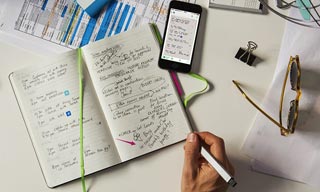
2. Moleskin Notebooks - these are specially made to work with Evernote and your smartphone camera. Write in the notebooks and then take a photo of it with the Evernote app and your notes are now in Evernote. You can make them private, share, tag and more with them.


3. Livescribe Pen - write with the special pen on the special paper and capture your notes digitally. The WiFi version automatically syncs over WiFi. I love mine and sync it to my Evernote account. No WiFi where you are? No worries, the data is stored in the pen and can be synced to your computer later. This is a great compromise for using paper while saving the info digitally. You can also record audio with it.


4. Boogie Board - the Boogie Board is an electronic pad that allows you to write on it with a stylus and then erase it. There are also models that let you store what you write and sync it to your computer. I use the basic model for quick notes at home and the Sync model for notes at my desk (instead of using post-its). I can then save the notes if I want by syncing it to my computer (and my Evernote account) or via Bluetooth to my smartphone. Nice for quick notes and meetings.


There are a variety of ways to capture information - use what works for you.


Related:

Tips and Resources for Getting Organized

Getting Students and Teachers Organized - includes some tips for paper based systems

Evernote for Education Resources


Monday, February 4, 2013

Livescribe announces Discounted Education Pricing on SmartPens.


sky_record

I'm a huge fan of the Livescribe SmartPens and use them daily in my role as CIO. I had also used it as a teacher. May administrators I know are looking at them for teacher evaluations and notes and students love them.

These pens let you take handwritten notes, as well as record audio, and then sync these notes to Evernote, Google Drive and more. It's a great way to take notes and then have them available anywhere. In addition, struggling students can use the audio record feature to help them review their notes, learn English, and much more.

Livescribe has announced some discounted education pricing on the Smartpens which make them more attractive to schools. Savings range from $40 to $72 per item.


See more in the official press release below:


Livescribe Announces Discounted Education Pricing Bundles on Smartpens

Livescribe’s Customized Training Programs and Livescribe Helper App Also Available to Improve Learning in the Modern Classroom

Oakland, Calif. — Jan. 29, 2013 —Livescribe for Education announced today at the Florida Educational Technology Corporation (FETC) national conference their new their new Smartpen Education Bundles and customized training programs that offer significant savings for K-12 educators and higher education institutions. Dedicated to the education industry, Livescribe is pleased to share special offers on the latest smartpen model, the Sky wifi smartpen, which is the first digital pen to integrate WiFi technology and cloud services to make learning easier anytime, anywhere. To deliver an improved learning experience at schools, Livescribe also launched the new Livescribe Helper application to give teachers and students the added option of syncing their notes and audio from their smartpen to their Evernote account over a USB cable, using a computer’s Internet connection.

These new offerings have been developed as part of Livescribe Education’s pilot program for the Sky wifi smartpen at Kehillah Jewish High School in Palo Alto, Calif. Livescribe is deeply immersed in the pilot program to assess use cases, as well as the impact of using the Sky wifi smartpen, both at school and beyond classroom walls. The initial findings from this pilot and feedback from other customers helped influence the education bundles, training and additional services. Livescribe also developed the Livescribe Helper app to accompany the Sky wifi smartpen, so schools with closed WiFi networks can still sync notes to their private online account without a WiFi connection. The Sky wifi smartpen pilot program will culminate later in 2013, at which time Livescribe will share the highlights and results of the program.

The Sky wifi smartpen digitizes everything students, educators or administrators write and hear and automatically syncs it to their personal Evernote® account, where it is securely stored and readily available to search, play back, organize and share. Students and teachers can have convenient access to their recorded notes and audio whether from paper, tablet, smartphone or computer – making notes and educational materials available any time, anywhere.

Ideal for students and teachers wanting to make the most of their smartpens in a classroom environment, the new education bundles include the smartpens, their respective accessories, and other special features such as tailored training courses and a Best Practices Guide for Educators. The Best Practices Guide supports innovative teachers who are using new technology to improve the learning experience. It includes sample learning activities for blended learning environments, group activities such as creating class portfolios with Evernote to display student work, formative assessment strategies for educators, and special tips and tricks for educators to share interactive course materials. Livescribe is also offering special training options for educators, including customized webinars and onsite professional development.

To meet the Livescribe team at the FETC national conference, visit booth #137 at the Orange Country Convention Center in Orlando, Florida. On Thursday, January 31 at noon, visit Room S230G at FETC to learn teaching tips and techniques from educators that use Livescribe smarptens effectively in their classrooms.

To learn more about available education pricing bundles or place an order, visit the Livescribe online store for education at http://www.livescribe.com/k20_how_to_buy.

Students and educators interested in purchasing specially discounted education bundles may contact Livescribe for further information at educationsales@livescribe.com.

To download or learn more about the Livescribe Helper app, visit http://www.livescribe.com/en-us/support/sky/howto/.

  
####

About Livescribe for Education
Livescribe’s smartpens bring handwritten notes and lessons to life to enhance educator effectiveness and improve student learning. Livescribe syncs handwriting and audio so students can take better notes and educators can record interactive lessons. Teachers can easily capture, store and share difficult concepts and class lessons with Livescribe so students can study material at their own pace.  Used across K12, special education, and higher education institutions, Livescribe makes learning more engaging, customized and accessible. www.livescribe.com/education.

Wednesday, November 21, 2012

Another great feature of Evernote - integrated in Outlook


I love Evernote. It's no surprise. I use it for everything and even more now in my new job as Chief Information Officer of the district. It allows me to keep everything - notes, files, and more all accessible anywhere on any device. I use the web clipper, Livescribe SkyPen, Android App, web app, and Windows Desktop App.

Outlook icon

As a teacher, we all used the web version of Outlook. Administration and office staff use the desktop version of Outlook because we utilize more features. I had always used the web version of Evernote as a teacher and now use the desktop version (more features that I need). After installing Evernote, I noticed an Evernote logo on Outlook. What a great surprise. I can easily and quickly save any email (and attachments) or contact right to Evernote from Outlook.


This has become invaluable to me as I get organized and keep track of information, contacts, and resources. Instead of setting up a bunch of mail folders, desktop folders, and Evernote notebooks, I just put everything into Evernote. It also means I can access all of this from anywhere, very easily. I have my important personal and work notebooks set up to offline sync on my smartphone and Nexus 7 tablet so I can always access them, and I have the desktop versions of Evernote at work and home for offline access and backup.


Once again, Evernote has made my life easier and more organized.


Related:

Evernote for Educators Resources

Livescribe SkyPen - automatically sync your handwritten notes and audio recordings to Evernote via WiFi.

Nexus 7 Android Table Review


Saturday, November 17, 2012

Livescribe Sky WiFi Smartpen - very handy in my new job


Two weeks ago I started a new job. I'm the Chief Information Officer for my district. In this capacity, I oversee the IT department and coordinate technology issues with all other departments, as well as advise on educational technology issues, products, and pedagogy.

This job entails a lot of meetings, issues, and challenges. One way I have been able to keep up with things is through my Livescribe Sky WiFi Smartpen. With this smartpen, I'm able to take notes in meetings on paper, which is very efficient, especially with my note taking style, which incorporates sketches, symbols, arrows, and more that don't translate well with a keyboard. The smartpen saves all of my notes and syncs them to Evernote over WiFi. This means that all of my notes are stored in Evernote so that I can access them anywhere. They are even searchable. I can also record audio in important or fast moving meetings to make sure I don't miss anything.

I have used it extensively and it has made me more efficient and organized. I am able to take notes quickly, and then have them saved and accessible from anywhere.


Related:

Livescribe Sky WiFi Smartpen - save notes and audio via WiFi to Evernote
Evernote for Education Resources


Monday, October 29, 2012

Livescribe Sky WiFi Smartpen - save notes and audio via WiFi to Evernote


I love my Livescribe SmartPen. I use it all the time to take notes at meetings and keep myself organized. I love how it also records audio and keeps it in sync with your handwritten notes. The only issue was that I had to go back to my computer and plug in the pen to get the files uploaded to either Evernote, Google Docs, or other services.
wifi-smartpen_record

That has now changed. Livescribe has just announced it's Sky WiFi Smartpen. It works just like the other smartpens - you write on special paper (buy or print your own) and it records what you write. It also has a built in voice recorder. The difference is that the Sky smartpen has WiFi built in and will automatically sync your written notes and audio recordings with your Evernote account. This is a great resource for anyone.


I received one last week to try out and it works great. It's very easy to set up and connect to WiFi. I used it in a meeting that was fast moving with a lot of information and as I took hand written notes, it was also recording the audio of the meeting. During a break, I synced everything with my Evernote account and it was all there for me to access anywhere. The audio files will come in handy when I need to review parts of the meeting that I didn't get good notes from. The notes, both written and audio, were immediately in my Evernote account and accessible on all of my devices. I didn't have to wait to get back to my computer to sync my notes.

The smartpen is also easier to take notes with then a keyboard, or even a stylus on a tablet. I use symbols, diagrams, arrows and more when I take notes and this allows me to do that very easily.

wifi-smartpen_share

The Sky smartpen comes in 2GB, 4GB and 8GB varieties with costs from $170 to $250. They come with a starter notebook and two sets of stickers with the commands so that you can place them anywhere that is convenient, including your own printed notebook. These commands and "buttons" are how you record, connect to WiFi, and more. It handles secure WiFi also. Connections to Evernote are standard and future connections include Dropbox, Google Drive and Facebook (coming early next year).

The Livescribe team has an education group and they are working with schools on ways to utilize these smartpens in education. This type of device is excellent for special needs students to help them take notes and record audio. The audio is synced with your written notes, so you can tap a word in your written notes and the pen will play back the audio from that point. Students could also have others take notes for them and share them via Evernote, and eventually through other services.

I shared the notes from my meeting to others by sharing the Evernote note with them.

It's very easy to use and a great resource for anyone. They will be available in stores on November 1st.

I'll be sharing more about it and my use of it as I go along with it.

Related:

Livescribe SmartPen - 5 years of smartpen use and my review

Here's the press release from today.


Livescribe Launches Sky™ wifi smartpen Pilot Program with Education Institutions to Evaluate Uses and Impact on Learning

Oakland, Calif. — Oct. 29, 2012 —Livescribe Inc. announced today the consumer launch of its Sky wifi smartpen, the first digital pen to integrate WiFi technology and cloud services. Dedicated to the education industry, Livescribe is kicking off a pilot program with select school districts and higher education institutions to assess use cases, as well as the impact of using the Sky wifi smartpen both in and out of the classroom. The results of the pilot program will help influence education product bundles, training and additional services in the future. Livescribe will officially launch the Sky wifi smartpen in the education market in early 2013.

The Sky wifi smartpen digitizes everything students, educators or administrators write and hear and automatically syncs it to their personal Evernote® accounts, where it is securely stored and readily available to search, play back, organize and share. Now Livescribe customers can have fast, convenient access to their recorded notes and audio whether from paper, tablet, smartphone or computer – making notes and educational materials available any time, anywhere.

This allows students to listen to their teachers’ explanations of difficult concepts or new material as many times as they need on nearly any device. Similarly, teachers can record interactive lessons or homework assignments, called pencasts, and post them to their class blog or website, where students can review the material from their computers or mobile devices before or after class.

“The Sky wifi smartpen makes it easy for educators and students to create, share, review and collaborate using pen and paper,” said Byron Connell, chief marketing officer, Livescribe Inc. “With our pilot programs in K12 and higher education, we hope to advance our understanding of how to best integrate the Sky wifi smartpen into instruction and improve learning, assessment and collaboration.”

Higher Education Sky wifi smartpen Pilot Program
The higher education pilot program for Sky includes several highly esteemed institutions, including UC Berkeley, North Carolina State University (NCSU) and Tarrant County College – Southeast Campus. The disability services departments at both UC Berkeley and NCSU will loan Sky wifi smartpens to students in need of note-taking accommodations to use in their classes. They will evaluate the impact of providing students with the smartpen from both student and institutional perspectives. In addition, the pilot program at NCSU will also be extended to assess the impact of the Sky wifi smartpens on students in AP courses.

At Tarrant County College, the Sky wifi smartpen will be used in the mathematics department in classroom settings where the professor will use the Sky wifi smartpen to share interactive lessons and materials with students using Evernote.

“UC Berkeley prides itself on being at the forefront of delivering the best and most innovative services and accommodations to our students,” said Paul Hippolitus, Director, Disabled Students’ Services at UC Berkeley. “We look forward to the pilot program and evaluating the benefit and impact of Livescribe’s wireless smartpen to provide our students with additional ways to access, interact and share information they learn in class to not only improve understanding, but to also better prepare them for entering the workforce.”

K12 Sky wifi smartpen Pilot Program
A pilot program at Opal Public Charter School in Portland, Oregon will explore how elementary school students can use smartpens to create more dynamic and informative digital portfolios that show student growth over the school year, as well as year-over-year. Students and educators will use the Sky wifi smartpen to collect samples of student schoolwork and assignments, which can be stored in Evernote notebooks and privately shared with students, parents and other teachers.

“We’re creating digital student portfolios to catalog students’ ideas, assignments and projects throughout the school year and to give students a unique way to document, reflect upon and share their own learning. We believe the Sky wifi smartpen will make it simple to sync pencasts with Evernote notebooks for each student, bringing their portfolios to life,” said Rob van Nood, Anchor Teacher for the pilot program at Opal School. “These digital portfolios provide teachers and parents with a unique opportunity to track student growth and progression throughout the year, in a more dynamic, accessible and easy-to-share format. With digital portfolios we are able to identify and address each student’s individual needs.”

The Sky wifi smartpen pilot program will culminate in the spring 2013, at which time Livescribe will share highlights and results of the program.

####

About Livescribe for Education
Livescribe’s smartpens bring handwritten notes and lessons to life to enhance educator effectiveness and improve student learning. Livescribe syncs handwriting and audio so students can take better notes and educators can record interactive lessons. Teachers can easily capture, store and share difficult concepts and class lessons with Livescribe so students can study material at their own pace.  Used across K12, special education, and higher education institutions, Livescribe makes learning more engaging, customized and accessible. www.livescribe.com/education.


Wednesday, May 23, 2012

Livescribe SmartPen - 5 years of smartpen use and my review


LiveScribe :: Never Miss A Word

I love my Livescribe SmartPen. It is a great resource for me to take hand written notes and then have them digitized and saved. It also includes a voice recorder that syncs with your written notes. I've been using it at conferences, meetings, and to do science work and calculations. It is much faster than typing and works great for math, science, symbols, and diagrams. I love that I can then view my notes on any device and even send my notes via email, to Evernote, Docs, or a variety of apps.

This is Livescribe's 5th anniversary. Happy Anniversary!


The ability to record your hand written notes is very useful in Math and Science, since it’s very hard to take notes in these areas with a keyboard or even a tablet/pad. It can also make an audio record of what you say or hear as you are writing and it timestamps and syncs the written notes with the audio notes.


Your notes get synced to your computer using a mini-usb cable and the Livescribe desktop application. There is also an application that you can get that will transcribe your handwritten notes into digital typeset notes. You can even search for words in your notes. The desktop application allows you to organize your notes and shows a thumbnail of each notebook. You can then view each notebook page and page forward and backward.


The pen is controlled by tapping on certain symbols in the notebook, which is pretty cool. You use this to select other applications in the pen, start, stop, and playback audio recordings and more. Inside the front cover of the Livescribe notebooks is a “calculator” that allows you to use the pen as a calculator. There are also controls on each page that allow you to change the volume on the pen, jump around your recordings, and even bookmark a spot in your notes. 


You can share your notes and recordings as a pencast, PDF, or audio file. The desktop application has one-click sharing with Evernote, Facebook, Google Docs and Email. This means you can always have your notes available to you. You can also sync your pen notes to multiple computers. During meetings, one person can be the official note-taker and then share the notes out with everyone else.


There are apps available also that you can download to add more functionality to your pen, including dictionaries, translators, games, productivity tools and more.

There is a vibrant user community and support team as well as resources for using the Livescribe Pens in Education. These pens are great for taking notes and then sharing and saving them. I can see a lot of great uses for these in education. The site has some great tips and uses for using the pens in school and even has reports of how the pens have helped increase student achievement. The Livescribe help website is easy to use and understand and makes using these pens very easy. Set up only takes a couple of minutes.


Below is a great infographic about Livescribe Smartpens and how they have been used around the world.


Wednesday, April 25, 2012

Buy a Livescribe SmartPen by April 30th, get 1 yr Evernote Premium free. Great deal.


I'm a huge fan and user of Evernote. I'm a huge fan and user of Livescribe Pens. If you've thought of purchasing a Livescribe smartpen, and like Evernote, you should buy the smartpen before April 30th. If you do, you'll get one year of Evernote Premium free.

I know this sounds like an advertisement, but I love a good deal, so I figured I'd pass it on to you.

Evernote for Educators: http://educationaltechnologyguy.blogspot.com/p/evernote-for-education.html
Livescribe SmartPen reviewhttp://educationaltechnologyguy.blogspot.com/2011/11/livescribe-smartpens-updated-pricing.html

Buy a smartpen by April 30th and get one year of Evernote Premium* for FREE


Monday, November 28, 2011

Livescribe Pen - great cyber-Monday deal (save $80)


I have a Livescribe Echo Smartpen and love it and find it to be very useful. The Livescribe smartpens are pretty cool. They record what you write, and hear, and then you can load this into your computer to keep a digital copy of your written notes and even share your notes with others. 


(full review here)

The model I have is an 8GB pen. You get the desktop software, stylus tip, two ink cartridges, the cable, a starter notebook, and 500MB of personal online storage. The 8GB Echo retails for $199 so it’s not cheap, but it is another tool that can be very useful in education, business, and even just for taking personal notes. The 2GB pen is only $99. There are discount prices available to educators, anyone interested can email educationsales@livescribe.com  for details.


UPDATED PRICING : You can get 15% off the price of a Livescribe Pen by using this link (directly to Livescribe, not secondary vendor)


CYBER MONDAY PRICING: The 8GB Echo is on sale for $99.95! Huge savings and if you buy one before January 31st 2012 you get a year free to Evernote Premium!


Tuesday, November 22, 2011

Livescribe Smartpens - updated pricing and discounts


I have a Livescribe Echo Smartpen and love it and find it to be very useful. The Livescribe smartpens are pretty cool. They record what you write, and hear, and then you can load this into your computer to keep a digital copy of your written notes and even share your notes with others. 


(full review here)


The ability to record your hand written notes is very useful in Math and Science, since it’s very hard to take notes in these areas with a keyboard or even a tablet/pad. It can also make an audio record of what you say or hear as you are writing and it timestamps and syncs the written notes with the audio notes. 


The model I have is an 8GB pen. You get the desktop software, stylus tip, two ink cartridges, the cable, a starter notebook, and 500MB of personal online storage. The 8GB Echo retails for $199 so it’s not cheap, but it is another tool that can be very useful in education, business, and even just for taking personal notes. The 2GB pen is only $99. There are discount prices available to educators, anyone interested can email educationsales@livescribe.com  for details.


UPDATED PRICING : You can get 15% off the price of a Livescribe Pen by using this link (directly to Livescribe, not secondary vendor) They are also offering a free year subscription to Evernote Premium.


The main reason that I see these as an essential tool for many people is the ability to record hand written notes. Many people, myself included, take notes very efficiently with pen and paper, using symbols, diagrams, arrows, and the like to make the notes more meaningful. It’s also great for people who have to take notes using math and science equations and symbols. Being able to easy capture, save and then share those notes is a great thing.


Friday, June 3, 2011

Qualcomm shows off cool new e-pen technology


Qualcomm has announced a very cool ultrasonic pen at the Computex expo. The pen has an ultrasonic transducer on it and connects with a smartphone that has 3 microphones. The signal is triangulated and the phone can determine the location of the pen. The phone can then capture the movements of the pen and the handwriting that is done by the pen, on regular paper up to a distance of 30cm. 


This is similar to the Mimio device I use in my classroom. The Mimio turns my white board into an interactive white board. I can capture my notes, operate my computer and presentation from the board and more. There is a stylus to use or some models let you put a dry erase marker in a special holder that has a transducer on it to transmit to the receiver. 


It's also similar to the LiveScribe pen I reviewed last week. The Livescribe stores the data internally and needs special paper (which you can print) and then you transfer the data to your computer. I would be surprised if LiveScribe hasn't already been looking at this kind of new technology. 


Technology and gadgets don't invent themselves. We need to encourage our students to get into STEM course and career fields and be curious and inventive. 


Qualcomm is an American mobile electronics and technology company and was the inventor of CDMA and many 3G wireless technologies. 


Source: Engadget 


(photo from Engadget - platform paper and phone are on are just for demo)


Monday, May 23, 2011

Livescribe Echo Smartpen - very cool and very useful


I recently acquired a Livescribe Echo Smartpen to use and found it to be very useful. The Livescribe smartpens are pretty cool. They record what you write, and hear, and then you can load this into your computer to keep a digital copy of your written notes and even share your notes with others. 


The ability to record your hand written notes is very useful in Math and Science, since it’s very hard to take notes in these areas with a keyboard or even a tablet/pad. It can also make an audio record of what you say or hear as you are writing and it timestamps and syncs the written notes with the audio notes. 


Your notes get synced to your computer using a mini-usb cable and the Livescribe desktop application. There is also an application that you can get that will transcribe your handwritten notes into digital typeset notes. You can even search for words in your notes. The desktop application allows you to organize your notes and shows a thumbnail of each notebook. You can then view each notebook page and page forward and backward.


The pen is controlled by tapping on certain symbols in the notebook, which is pretty cool. You use this to select other applications in the pen, start, stop, and playback audio recordings and more. Inside the front cover of the Livescribe notebooks is a “calculator” that allows you to use the pen as a calculator. There are also controls on each page that allow you to change the volume on the pen, jump around your recordings, and even bookmark a spot in your notes.


You can share your notes and recordings as a pencast, PDF, or audio file. The desktop application has one-click sharing with Evernote, Facebook, Google Docs and Email. This means you can always have your notes available to you. You can also sync your pen notes to multiple computers. During meetings, one person can be the official note-taker and then share the notes out with everyone else. 


There are apps available also that you can download to add more functionality to your pen, including dictionaries, translators, games, productivity tools and more.


There is a vibrant user community and support team as well as resources for using the Livescribe Pens in Education. These pens are great for taking notes and then sharing and saving them. I can see a lot of great uses for these in education. The site has some great tips and uses for using the pens in school and even has reports of how the pens have helped increase student achievement. The Livescribe help website is easy to use and understand and makes using these pens very easy. Set up only takes a couple of minutes.


I had seen an early model a few years ago, but wasn’t interested because you needed to buy special paper in order for it to work. While you can still order the special paper, you can now print out your own too (as long as your printer is an Adobe PostScript-compatible color laser printer with a print resolution of 600 dpi or greater, which, luckily, mine is.)


The model I have is an 8GB pen. You get the desktop software, stylus tip, two ink cartridges, the cable, a starter notebook, and 500MB of personal online storage. The 8GB Echo retails for $199 so it’s not cheap, but it is another tool that can be very useful in education, business, and even just for taking personal notes. The 2GB pen is only $99. There are discount prices available to educators, anyone interested can email educationsales@livescribe.com  for details.


UPDATED: You can get 15% off the price of a Livescribe Pen by using this link (directly to Livescribe, not secondary vendor)


The main reason that I see these as an essential tool for many people is the ability to record hand written notes. Many people, myself included, take notes very efficiently with pen and paper, using symbols, diagrams, arrows, and the like to make the notes more meaningful. It’s also great for people who have to take notes using math and science equations and symbols. Being able to easy capture, save and then share those notes is a great thing.


LinkWithin

Related Posts Plugin for WordPress, Blogger...