Showing posts with label remote. Show all posts

Thursday, May 14, 2020

Google launches new Distance Learning resource for Educators


Google has been announcing a lot of things to support educators, students and families with remote learning. The newest is a Distance Learning specific resource and course for Educators.


The course goes through a variety of topics and how to utilize G Suite for Education tools in each area.


Topics:
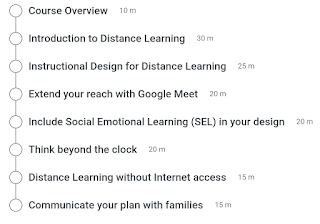


Instructional Design, communications, SEL and more are all covered, with specific examples of how to implement this in your classroom.

Easy to understand and apply. Check it out here: https://skillshop.exceedlms.com/student/path/27925-distance-learning-for-educators


And here are some more remote learning resources from Google:

Resources, tips and more for remote and e-learning (teaching online) 


General Google for EDU
Google Meet (Hangouts Meet)


.

Monday, April 6, 2020

EdTech startups launch "Learn From Home Club" offering free resources to students and teachers


Self-serve learning platforms Codecademy, Duolingo, Quizlet, Skillshare, and Brainly have teamed up to create the Learn From Home Club - a joint offering of free learning resources for teachers and students impacted by the COVID-19 pandemic (offer details for each company are available at the link provided). The offering was announced this morning in a tweet by Codecademy CEO Zach Sims. The participating education companies have a combined reach of nearly 600 million users.

The Learn From Home Club is a continuation of a previous effort by Codecademy, announced in mid-March, when the company offered to give 10,000 scholarships for Codecademy Pro to students and teachers whose schools have closed. They far surpassed that number, giving away over 100,000 scholarships, and decided to partner with other ed-tech companies to put together a larger offering.

The participating companies are as follows:
  • Codecademy is a platform for learning programming, web development, data science and other technical skills online. They have given away over 100,000 free Codecademy Pro scholarships to students so far.
  • Skillshare is an online learning community where millions come together to take the next step in their creative journey.
  • Quizlet provides free study tools including flashcards, practice questions and games for students and their teachers. Choose from 400 million study sets or create your own.
  • Duolingo is the world’s most popular language-learning platform, with the mission of making education free and accessible for everyone.
  • Brainly offers a free learning platform, where students and parents get homework and study help from peers and experts. Brainly is democratizing access to education and helps students answer questions. Students from anywhere can ask about their doubts and get a step-by-step explanation from others.


As part of the offering, Codecademy will be hosting Learn From Home Day on April 10 at 10 AM Eastern. The day will be marked with a free educational web conference dedicated to togetherness and self-betterment through learning online. Throughout the day, attendees will join interactive breakout sessions with Codecademy and other participating companies.


Resources, tips and more for remote and e-learning (teaching online)


.

Thursday, March 26, 2020

Upcoming Free Webinar on Best Practices on Delivering Special Education-Related Services Online


As the need for social distancing is prompting extended school closures across the country, school districts are considering new ways to keep students connected and engaged in school activities. Continuity is especially important for students who receive special education-related services.


PresenceLearning, Inc., the leading provider of live online special education-related services to K-12 schools, will host a free webinar for school districts looking to deliver these services via in-home teletherapy. During the “Delivery of Special Education-Related Services During School Closures” webinar, which will take place on Thursday, April 9th at 2 p.m. ET/11 a.m. PT, Kristin Martinez, clinical director of PresenceLearning, and Dr. Glendora Tremper, coordinator of special education at Springs Charter Schools in California, will discuss strategies for transitioning to online delivery of services.

“As schools across the country move services online, many teams are worried about how to ensure continued access and support for students with special needs. We want them to know that there are great options and well established practices for serving these students online,” said PresenceLearning CEO Kate Eberle Walker.

During the webinar, Martinez will provide best practices for schools, therapists, and families regarding teletherapy, and Tremper will discuss how her school system swiftly and successfully transitioned its school-based education team to an online model. Participants will understand how to quickly get up and running online to deliver services to students at home; online platform tools and features required to provide an optimal experience for students and clinicians; how to manage the delivery of teletherapy to homes, including how to facilitate parents’ and students’ participation; and what parents need to know.

“Communication, communication, communication is the key. The abruptness of the changes required to transition to online delivery of our services to students at home was stressful to parents and staff. So, as a leadership team we were in constant communication at all levels and with all stakeholders including our clinicians, staff, and parents. Multiple virtual meetings kept everyone informed and engaged in the process,” said Tremper.

All participants will receive a certificate of attendance for viewing the webinar, which will also be available on-demand.

To attend the upcoming webinar, register now.


Related:


.

Tuesday, March 10, 2020

Resources, tips and more for remote and e-learning (teaching online)


Resources, tips and more for remote and e-learning (teaching online)
(I will be updating this daily with new resources)

Many teachers and schools have resources for blended learning and even for students who are home or hospital bound to "attend" class. With the COVID-19 concerns, many schools are looking at ways to support more students and staff who may be quarantined at home or ways to keep learning going if school buildings are closed.

There are a variety of resources and edtech available to help. Here is a good list of resources and tips for setting up and supporting online/e-learning/remote learning. Scroll through it.


--

Tuesday, March 13, 2012

Splashtop Whiteboard for Android now available - control computer from tablet


HomeSplashtop Whiteboard Icon

Splashtop has just announced that Splashtop Whiteboard for Android tablets is now available in the Google Play app market.

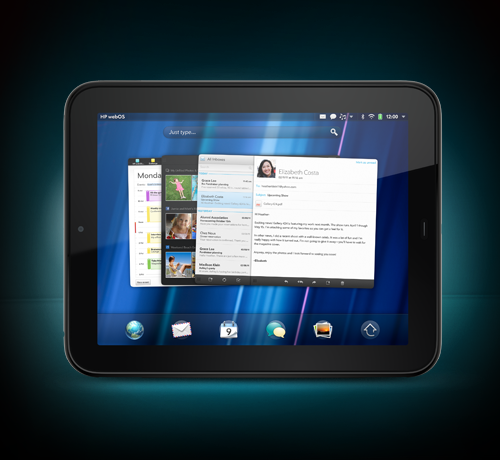
I use Splashtop Remote Desktop with my HP TouchPad tablet and my Droid Incredible 2 smartphone to connect and control my computers from my devices. It is an excellent app and very useful for me. Splashtop Whiteboard is built using Remote Desktop. I've also used Splashtop OS on my netbook.

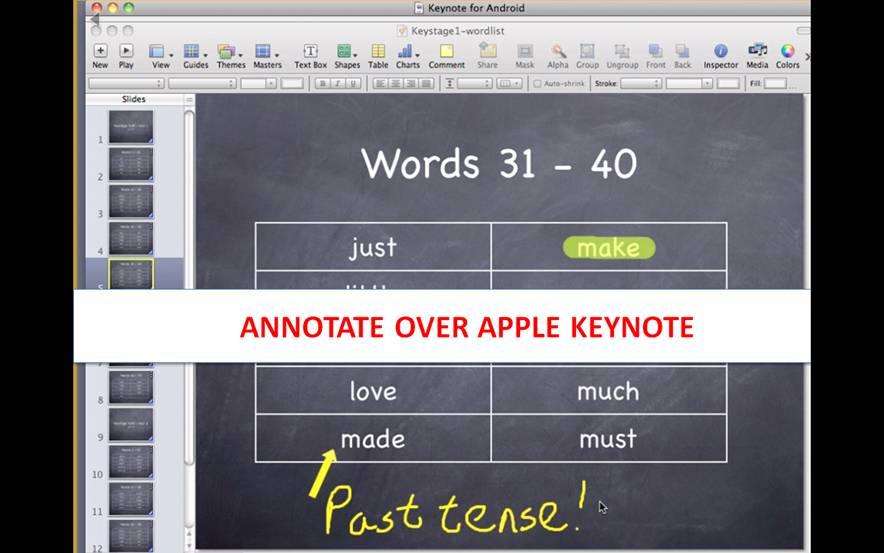
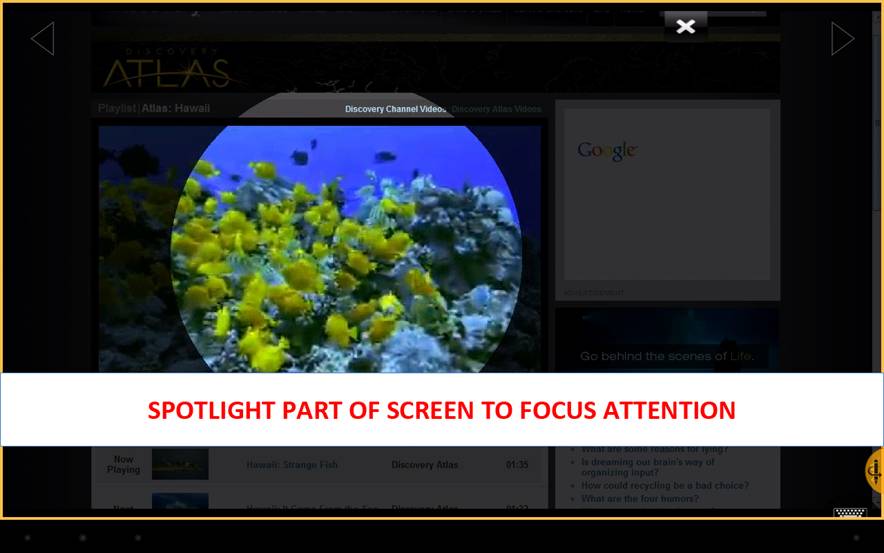
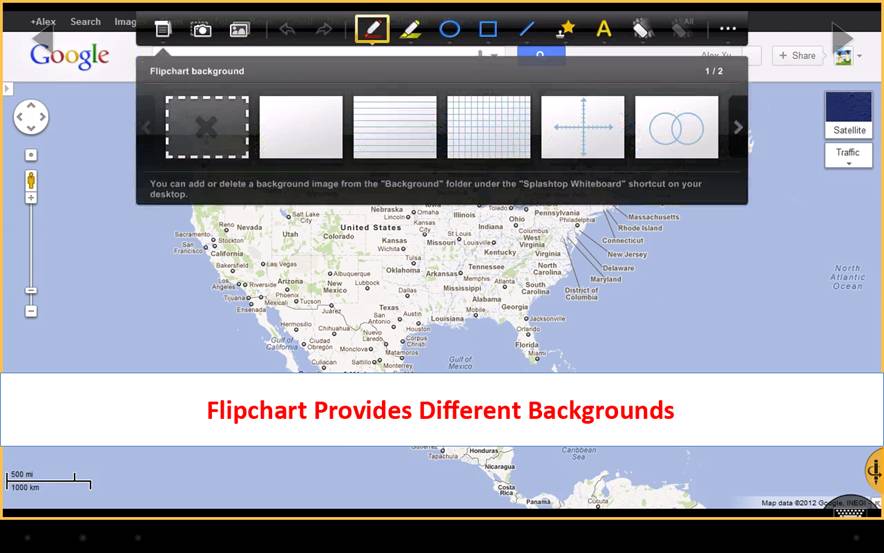
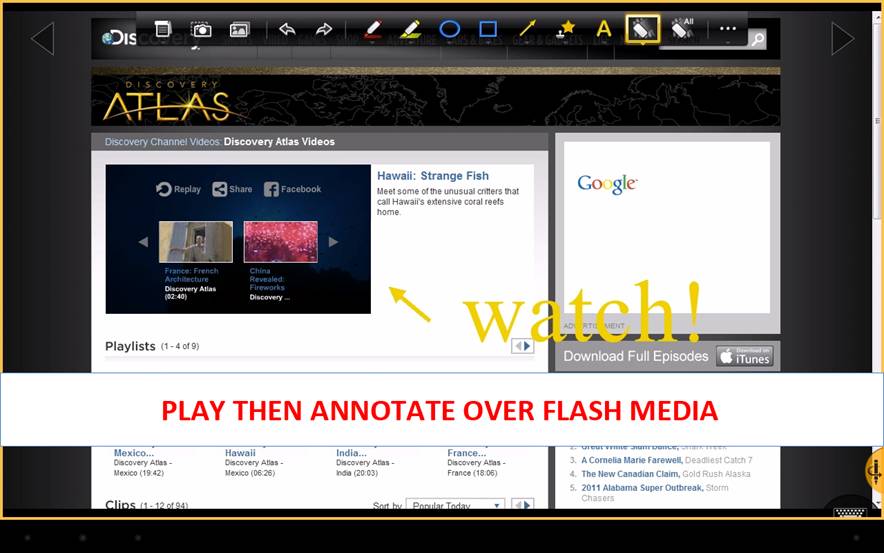
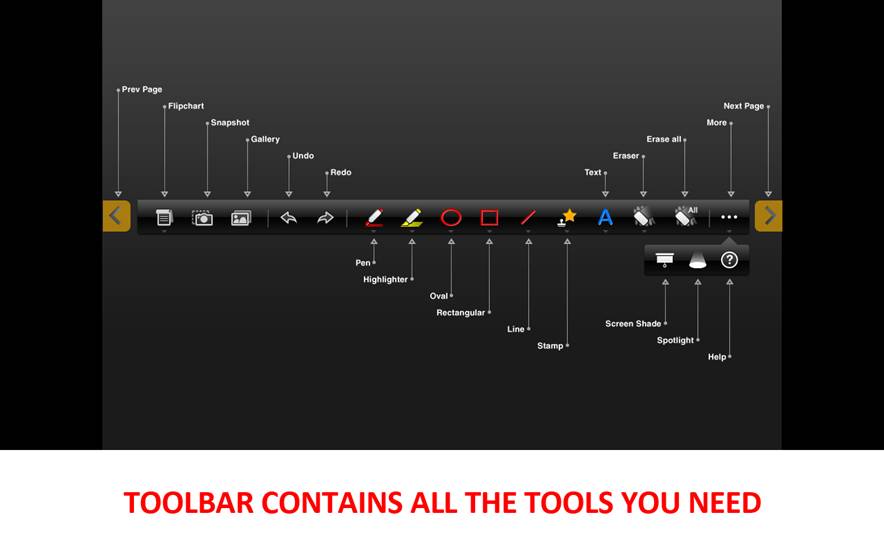
With Splashtop Whiteboard teachers and students can connect to a computer over Wi-Fi from an Android device or iPad, to enjoy Flash media with fully synchronized video and audio, control their favorite educational applications and annotate lesson content with a full-featured toolbar. Teachers can interact with students at their desks or from all four corners of the classroom.  
Splashtop Whiteboard is built on top of Splashtop Remote Desktop, the company's award-winning app that enables users to create their own personal cloud to access files, applications, as well as view and listen to content, directly from a PC or Mac without the need to sync or copy files or applications across devices. 


Splashtop Whiteboard is now available in the Google Play market for $9.99 (on sale!)
https://play.google.com/store/apps/details?id=com.splashtop.remote.WHITEBOARD&rdid=com.splashtop.remote.WHITEBOARD&rdot=1


It is also available for the iPad. for $19.99

See press release http://www.prweb.com/releases/Splashtop/WhiteboardforAndroid/prweb9271264.htm
where you can easily download graphics and see a teacher using Splashtop Whiteboard in the classroom on an Android tablet at http://www.youtube.com/watch?v=aTKL6rkW9OY


Related:
Home
Splashtop Remote - not free, but very useful (and awesome)


Android Apps, News, Tips and more for Educators and Students


Droid Incredible 2
Android Smartphone and Apps I use as an educator


HP TouchPad Tablet Review, and update after 6 months of use


Disclosure - I did not receive any compensation for this article and I do not receive any compensation for anyone downloading the software. 


Friday, February 17, 2012

pult - make any dumbscreen smart using your smartphone


pult is a free site that allows you to use your smartphone to stream videos from YouTube or Vimeo, photos from Flickr and Picasa, presentations from Slideshare, and your Facebook data, to any web enabled device.

You open up pult on your computer or other device you want to share to, then go to http://pult.io/ on your smartphone's browser and enter the code that your computer or device shows. Hit connect, and off you go.

On your smartphone you select which service to connect to and what to share to your device.

Easy and quick to use.

This could be useful for teachers, students or presenters when making presentations and you can also use it to share things from your smartphone to a larger screen without logging into anything on the larger screened device.

http://pult.io/


Clik - turn your smartphone into a remote control


Clik

Click is a very cool site that I'm just starting to play with. Click turns your smartphone into a remote control for any screen with a browser. 

It is very easy to use. You go to ClikThis.com your desktop browser and it generates a unique QR code on the screen. Then, you open the Clik app on your iPhone or Android phone and aim the camera at the QR code on the screen and it will sync the app to the computer and off you go.  

Currently, it is limited to playing YouTube videos, but there are already plans to expand it into controlling other parts of your computer. It's also free. 

(if you need to control your entire desktop or laptop from your mobile device, try out Splashtop Remote.)

Features:
- Take control of any web-enabled screen with your smartphone.
- Stream any of the millions of videos on YouTube onto the screen, controlling the experience right from your smartphone. - You can play, pause, search, browse, create favorites, control the volume – it’s a true remote control. And it goes with you anywhere – so your favorite videos are only a touch away.
- Use multiplayer mode at your next party! Multiplayer mode lets you and your friends all Clik in at the same time, so that you can play and discover videos together
- Bring your videos with you everywhere you go - you're only a ‘Clik’ away from playing them for friends or family.
- Clik can use your WiFi OR your mobile data connection.
- No additional hardware is required!

You can download the iPhone and Android apps here.  http://discover.clikthis.com/

Tuesday, September 27, 2011

Splashtop Remote - not free, but very useful (and awesome)


Home

I usually discuss free resources on this site, but occasionally mention some things that cost money. Today is one of those days.

In July, I purchased an HP TouchPad as my first tablet (mainly because I have had a webOS smartphone for a while). It's a great tablet and does some great things. However, I just got a new app that changes everything. (I also installed it on my Android smartphone - very cool to control and use a computer on your smartphone).

Splashtop Remote is an app that allows you to connect your device to another computer through the internet. I was able to see my laptop's desktop, access all of my files and all of the software on it. I was even able to watch a DVD that was in the laptop's DVD player on my tablet. I was even using Chrome to browse the web. It is a really useful app. Your device truly becomes a new device. You can use it to access Flash based websites on your iPhone/iPod Touch/iPad also.


It is available for iPhone, iPod Touch, iPad, Android, and webOS. You can access any Windows or Mac computer that has the free Streamer application installed. The computer you are accessing has to be turned on, or have a wake-on-LAN feature.

This means that you can access any of your files or software from your mobile device which is extremely useful for teachers and students. It also means that you could use your mobile device to control your computer. Your mobile device now became a remote control for your computer, presentation, etc.

The apps vary in price ($2 - $5) based on what device you are purchasing them for.

Splashtop also has some other great products, including the two listed below.

Splashtop OS - quick loading, web browser OS that works great on Netbooks. It's free and I use it on my netbook and love it. It basically turns your laptop or netbook into a Chromium book.

Splashtop TouchPad - remote control your computer using your iPhone or iPod touch.


Note - I did not receive any compensation for this article. I just really like the app and wanted to share it.


LinkWithin

Related Posts Plugin for WordPress, Blogger...