Showing posts with label Android. Show all posts

Tuesday, March 27, 2018

Android Apps for Education - work on Chromebooks and Chrome OS Tablets too!


Android Apps for Education 


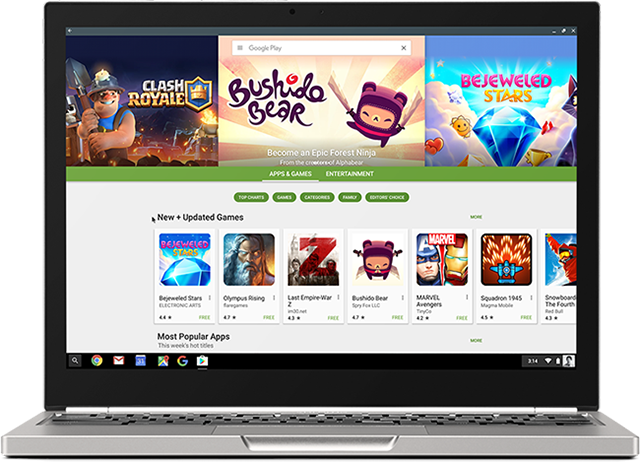
Android is the most popular mobile operating system in the world, running on smartphones and tablets. But, you can also use Android Apps on Chromebooks, including the new Chromebook Tab 10 Chrome OS tablet. Chrome and Android all in one! And don't forget about all of the Chrome Apps, Extensions and full websites Chromebooks and the Chromebook Tab can access.


Finding good apps can be hard, so here is a list of Android apps for Education to use on Chromebooks, Chromebook Tab and other Android devices.


Explore these apps and try them out in your schools. 


.

Wednesday, February 8, 2017

Android on Chromebooks! Here are some resources and apps to check out


Android has come to Chromebooks and is available on EDU Domains!


This opens up a whole new world of possibilities with Chromebooks, adding thousands of great apps, features and capabilities.


Here are the resources for Admins to get Android apps enabled for their domain:


Here are some great suggestions for Android apps (and some web apps):

F101_Pixel2_Silver_PlayStore.width-800.png

Android App Suggestions for Chromebooks (all are free)


I've been using Android apps on my Acer C738T with my personal account for quite a while now and they work great. Handwriting input, offline sync and much more. 


A new generation of Chromebooks, designed for millions of students and educators https://blog.google/topics/education/new-generation-chromebooks-designed-millions-students-and-educators/ (Acer and Asus convertible’s with stylus)

A new generation of Chromebooks, designed to work with millions of apps https://blog.google/products/chromebooks/new-generation-chromebooks-designed-work-millions-apps/ (Samsung Plus and Pro)


--

Monday, May 23, 2016

Lots of great new things coming to Google Apps and Chromebooks!!!


Google Apps for Education New logo.pngchromebooks-apps-flyout-in.jpg


Google Apps for Education and Chromebooks have become truly awesome resources for schools and Google just keeps improving them.

Here are some of the recent announcements:


Android apps are coming to Chromebooks! - some Android apps have already been available for use on a Chromebook. I've been using the Evernote app for a while and love it. But in order to get them to work, developers had to do some work themselves. With this new announcement, the Google Play Store and most of it's app will work with Chromebooks. Three models are getting access in June with more getting access later. See this link for full details on which Chromebooks will get this and when. This is huge for schools as they will be able to benefit from the low cost and ease of use and management of Chromebooks, and use all of the great Android apps that are out there.

With this announcement, touchscreen Chromebooks are even more functional for schools. For specs, 4GB RAM is always my suggestion and 16GB drives should be fine unless you are installing a ton of apps and syncing lots of data. I have over 100 apps on my smartphone, sync Evernote offline (9,000 notes) and sync Google drive offline and I am only using 9GB (18GB if you count the hundreds of photos and videos of my daughter).

I also think that this would be a good time for Google and OEMs to work on a 7" Chrome OS tablet! Think about it - all the Android apps in a small form factor for younger students or mobility, with the management features and ease of use of a Chromebook!


Google Classroom updates:
  1. Interact with other apps and systems - more software and systems will be able to interact with more data in Classroom. One example that teachers will love is the ability for Gradebooks and reporting systems to sync grades with Classroom, eliminating the need for teachers to manually transfer grades.
  2. Teachers can schedule assignments, questions, or announcements to post at a later date. The post is then automatically published to the class stream at the scheduled date and time.
  3. Teachers can poll their students using multiple-choice questions and allow students to see a summary of their classmates answers.


Cover art
Science Journal - a new app that is a digital science notebook that allows students to record data from sensors on an Android phone or connected device, take notes, observer, interpret, predict, create graphs and much more.


Google also announced that they are making their own 3D/Virtual reality hardware that will be prefect for schools - this will fit well with Expeditions and allow students to explore the world, and beyond, right from their classroom.


Some exciting news for schools!!


More Resources:

Benefits of Google Apps and Chromebooks for Schools

Tuesday, May 10, 2016

Technology I use on a Daily Basis - 2016 Version


In the past, I've written about the technology I use on a daily basis (see bottom of page for links).

Here's my updated version for Spring, 2016.

I am a K-12 Education Strategist for CDW-G. In this role, I work with schools on selecting and implementing technology solutions to improve teaching and learning. I do a lot of research on best practices in education and technology and do a decent amount of traveling.

I'm a huge user of Google Apps and Evernote. They are my main work, and personal tools, and all of my devices work with them. Without these, I'm stuck. I also back them both up.

My day typically consists of email conversations and support with our account managers and customers, Google Hangouts with customers providing support, advice, strategy planning, training and professional development, and doing online research, as well as creating tools and resources, like presentations and reference materials. If I am traveling, I only bring my smartphone and my Acer Flip Chromebook and am able to do everything I need to with them. I have Citrix for my Chromebook so I can remote in to our system and access everything I need, including a Windows desktop.


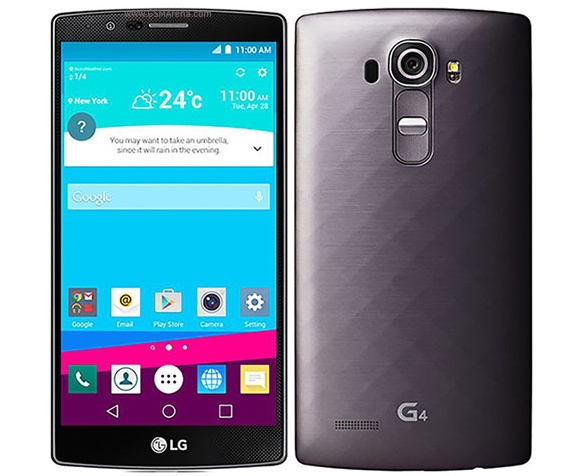
My personal smartphone is an LG G4 running Android. I love it. I can do anything on it - email, web browsing, Google Apps, Evernote, messaging, photos, musics, etc. I is my go-to device. I have an spare battery and external battery for traveling, but the battery life is pretty good. It's also durable, as I've dropped it a few times and it's still here. My work smartphone is a Samsung Galaxy 7 which I use when traveling. I like it, but I like LG's software and screen size better. I use it as a mobile hotspot for my Chromebook while traveling too.


I have the same work and personal laptop - an HP Elitebook Folio 9470m with Core i5 processors and SSD drives. It's lightweight, powerful and works great. I use it at work with a docking station and two monitors. At home, I use my personal one for remoting into work via Citrix, and some other tasks, but mainly just for work tasks when working from home.


My travel device, home use and work use, is my Acer C738T Touch/Flip Chromebook. I have the 4GB Ram version. It's light, has a great battery life, and does everything I need it to do, including work offline. I use it for travel, conferences and off-site meetings. I use it at home sometimes when I need to type. I have both my personal and work profiles on here, with offline Drive access for both setup. I also have the Evernote Android app for Chromebooks on it, with offline sync enabled. I have also added the Google Play Movie/TV app so that I can download movies for offline viewing while traveling. This thing is amazing and has been replacing my need for any other devices.

I also have an LG GPad 8.3" LTE tablet that I got for free when I got my LG G4 smartphone. I use this at home for media consumption - Facebook, Google+, Twitter, Movies, Music. Great device.


Google Apps - for both work and home. Email, Chrome, Calendar, Drive/Docs/Sheets/Slides, Keep, Blogger, Sites - these are my main tools for work and personal use. All of my files are in Drive, and backed up on my personal laptop. I also use a Google account at work with my files in Drive. I have two work accounts - one for work itself (K12 team uses it), and a GAFE account for working with customers. I use a Google Sheet as my project management tool, with hyper links to Docs and other files. Each project gets a separate row, with notes, contacts, follow up tasks and more.


Evernote - this is my other main tool - web clippings, receipts, manuals, project management, important info, contacts, reference material and more. I have the Evernote clipper installed on Chrome and in Outlook. I also have the Evernote Scanner which I use to digitize everything that is paper based. It automatically scans both sides, very quickly, and then sorts things into the proper notebooks in Evernote based on what they are (document, business card, receipt, photo, etc). Great tool for going paperless.

Outlook and Lync at work for email and instant messaging. I have my work email and Lync setup on my smartphones also.

Sites and services I use include Feedly feed reader, Pocket, LinkedIn, TweetDeck, Google+ and Facebook. I spend most of my time on Feedly and Google+, researching and connecting with others.

That's really it. I rarely use anything else and I have different tools for different things - work, home, travel, fun.

Take a look back at earlier versions of this post to see what has changed over the years based on my job and the tech available. I've definitely changed with the apps I use and have less hardware. In fact, my Acer C738T Chromebook is slowly becoming the only device I really need, besides a smartphone.


Related:

Technology I use on a Daily Basis - 2015 Version

Technology I'm using daily as a School District CIO (2012)

Technology I use on a Daily Basis - updated for this year (Oct 2011)

Thursday, March 17, 2016

Soundtrap - make music online from any device!


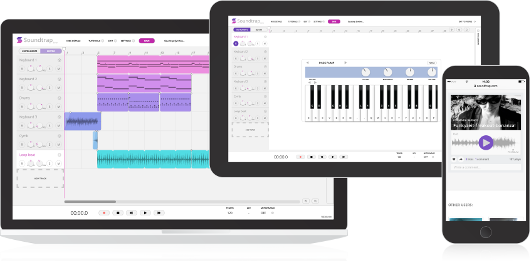
Soundtrap is a new site that lets you make music online, from any device, with your own instruments or the virtual ones on the site. The free version offers 5 projects, 750 loops, 151 instruments and sounds and lots of other features. There are premium levels with more features and less limits.


Soundtrap works on Mac, Windows, iPad, Android tablets and phones, Linux and Chromebooks. It allows you to start, edit and collaborate on your recordings wherever you are. 

You can collaborate with others and even share your music on Facebook, Twitter and SoundCloud, as well as iTunes.

You can sign in with Office 365, Google, Facebook or an email account. 


This is a great tool that schools can use to help students learn and explore music. 

The Education version is in a walled garden and COPPA compliant and has different pricing than the consumer version. With this version, students and teachers are in their own private area and can more easily collaborate. Pricing is based on number of users - Starter Pack is $249/year for up to 50 users. You can use the online calculator to find pricing for more users. 

A great resource for schools, especially with all of the cuts to music an arts. 


-

Tuesday, May 5, 2015

Info and Data on the Use of Tablets in the Classroom


There have been many debates on how technology influences education. Nowadays, teachers have a wide range of tools to use in class. But one of the most commonly utilized tools to make the learning process more efficient, are tablets. Today there are 8 million iPads being used in the K-12 classroom, as Apple’s share has been 94% of the tablet market. While this phenomenon demonstrates that teachers and administrators are forward-looking, it also has its downsides. In this respect, education resource website Early Childhood Education Degrees has developed this infographic showing how tablets are used today. Check it out!


Source: Early-Childhood-Education-Degrees.com/


I'm a huge proponent of Chromebooks because they can do what tablets can do, for the most part, along with being easier to deploy and manage. Google has also built in that ease with their Google Play for Education tablets. 


Related:


-

Tuesday, April 21, 2015

Reflector2 - Wireless mirroring and streaming for iOS, Android and Chromebooks


Reflector2 is a wireless streaming product that works with iOS, Android and even Chromebooks that allows teachers and students to share their iPads, Android tablets and Chromebooks to the big screen wirelessly, from anywhere in the room. Recording with voice-over lets teachers record their lessons for future use, while multiple security features keep the classroom safe. With even more innovative features, Reflector 2 is an extremely cost-effective alternative to an Apple TV, utilizing the devices already found in most classrooms. It also works with Mac and PC. You can share your mobile device screens to a computer connected to a projector for a powerful presentation tool.


It's a great tool for teachers to use in their classroom. It's not free, but the pricing is very competitive. 

Thursday, April 9, 2015

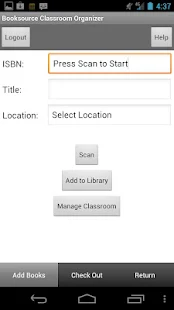
Classroom Organizer - free app to organize your classroom library and book room


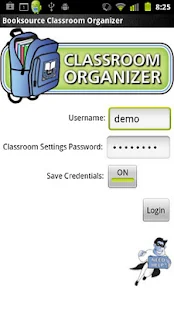
Classroom Organizer is a free web based and mobile app that allows you to organize and manage your classroom library and school book room.

The app allows you to Inventory print and eBooks, Import titles directly from your Booksource order, Add your existing books, Import your student roster, Enable students to check out and return books, Run assessment reports on student activity, Organize bookrooms and share eBooks with the Classroom Organizer School portal.

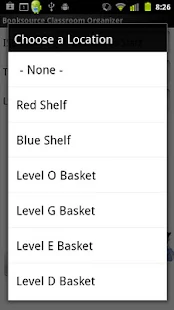
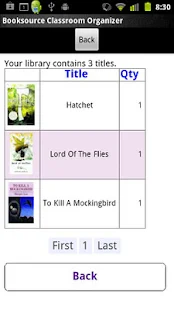
With the mobile app, available for Android and iOS, you can scan book title ISBNs into your library,  view your library, and manage your book locations.

Classroom Organizer - screenshot thumbnailClassroom Organizer - screenshot thumbnailClassroom Organizer - screenshot thumbnailClassroom Organizer - screenshot thumbnail

This is a great resource for classrooms and smaller schools to manage their book collections.


-

Field Trip - free mobile app to help discover your world


Field Trip is a free app for Android and iOS that runs in the background on your phone and will pop up a card with details about your location when you get close to something interesting.

It's a great way to learn something new about the area around you, from history to local eateries and more. It gets information from users and from multiple sources and databases and is a lot of fun.

It can be useful for students to learn something new about their home and neighborhood. Teachers can use it to find interesting things about an area before taking students there.

I had fun walking around my home town and using it on some trips to find some cool info.

 Field Trip - screenshot thumbnailField Trip - screenshot thumbnailField Trip - screenshot thumbnailField Trip - screenshot thumbnail


Related:

Some Excellent Virtual Field Trip Resources, including lots from Google Maps


-

Tuesday, March 31, 2015

CK-12 announces mobile apps with adaptive learning

Cover art
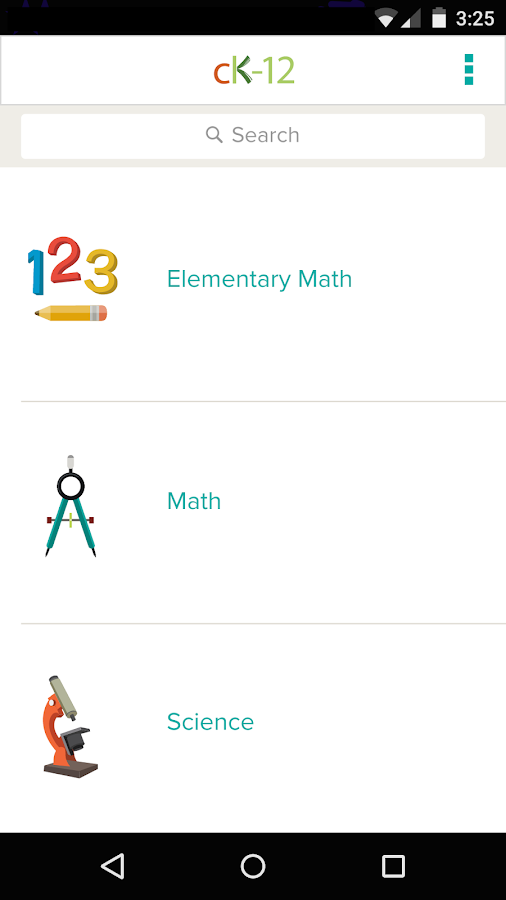
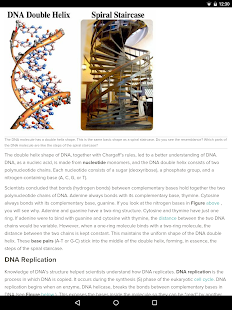
CK-12, a great resource for free e-textbook and curricular resources, has just announced new student mobile apps that provide you with the ability to learn math and science, anywhere, anytime. 

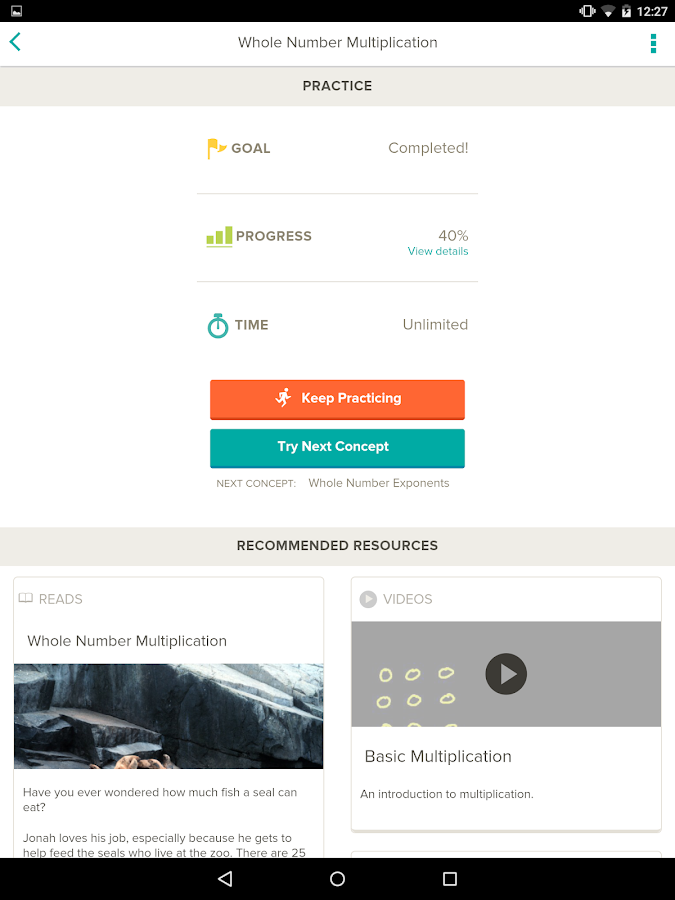
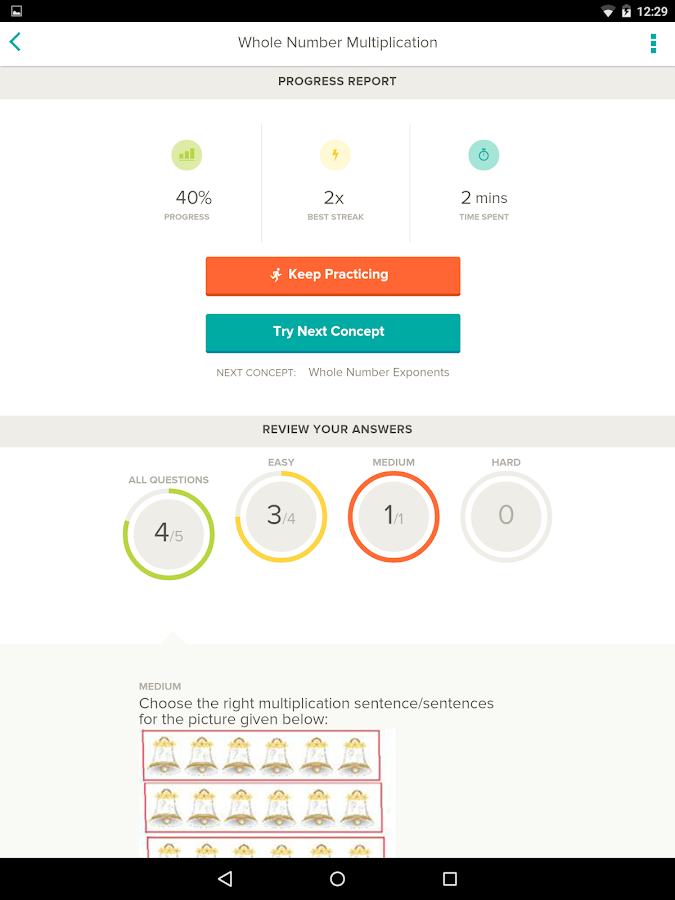
The apps, available for iOS and Android, are easy to use and contain over 100,000 adaptive practice questions that adjust in difficulty based on your results. In addition, if you struggle with a concept, it will recommend resources, like articles and videos, to help you. The resources are excellent. The dashboard shows you your progress.

This is a great way for students to study math and science concepts, whether for their own enrichment, extra help, or for studying. 

CK-12 - screenshot
CK-12 - screenshot thumbnail
CK-12 - screenshotCK-12 - screenshot


Related:

CK-12 has over 100,000 teacher created digital textbooks available for free


Thursday, March 12, 2015

WhatsDueApp - free app for teachers to help keep parents and students up-to-date

Cover art
WhatsDue is a free mobile app, available on Android and iOS, that gives teachers and easy way to keep parents and students up-to-date. Students simply subscribe to the course, which the teacher created, and then all assignments automatically appear in the to-do list. When the student completes the assignment, they simply swipe it off of the list. They an even set reminders with push notifications.

This is a great way for students to keep up with their assignments. Parents can also sign up. This can be very useful for students who have a hard time staying organized.


WhatsDue - screenshot thumbnailWhatsDue - screenshot thumbnailWhatsDue - screenshot thumbnailWhatsDue - screenshot thumbnail
Related:

My Favorite Resources for Students and Teachers


-


Wednesday, March 11, 2015

Samepage - app to get more done with contextual collaboration


Samepage is a "contextual engagement platform" that just launched some new features (see press release below). It has a free version with some great features, including context and collaboration, organizational features, and communication. There are more advanced features available for a fee. It has an intuitive, well designed, user interface and it only takes minutes to get started.

Samepage allows users to create content, including text, multimedia, Office Files, PDFs, Dropbox files, attachments, Google Drive, Google Maps and more. Users collaborate in real time and can comment and work together on projects. It can be used by people for personal projects and planning as well as by companies and groups for major projects.


It's very easy to use and setup and can be very useful for managing events, trips, projects, and much more. It is web based and there are mobile apps available for iOS and Android. You can create "Pages" that are private, social on Facebook, Twitter and LinkedIn, Group pages, and Public Pages for anyone.


Samepage - screenshot thumbnailSamepage - screenshot thumbnailSamepage - screenshot thumbnailSamepage - screenshot thumbnailSamepage - screenshot thumbnail


Take a look!


Samepage Debuts Advanced Features, Modern Design and Two New Mobile Apps


Samepage Solidifies Its Position as the Leader in Contextual Engagement and Digital Collaboration


STARTUP GRIND 2015 GLOBAL CONFERENCE ­ REDWOOD CITY, CA ­ FEBRUARY 9, 2015 ­ Samepage, the free online place where people can communicate and share content with context, today announces significant platform upgrades including a fresh modern design, mobile apps for iOS and Android as well as a range of innovative features, further strengthening its consumer and business offerings. Samepage now enables easy inclusion of content from cloud based services such as Google Apps, Dropbox, Google Drive, Microsoft OneDrive and Box and includes social page sharing via Facebook, Twitter and LinkedIn.


"Our vision at Samepage is to create an online place where people can easily share ideas, content and context” says Scott Schreiman, chief executive officer of Samepage and Kerio Technologies, the parent company to Samepage. “ We've based the development of Samepage on three fundamental principles, first the need to bring together files with conversation to preserve context and help people get more done. Second, the need to support a 'post-file' world via integration with top cloud services and finally, ease of use to bring these benefits to consumers as well as businesses."


Samepage’s New Features, Benefits and Design
With fast-paced lives and an overwhelming number of ways to connect with one another, communication and collaboration have become increasingly challenging. Samepage’s new features enable people to easily organize ideas and communicate with each other to get more done. Samepage differentiates itself from other collaboration solutions by offering contextualization to all content featured on a page. People are empowered to define, share and preserve context related to specific pieces of content on a page streamlining the collaborative process. No more hunting for old emails or getting lost in a cloud file folder.

Get all your content on Samepage, including:
Any Mac or PC application file (e.g., Word, Excel, PDF, etc.)
Images and YouTube videos
Dropbox, Box, Google Drive or Microsoft OneDrive
Google Maps
Text and conversations

You choose how to share
Private pages
Social pages for Facebook, Twitter or LinkedIn
Group pages for select people (e.g., book club, finance team)
Public pages for anyone on the Internet
Modern design and user interface
Designed for consumers and businesses
New Samepage logo, branding
Customizable ³cover image² photo page headers
Improved navigation experience


Samepage¹s New iOS and Android Apps
Samepage just released its first Android application, available here: https://play.google.com/store/apps/details?id=com.kerio.samepage.


There is also an updated iOS app, available here: https://itunes.apple.com/us/app/samepage/id632534443?mt=8. Both mobile apps are now available globally.


People can now view pages on the go, create new pages, edit content and add images on their smartphones or tablets, making Samepage even more convenient.


Samepage Pricing and Availability
While there are many companies in the collaboration space, Samepage is unique in that it is designed from the ground up to be the easiest to use way to share information and ideas online with others, in both our personal and business lives.


Samepage is a free service that lets anyone create and share an online page in minutes. Sign up at www.samepage.io.


Samepage for Business is a paid service that businesses can rely on to improve productivity while reducing email volume. For more details, go towww.samepage.io/business.


About Samepage
Samepage is changing the way people share ideas and content. Anyone can create a free online page in minutes and collaborate with friends, family, co-workers or the world. We built Samepage so our company could work together more effectively. Then we discovered Samepage is also awesome for organizing social, group, and school activities. Now lots of people are using Samepage to plan epic vacations, organize school fundraisers, keep sports teams on track, run their businesses and get more done. How will you use Samepage? For more information and to create a personalized Samepage page, visit www.samepage.io.


--

Easy Grade - scoring and grading app for teachers


Easy Grade is a free app for teachers that makes it easy to grade student work (vs using the cardboard EZ Grader). It is easy to use and even lets you grade with 1/2 points. 

Here are some features:
  • you can adjust how many questions are on the test with a quick tap
  • you can choose whether you want to calculate grades on the number of questions/problems your student got incorrect or the number they got correct
  • you can increase or decrease the text size to fit more or less on the screen.
Easy Grade helps you calculate grades more easily and efficiently. Check it out in the App Store, Google Play or at http://easygradeapp.com./


Easy Grade: Half Pts EZ Grader - screenshot thumbnailEasy Grade: Half Pts EZ Grader - screenshot thumbnail


Disclaimer: Easy Grade is a paid advertiser 


-


Wednesday, March 4, 2015

Edmodo releases Parent Apps to help Parents help their children


Edmodo is a free learning management system that is very popular and easy to use. Edmodo is a great resource for teachers, students, and parents, allowing communication, collaboration and sharing. It has forums, messages, files, calendar, and more to create an online presence for your class.

Edmodo recently released the Edmodo for Parents app for iOS and Android to allow parents to receive your important announcements and stay on top of classroom due dates. This allows parents to be more connected to the classroom and teacher, as well as being able to better help their children.


Edmodo for Parents - screenshot thumbnailEdmodo for Parents - screenshot thumbnailEdmodo for Parents - screenshot thumbnailEdmodo for Parents - screenshot thumbnailEdmodo for Parents - screenshot thumbnail


Related:

Resources for Using Edmodo in the Classroom


--

Tuesday, March 3, 2015

Photomath math equation app now available for Android


PhotoMath is a math solving app that was originally released as an iPhone app a few months ago. It is now available for Android devices.

It is very simple to use - point your smartphone's camera at a math equation and the app will solve it for you. It gives you the answer and all of the steps used to solve it. It supports all kinds of equations, including inequalities and quadratic equations. 


Related:


--

Monday, March 2, 2015

Read & Write Text to Speech web app comes to iPad and Android


Cover art

Read and Write for Google is an excellent Chrome app that provides text-to-speech functions from your browser. They have just released a free iPad and Android app.

The apps provide text to speech functions, which are great for ESL, learning disabled, visually challenged and struggling readers, on your device, just like the web app does in the Chrome Browser and Chromebooks.

There are some other features that are available also, either with a fee or by using a Google Apps for Education account.

Read&Write for Android - screenshotRead&Write for Android - screenshot


Related:

Google for Education Resources

Google Accessibility Features in Chrome (OS and Browser)
Android for Education Resources

Evernote Clearly gets Text-to-Speech - premium only
--


Thursday, February 12, 2015

Google App Kickstart Guides - help learn how to use Google Play for Education Apps in your classroom

App Kickstart Guides from Google Play for Education


Google has created App Kickstart Guides for Google Play for Education apps to help you build your "Android app-titude" for some specific apps in Google Play for Education.


The guides include videos, best practices, how-to's and more. They help you learn about the app's functionality as well as how to use it in the classroom and can be used by individual teachers, edtech specialists or in a PD session. They are easy to use and very helpful.

The guides are built in Google Slides with embedded videos and are very well done.


Currently, they have App Kickstart Guides for the following apps, with more to come. There is also a section for feedback (request more guides for more apps) and links to other resources.

1 Book Creator
2 ClassDojo
3 Comic Strip It!
4 Drawp for School
5 Explain Everything
6 Nearpod
7 SketchBook Express
8 Slice Fractions
9 Socrative
10 Tynker
11 WeVideo

Take a look and learn how to use some new apps in your classroom.


Related:

Google for Education Resources

Android for Education Resources


--

LinkWithin

Related Posts Plugin for WordPress, Blogger...