I have a few essential apps and installs that I put on all of my computing devices, including utilities and software. It is also what I install on other people's computers when they ask me to set them up for them. All of these are free.
PC/Laptop/Netbook:
(These are the basics. With these, I can pretty much do 99% of what I need to. Much of what I do is cloud based, but sometimes you need desktop software and apps.)
AVG Antivirus - protect your computer from viruses and spyware
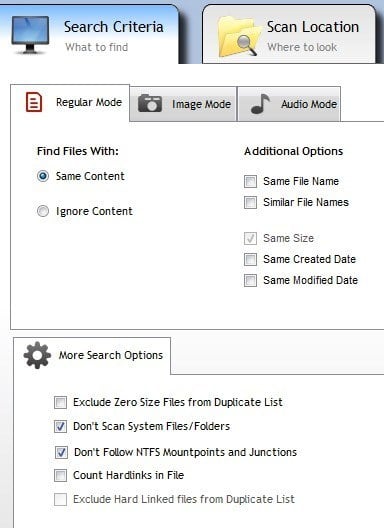
CCleaner - clean out old and temporary files. Optimize registry.
DeFraggler - defrag and optimize your hard drive
LibreOffice - free office suite - word processor, spreadsheet, database, presentation, drawing
VLC Media Player - free media player. Plays pretty much every type of video and audio file.
Paint.net - free graphic editing software
Chrome Browser - access all of my
cloud services (
Google,
Discovery Education,
Evernote,
Tweetdeck, etc)
Chrome Browser extensions:
Clip to Evernote, Google Shortcuts - links to all Google services,
Goo.gl url shortener, webpage screenshot,
Aviary, cloudy calculator, publish web articles to Kindle, Docs viewer, Extended Share for Google+, TweetDeck
Chromebook:
(For me, they sync from my Chrome account)
Access all of my
cloud services.
Add Extensions: (same as above)
Mobile Device (Android in my case):
In addition to included apps: (see below for links to lots of Android for education apps)
Evernote, Google Tasks,
Google Shortcuts - links to all Google services, Sugarsync, Dropbox,
QuickOffice, Amazon Kindle, Pandora, QR Droid, Shopper, Advanced Task Killer, Antivirus/Security,
Skitch, Epocrates, Netflix, IMDB, AStro File Manager, PayPal, Angry Birds
Related:
Why do schools still pay so much for software? Free alternatives to paid software and services.

.png)