Showing posts with label lesson plans. Show all posts

Tuesday, May 7, 2019

Google Dynamic Learning Project Strategy Menu - thought-starters for instructional strategies, explore tech tools and start tackling your challenges as an educator.


The Google Dynamic Learning Project is a great resource for educators and educational leaders. It helps schools create sustained, system change with support, resources, consulting and coaching and more.


One of the components that is very useful to teachers is the Project Strategy Menu. With the PSM, you can review thought-starters for instructional strategies, explore tech tools and start tackling your challenges as an educator.

You can search for resources and tools by Challenge Area, Strategy or Tool, and then filter by Challenge.


Each area has resources, links and tools to help educators.


These are excellent, free resources to help educators and educational leaders.


Related:
Google for Education Resources


-

Thursday, January 15, 2015

Lesson Plan ideas for Google Apps for Education


I am a huge Google user. I know how to use Google's apps and Chromebooks and use them all the time. But, there are times when I'd like some ideas for using Google's apps in the classroom that will help my students learn subject matter and how to use some of these apps.

Google Apps for Education has a lesson plan page that has tons of lesson plans, from educators, using Google's apps. It's a great place to find some ideas to teach content and Google app use.

You can search the lesson plans by Google app, subject, or grade level. There are some really great lesson plans here.

With so many schools using Google Apps and/or Chromebooks, this is an excellent resource to share.


-

Tuesday, May 13, 2014

Some more Forensics Science Resources


This past September I posted some Forensic Science Resources for Teachers. Forensics is interesting, engaging, and students love it.

Here are some more:


http://phs.psdr3.org/science/forensics/ - course page for high school forensics class. Has lesson ideas, syllabus, resources and more.

http://nrhs.nred.org/www/nred_nrhs/site/hosting/Rubins/main%20page.htm - high school forensics class site. labs, syllabus, resources, and more

http://wsfcs.k12.nc.us/Page/20284 - high school forensics class site with assignments, projects, rubrics and more.

http://sciencespot.net/Pages/classforsci.html - Forensic Science lesson plans and resources

http://sciencespot.net/Pages/classforscilsn.html - Forensic Science lesson plan links


Sunday, September 8, 2013

Forensic Science Resources for teachers and students


My wife is teaching Forensic Science this year so I was helping her find some resources for the class. I decided to share the resources here.

NCIS - another great show to get students interested in science
http://educationaltechnologyguy.blogspot.com/2011/11/ncis-another-great-show-to-get-students.html

Great listing of resources and sites. 

http://shs2.westport.k12.ct.us/forensics/ - high school forensics class site

http://bsapp.com/forensics_illustrated/ High School Forensic Science curriculum and resources

http://www.forensicpage.com/new09.htm Forensic Science for high school students.

http://nrhs.nred.org/www/nred_nrhs/site/hosting/Rubins/main%20page.htm - New Rochelle High School Forensic Science Page. 

http://www.nclark.net/ForensicChem Forensics Science labs and activities.

http://sciencespot.net/Pages/classforscilsn.html - great resources for all sciences too. Lesson Plan links.


Interactive Games, including forensics (from FreeTech4TEachers) http://www.freetech4teachers.com/2012/12/16-fun-interactive-games-about-nature.html


CSI: The Experience Web Adventures (great site!)


Friday, May 17, 2013

PBS KIDS' Design Squad Nation - great STEM resources and lessons


PBS KIDS' Design Squad Nation is an Emmy Award winning program with STEM related videos, activities, games and an interactive community. There is also a Parents and Educators section with lesson plans, curriculum guides, and more. 

There are some great new features to it, including a Solar System unit with games, activities, and lesson resources about our solar system, a roller coaster project where students compete to build the best roller coaster out of poster board, and a variety of other resources. 

Topics include science, flying, hobbies, sports, and much more. 

This is a great, free resource for educators, parents and students and well worth the time to explore it. 


Tuesday, November 13, 2012

Google Lesson Plan Search - easily find great lessons


Google, one of my favorite resources (in addition to Evernote) has lots of great things for education, including free apps and services. They also have a great library of lesson plans for educators. There are thousands of lesson plans available and all are searchable and sortable. Sorting can be done by type of Google product used, subject, or age group. The search and sorting is almost immediate and there are some great resources here.

The Lesson Plan Search is a great way to find free lesson plans and ideas to use in your classroom.


Saturday, September 1, 2012

Lesson Planet - search for lesson plans for teachers


Lesson Planet is a site that describes itself as "The Search Engine for Teachers." It provides teacher-reviewed online resources, including more than 400,000 online lesson plans, worksheets, presentations, and videos. Our collection of free, original lesson planning articles, updated daily, provides tips and techniques for teaching a variety of topics.

Here's what the Science Lesson Plans start page looks like:


Take a look and find some lesson ideas for your classroom. Teacher Resources Discover lessons, worksheets, videos, and presentations by grade, subject, and more.


Friday, June 8, 2012

Planboard - lesson planning and organization for educators


Planboard is a new site I just learned about that is an online lesson planning tool for educators. You can import curriculum standards and multimedia content into the lesson plans, making it easy to organize everything. You can share your plans with others and print out PDF copies if needed. It's also very easy to rearrange plans due to missed classes or schedule issues. You can take notes and reminders in Planboard so that they are organized with your lesson and you can reuse your plans from year to year. It is also very easy to edit a lesson plan so it's easy to make updates or changes as you think of them.


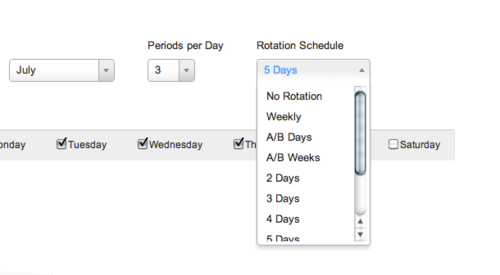
You can also create custom period names and rotating schedules for weekly or daily rotations.


It's not free, however. You can register for a free 30 day trial period to see if you like it. After the trial period ends you can either upgrade to a paid account or just leave. A paid account is $29.95 per year with no limits. There is volume licensing available also.


Disclosure: I did NOT receive any compensation or benefit from this article. 

Related:

Evernote for Education - what I use to organize and plan my lessons 

LearnBoost - free online grade book and lesson planner and more

Using Technology to Organize Your Lessons and Resources


Tuesday, May 8, 2012

Building Big - great STEM projects and labs from PBS


Building Big is a great site from PBS that has lesson plans, projects, labs, and activities for teachers to use in their classrooms. The topics are on buildings and structures, including Bridges, Domes, Skyscrapers, Dams and Tunnels. It's based on the PBS television series Building Big.

There are interactive labs, educator's guides, challenges, data on the world's structures, and information about engineering and engineers.

The labs are flash-based interactive activities that let students explore forces, materials, loads, and shapes and get information about each topic.


The activities are fun and educational and the resources can be scaffolded for any level.


Related:

STEM Resources for Educators

Project Based Learning resources for Educators


Tuesday, April 10, 2012

Lessonopoly - free lesson resources, connect with other teachers


Lessonopoly is a great, free educational resource cite created to help teachers, with input from teachers. The site has lesson plans and lesson resources from around the web and from teachers, education news, a social media component where you can connect with other educators, and a classroom planner to help you organize your lessons and the materials you use from Lessonopoly. You do have to create a free account to use the planner,

I had previously featured a great resource from Lessonopoly, the Science of NFL Football, and have been going through the site more since then and found some great lesson resources.


This is a great resource to find some great lesson plans and lesson resources for your classes.


Related:

10 Essential Educational Resources for Teachers - my list

BetterLesson - free K-12 lesson plans, materials and resources

Learnboost-online gradebook and lesson planner - announces lesson plan sharing

Teacher Planet - lots of great lesson resources for teachers

25 Free Resources from Discovery Education - including lots of lesson plans and lesson resources. 


Monday, March 5, 2012

ClassConnect - find, build, and share lessons


ClassConnect is a new, free service that lets teachers build lessons with websites, videos, Google docs, files and more, then organize and store their lessons, and then share the lessons with students, parents, and colleagues.

It's easy to use and a great way to organize, create, and share lessons.

The really cool thing about it is that it was created by a young man, who got the idea while in high school, and instead of going to college, went out to Silicon Valley and created his own startup to create ClassConnect.

Give it a try.


Friday, February 10, 2012

Filamentality - search, find and organize learning resources

Filamentality title graphic

Filamentality is a free web tool that lets you pick a topic, search for resources online, gather the resources together and then turn them into online learning activities. 

You can use it just for organizing web research or you can use it to create a web-based activity that your students can complete as an activity or assessment. 

It's free, easy to use, and the help and support are excellent. 

Check it out and create a cool online activity now. 

Thursday, January 26, 2012

Teacher Planet - lots of great lesson resources for teachers

Teacher Planet: resources for teachers

Teacher Planet is a site that has a huge collection of links, resources, lesson plans, templates, rubrics, worksheets and more. The resources are sorted by subject and type and there are some really good resources available. Many of the resources are links to external sites.

This is a great resource to go to to find lesson ideas.


Thursday, January 19, 2012

National Center for Earth and Space Science Education - great resources


The National Center for Earth and Space Science Education has a great motto "Inspire...then Educate." The NCESSE is a great resource for STEM teachers as it creates and oversees different initiatives, projects, and educational resources in these areas, with a focus on Earth and Space.

There are a lot of different resources, from professional development, to community projects, to science news and research.

There are also free Education Modules for grade K-12 that are very comprehensive and include full lesson plans, background information, activities, assessments, inquiry based hands-on activities, rubrics, handouts and more. There are 5 modules available right now and each module is broken up into three (K-4, 5-8, 9-12) or four (K-2, 3-4, 5-8, 9-12) grade levels. The modules are on topics such as the solar system, earth science, extreme environment of space, human space exploration, and the search for life in the universe.

You can download any of the lessons. There is also a Lesson Layout with descriptions of each section that you can download: Lesson Layout (PDF, 490 kb).

At a time when there is a great disparity in educationalpreparedness for students across America…
At a time when it should be the birthright of all students to an educationthat allows them to successfully enter the job markets of the 21st century…
At a time when America must inspire its next generation of scientists and engineers ifwe as a nation are to compete in the technology markets of the 21st century…
We need to improve STEM education. NCESSE can help.


Wolfram announces Wolfram Education Portal


Wolfram, the makers of Wolfram Alpha, the computational search engine, and Mathematica, announced yesterday the launch of the Wolfram Education Portal. The portal will have dynamic teaching and learning tools, organized by course, such as dynamic textbook, lesson plans, interactive demonstrations, widgets and more.

It is in Beta at this time, but anyone can sign up for a free account and access the materials.

Materials are available for Algebra and Calculus and Pre-Calculus are coming soon. Future features include forums, problem generators, web based apps, and personalized content. The problem generators will allow students to work on problems online and it will change the difficulty and type of question based on the previous answers.


The interactive textbook was developed in collaboration with the CK-12 Foundation which produces free K-12 materials and e-textbooks. I've used many of the CK-12 materials and they are very good.

The interactive textbook has Wolfram|Alpha widgets and links and interactive demonstrations from Mathematica.

This is a great resource for math teachers and any teacher or parent looking to help a student with math (or brush up on their own math skills).

Take a look: Wolfram Education Portal


Source: Wolfram Blog announcement of Wolfram Education

Wednesday, January 18, 2012

19 Pencils - quick and easy tools for learning


19 Pencils is a beta site that has some great resources for educators. It is a resource creation and sharing tool that would be a great addition to your resource bag. You can find and create quizzes, create a class website, share websites you've found, share resources and even track how your students do on your quizzes.

It was created by a group of parents, who are also technology experts. There are free and premium accounts.

It is easy to use and has some great tools for educators. Check it out!

19 Pencils website

19 Pencils blog - updates, tips and more

Follow 19 Pencils on Twitter - http://twitter.com/19Pencils

Tuesday, January 17, 2012

New Evernote for Education resource page


I am a huge lover and user of Evernote. It is my main resource for lesson plans, lesson schedules, notes and so much more.

I've written about Evernote many times on this blog, have shared it with educators at conferences and professional development, and show my students how to use it.

I decided to create a permanent page on this blog with an overview of what Evernote is, how to use it in education, and how to get started using it and find help.

Check out this page and share it with others.

http://educationaltechnologyguy.blogspot.com/p/evernote-for-education.html

Monday, December 5, 2011

Using Technology to Organize Your Lessons and Resources


Technology is a wonderful thing. I've been lucky in that my father, a chemist, and my mother, an elementary teacher, both realized that my siblings and I should be exposed to technology early on. I was using a TRS-80 computer in 7th grade (1986-87) and my parents bought us a Radio Shack Color Computer that same year. I took BASIC in high school, using Apple IIe's and then went off to college and majored in Engineering and was an Engineer for 10 years before becoming an educator. I used technology all the time. I started using a PDA in 2000 (Palm IIIxe) and continued on to other PDAs and now smartphones. This early and deep exposure to technology has made it very easy for me to integrate technology into my practice as an educator.


I rarely carry anything home from school because of these tech tools. Administrators ask to see my lesson plans and they are all on the computer. Another teacher asked me how I do this, so after showing them, I thought I'd share it with my readers.


I use a few different tech tools to organize my lessons and resources for school and use a variety of tech tools on a daily basis. Here is the list, with what I use them for. Click the hyperlinks for more information and details on the tool and how to use it.


1. Evernote - Evernote is my main lesson and resource organizational tool. I have notebooks setup for lesson plans and lesson resources, along with notebooks for things to do, things to research, and things to share. My lesson plan notes are set up by unit and have the objectives, links, resources, and attached files (like handouts and lab packets). I also have notes setup by week that I use to keep track of where each class is and to schedule my plans out. I can easily share resources and information with my students or colleagues.


2. Dropbox - I don't have every single file I use for my lessons on Evernote. Some of the materials, including videos and animations, are too big to upload to Evernote. I have all of my files on my home computer backed up to Dropbox, and then I sync the "School" folder to my school computer. This folder has resources, lecture materials, videos, and much more for each unit. I can also put files into a shared folder and share them with my students and colleagues. I also have students submit work to me to a Dropbox folder using Filestork and DropItToMe.


3. Google - Google is my other main organizational tool. I use iGoogle, Google Calendar, Gmail, Google Docs and Blogger to organize my lesson materials and other resources, including my calendar. I use Blogger to create class blogs where I post their lesson schedule, assignments, and due dates, along with resources and links. I can share my calendar with students also. I also have files uploaded to my Google Docs account and use Google Docs to create lesson resources. I can then share or publish these documents, presentations, or spreadsheets for my students or colleagues to use. I also use Google sites for a class site that includes resources, files and links for both the students and myself.

Google for Educators - Resources for using Google in school


4. PowerPoint - I started organizing my lessons with PowerPoints when I used more lecture in my classrooms. I've moved to about 75% student centered learning now with projects, labs, and activities but PowerPoint can be used to organize lessons. Objectives, lecture slides, links to labs and other resources, embedded videos, and much more. I could just mark in my calendar what slide a class was on. That slide may be lecture notes, an assignment, a lab, or a quiz. I don't use this much anymore because I have my lesson plans organized in Evernote.


These are just some ways to organize your lesson plans and resources.


Other tech tools to organize lessons:


Learnboost-online gradebook and lesson planner - announces lesson plan sharing


Related Articles:

Unfettered by Stuff - or "Why I don't lug stuff home every night"

Evernote - Get Organized for Free on All Platforms


What tools do you use to organize your lessons?


Thursday, October 13, 2011

Learnboost-online gradebook and lesson planner - announces lesson plan sharing


LearnBoost, is an online grade book and lesson planner that is available for free to educators. It has a grade book, lesson planner, attendance, reporting and calendar. It is easy to use, visually appealing, and you can share information with students and parents. The lesson planner is integrated with state standards and you integrate the whole system with Google Apps.

I reviewed it in August and it's a great resource for any educator. Today they just announced that they have added a great new feature - Lesson Plan Sharing. Now you can share your lesson plans with other teachers, administrators, students and anyone else you'd like to. All the lessons you create with LearnBoost are shareable through their partner services (Facebook, Twitter, WordPress and more). You can also embed your lesson plans in your own web site and each lesson plan gets it's own URL.

This makes a great product even better. Check it out. 


Saturday, August 27, 2011

LearnBoost - free online grade book and lesson planner and more


LearnBoost is an online grade book and lesson planner that is available for free to educators. It has a grade book, lesson planner, attendance, reporting and calendar. It is easy to use, visually appealing, and you can share information with students and parents. The lesson planner is integrated with state standards and you integrate the whole system with Google Apps.


The grade book has easy inputs, real-time stats, grading scales and weighted assignments. 


The lesson planner makes it easy to create new lesson plans, align them with state standards and keep all your materials in one place. You can attach files and pictures, create assessments, and comment in the reflection section so you remember what you want to change for next time.


Simple


You can easily take attendance using a visual seating chart or list and quickly check student attendance history and records.


Attendance


It allows you to easily create reports on classroom and student data so you can make decisions based on student data. 


Reporting


Parents and students can have read access to view their progress.


The seating charts are visual and dynamic so you can try out different arrangements. 


Dynamic seating


You can also use it for scheduling and creating calendars and integrate it with Google Apps for Education. 


Flexible schedules Integrated calendars Google apps for education


They also have a blog where they discuss education technology, ed reform, policy, strategies and best practices, product releases, technology and tips for using LearnBoost. 


This is a great tool for teachers to use and it's free! It is full featured and easy to use.


LinkWithin

Related Posts Plugin for WordPress, Blogger...