Showing posts with label project based learning. Show all posts

Monday, April 27, 2020

PBLWorks Creates New Free Web Resource for Educators to Facilitate Project Based Learning Remotely

Home


PBLWorks, the leading provider of professional development for high-quality Project Based Learning (PBL), has created a resource site to provide teachers with ideas, examples, and tools to facilitate PBL remotely.


“We know that during this uncertain time, educators have a pressing need to find solutions to keep students connected and engaged,” said Bob Lenz, CEO of PBLWorks. “Now more than ever, as students are distanced from their teachers and classrooms, Project Based Learning can be a powerful tool for keeping them engaged through real-world relevant, personally meaningful work.”


PBLWorks created this dedicated resource for teachers in response to their most frequently-cited requests, including: projects that can be adapted for remote learning across the grade levels, technology solutions for collaboration and connection, and ideas for how families can support their PBL students.


Additional resources on the website include a series of free webinars about doing PBL remotely, articles on best practices for remote learning, and ideas for making remote learning accessible for all students. PBLWorks will continue to add to and update this resource as the need continues.

To learn more about PBLWorks and its resources for remote learning, visit https://www.pblworks.org/pbl-remote-learning.


.

Tuesday, April 14, 2020

PBLWorks Hosts Webinar Series on How to Facilitate PBL (Project Based Learning) Online

Home

PBLWorks Hosts Webinar Series on How to Facilitate PBL Online

Free webinar series this spring to guide educators through distance learning with Gold Standard Project Based Learning


PBL Works, part of the Buck Institute for Education, is hosting a free webinar series on how to facilitate PBL (Project Based Learning) online. This is a great resources for schools during this time of learning from home. The webinar series will offer practical guidance for facilitating Gold Standard Project Based Learning online with students. To register, visit pblworks.org/free-webinars-pbl-online. All webinars will be presented live and recorded versions will be made available for free upon request.


The webinar series is based on what they heard from educators on what they need to deliver PBL to their students. 

temp

The free webinar series is facilitated by Antoinette Magee, regional director of educational partnerships at PBLWorks, and will include a variety of guest experts. The first four webinars in the series include:


How to Adapt a Gold Standard Project for Online Learning (Wednesday, April 15 – 12:00-1:15 PM PST or Friday, April 17 – 9:00-10:15 AM PST) will teach educators how to adapt a Gold Standard PBL project for online learning and how to engage students in intellectually challenging and meaningful work online.

Solutions for Sticky Problems of Practice for Facilitating PBL Online (Wednesday, April 22 – 12:00-1:15 PM PST or Thursday, April 23 – 12:00-1:15 PM PST) will present practical solutions for the top challenges teachers are encountering as they design and facilitate PBL online. 

How Can High Quality PBL Create Equity in the Classroom? (Wednesday, April 29 – 12:00-1:15 PM PST or Thursday, April 30 – 3:30-4:45 PM PST) will explore how bold educators can activate change to foster equitable learning environments that better equip all learners to reach their academic, vocational, and personal aspirations.

An already completed webinar on 7 Tech Tools for Supporting Online PBL took place the week of April 6. A recording can be requested here. This webinar offers technology tools that work well for online learning and align with PBLWorks’ 7 Essential Project Design Elements.

To learn more about PBLWorks’ webinar series, visit https://www.pblworks.org/free-webinars-pbl-online.


RESOURCES:


.

Friday, November 8, 2019

Today is National STEM/STEAM Day! Here are some great resources


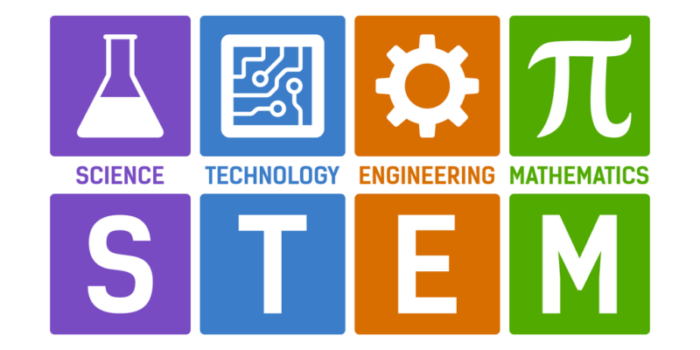
STEM/STEAM Day falls on November 8. There’s no way around it: children are significantly better off with strong science, technology, engineering, art, and mathematics skills. That’s why STEM and STEAM education programs are so important. It’s undebatable that these subjects push society forward, and these programs help to find fun and engaging ways to teach them to students, which is all worth commemorating. So, on November 8, we celebrate STEAM/STEAM Day!

STEM/STEAM help students learn skills they will need for the future. Beyond the content, they will learn critical thinking, problem solving, creativity, collaboration and more. 

Image result for stem education

Here are some great resources for teachers and students:


.


Wednesday, November 6, 2019

PBLWorks Introduces PBL School Leader Networks - a Support Program for Schools Implementing Project Based Learning


Home

PBLWorks Introduces PBL School Leader Networks - a Support Program for Schools Implementing Project Based Learning


First two cohorts will launch in Los Angeles and Massachusetts


PBLWorks, the leading provider of professional development for high-quality Project Based Learning, has launched PBL School Leader Networks—two-year training programs that bring principals and their school leadership teams together to support the implementation of high-quality Project Based Learning at their schools, and sustain its momentum.

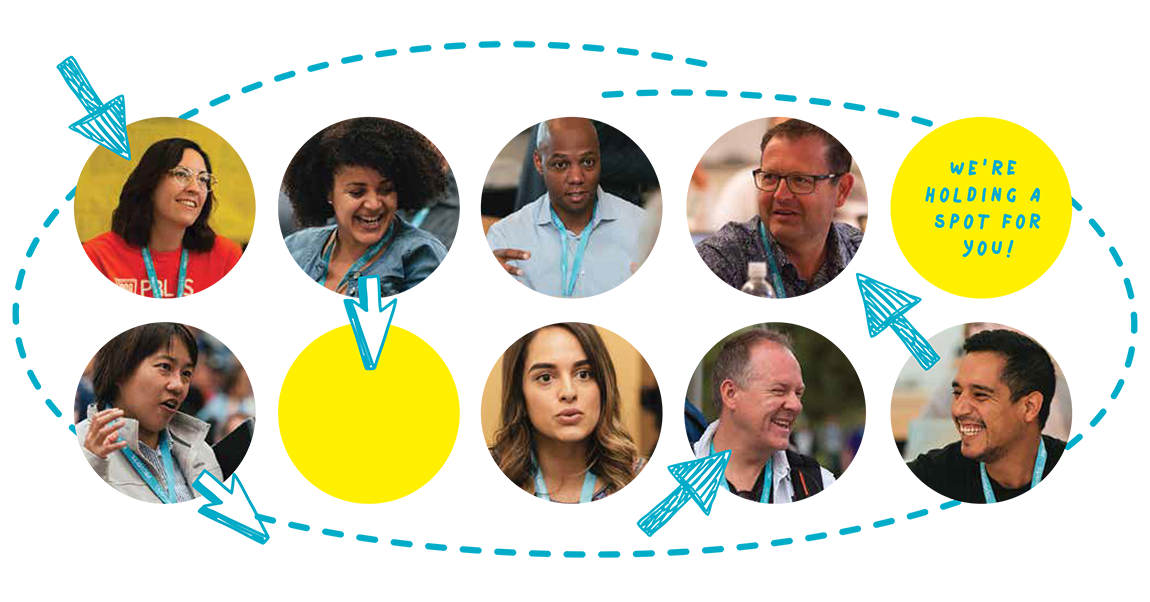
faces in a PBL network

The PBL School Leader Network features a blend of face-to-face workshops, personal online coaching for each school, school site visits, and deep collaboration with a peer network of fellow local PBL leaders.


The first PBL School Leader Networks will convene in Los Angeles in February 2020, and in Boston in March 2020. Leadership teams from 8 to 10 schools will be selected to participate in each PBL School Leader Network. Additional locations are being planned.

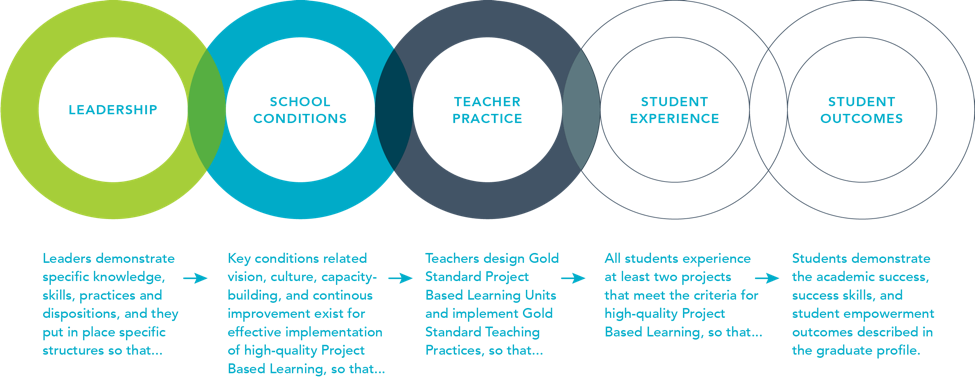
graph of school networks

PBLWorks created the PBL School Leadership Networks after achieving great success with a similar initiative, the Hawaii Innovative Leaders Network (HILN), implemented in Hawaii in 2018. Evaluated by McREL International, a not-for-profit education research organization, this program demonstrated the power of a network of school leaders to create larger regional change through shared learning, mutual accountability, and site visits that build and sustain the PBL work.


For more information about the Los Angeles and Boston School Leader Networks, including how to apply, visit https://www.pblworks.org/pbl-school-leader-networks.


About Project Based Learning

In Project Based Learning, teachers make learning come alive for students. Students work on a project over an extended period of time – from a week up to a semester – that engages them in solving a real-world problem or answering a complex question. They demonstrate their knowledge and skills by developing a public product or presentation for a real audience. As a result, students develop deep content knowledge, as well as critical thinking, collaboration, creativity, and communication skills in the context of doing an authentic, meaningful project.

About PBLWorks

At PBLWorks (the brand name of the Buck Institute for Education) we believe that all students – no matter where they live or what their background – should have access to quality Project Based Learning to deepen their learning and achieve success in college, career, and life. Our focus is to build the capacity of teachers to design and facilitate quality Project Based Learning and the capacity of school and system leaders to create the conditions for teachers to implement great projects with all students. For more information, visit www.pblworks.org.


Related:


PBLWorks (formally Buck Institute) Introduces Project Idea Cards for Teachers

PBLWorks Partners with the Bezos Family Foundation to Launch “Hunger Challenge” Project Based Learning Unit


.

Tuesday, September 24, 2019

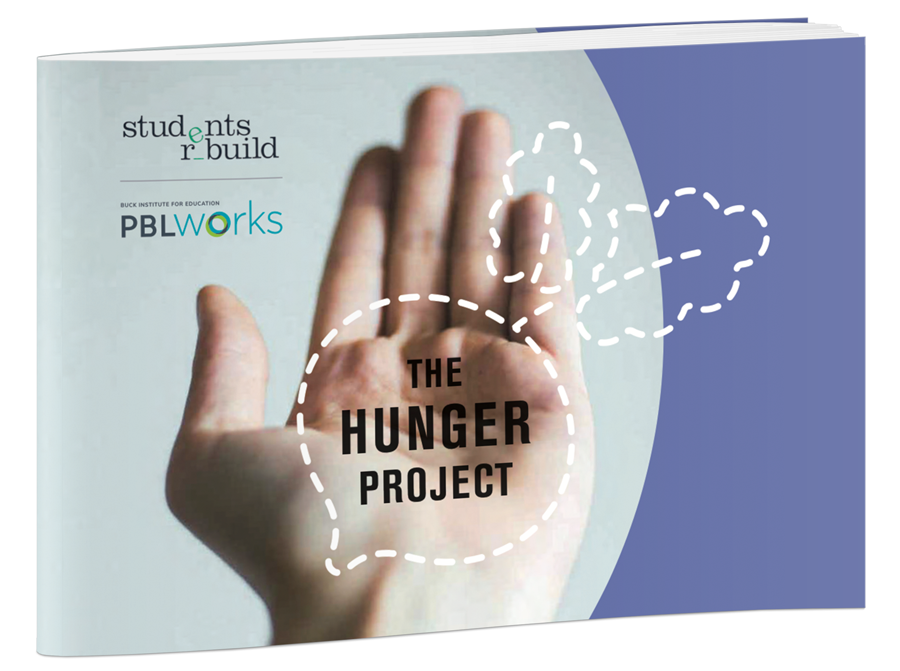
PBLWorks Partners with the Bezos Family Foundation to Launch “Hunger Challenge” Project Based Learning Unit


PBLWorks partnered with the Bezos Family Foundation to create a project-based learning unit that teachers can download. It is a high quality PBL unit for the upcoming Hunger Challenge. It is for K-12 educators and students and the unit has them exploring solutions for hunger and malnutrition. 

You can download it here: http://go.pblworks.org/hunger-project

PBL Works is a great resource for all things PBL. 


You can read more below.

This is a great opportunity for students to learn about hunger as well as learn skills like creativity, collaboration, communication and teamwork.


PBLWorks Partners with the Bezos Family Foundation to Launch “Hunger Challenge” Project Based Learning Unit

Foundation to donate $3 for each piece of art created by students to help address hunger and malnutrition globally

Novato, CA (Sept. 17, 2019) – PBLWorks, the leader in Project Based Learning (PBL) professional development, has partnered with Students Rebuild, a program of the Bezos Family Foundation, to create a high quality PBL unit for the upcoming Hunger Challenge. K-12 educators and students are invited to participate in the challenge to explore solutions for hunger and malnutrition around the world, and raise funds for youth-focused nutrition programs.

The Hunger Project PBL unit – designed for English, math, and science – is available for teachers starting today and the challenge runs through June 5, 2020. Students participating in the challenge research hunger and malnutrition, then work together to develop potential solutions to these issues, and create a work of art to showcase their results.

For every piece of artwork submitted, the Bezos Family Foundation will donate $3 (up to $700,000) to youth-focused nutrition programs. Students and educators participating in the Hunger Challenge will support UNICEF programs in Yemen and Ethiopia combating chronic malnutrition, expand Mary’s Meals’ school-based nutrition initiatives in India and Malawi, and back community-based initiatives across the U.S.

To download the Hunger Challenge PBL Unit, visit http://go.pblworks.org/hunger-project.

“Students Rebuild is a global force in mobilizing young people to action and we share their passion for engaging youth around international issues,” said Bob Lenz, CEO of PBLWorks. “At PBLWorks, we see the power of students doing PBL projects both as a deeper, more effective learning method and also as a tool for societal change.”

Since 2010, Students Rebuild has mobilized over a million young people in nearly 80 countries and donated more than $5 million to organizations confronting critical global issues impacting children and youth. It selected PBLWorks as a partner because of their expertise in Gold Standard Project Based Learning design.

"Every day we see students acting as agents of change in their communities," said Jackie Bezos, President of the Bezos Family Foundation. "We hope their collective voices and actions will inspire more people around the world to act on critical problems facing humanity."

About PBLWorks

At PBLWorks (the brand name of the Buck Institute for Education) we believe that all students – no matter where they live or what their background – should have access to quality Project Based Learning to deepen their learning and achieve success in college, career, and life. Our focus is to build the capacity of teachers to design and facilitate quality Project Based Learning and the capacity of school and system leaders to create the conditions for teachers to implement great projects with all students. For more information, visit www.pblworks.org.

About Students Rebuild

Students Rebuild is a collaborative program of the Bezos Family Foundation. Created in January 2010 in response to the devastating Haiti earthquake, Students Rebuild has mobilized more than one million participants in 83 countries and all 50 states and raised more than $5 million in matching funds for projects like rebuilding schools in Haiti, aiding disaster recovery efforts in Asia, supporting livelihoods in Africa, helping Syrian youth from conflict areas recover from crisis, and supporting empowerment opportunities for youth affected by poverty. Through its Challenges, Students Rebuild tackles some of the world's most difficult problems, issues that one cannot solve alone. Guided by the belief that every young person should have an opportunity to help others—but not everyone can fundraise—its Challenges require young people to create a simple, symbolic object, which the Foundation matches with funding. This approach allows students of all ages, backgrounds, and in countries around the world to take action and see change on global concerns. Find more at www.studentsrebuild.org and @StudentsRebuild.

Friday, February 22, 2019

PBLWorks (formally Buck Institute) Introduces Project Idea Cards for Teachers


Home


PBLWorks (new brand name of the Buck Institute for Education) has introduced a free online library of more than 60 downloadable Project Idea Cards to help teachers use Project Based Learning (PBL) in their classrooms. There will be more cards released going forward as well.


The Project Idea Cards are free downloadable resources, standards-based, with project ideas from math and science to history and English. Each project card lists a driving question, a project description, the standards the project addresses, the anticipated outcomes, and reflection questions to help teachers bring the project to life in their own contexts. They were developed by teachers and PBLWorks. You can search, as well as sort by grade level, subject area, and standards (including NGSS).


Project Based Learning Resources:


-

Thursday, February 14, 2013

Simplify Project Based Learning With Biteslide - guest post

Simplify Project Based Learning With Biteslide


Introduction
What is Project Based Learning?
What is Biteslide?
Planning the project
The Entry Event
Researching the project
Creating the project
Presenting the project
Conclusion

Introduction
In this article I shall give you a brief introduction to Project Based Learning (PBL) and show you how Biteslide can be used as an end-to-end technology solution for PBL projects.  

There is a dizzying number of EdTech tools on the market today. Some are good and will give you a significant return on your time investment, others aren’t so good, and will lead to wasted time and frustrated students. Using an end-to-end solution simplifies the integration of technology and keeps the focus where it should be, on the project.


What is Project Based Learning?
Project Based Learning (PBL) is a dynamic approach to teaching where students undertake extensive inquiry in response to real-world problems and challenges.

In response to a driving question, students create authentic products and presentations that are then delivered to a public audience.

PBL projects are designed to address the curriculum and also develop students' 21st century skills - creativity, collaboration, communication, and critical thinking.

If you’re new to PBL, two of the best resources around are the Buck Institute For Education and Edutopia.


What is Biteslide?

Biteslide is a creative presentation tool for school projects.
Teachers use Biteslide to assign, manage, and give feedback on projects.  Students create slidebooks - a creative form of self-expression combining images, video, and text.

Biteslide works well across the curriculum and with students of all ages.

Now let’s see how Biteslide can be used used in each phase of a PBL project.

Planning the project
Good planning is the key to running a successful PBL project. If you've never planned a PBL project before, here is a good place to get to grips with the basics.

When planning your PBL project it’s a good idea to organise your planning into a series of project documents.  Commonly these are a project form, project calendar, and project rubric.  Thanks goes to Manor New Technology High School for sharing these excellent sample documents.

So, how can Biteslide help? Rather than having a static series of PDF documents stored on your school server, you can use Biteslide to create a slidebook of project documents.

This means your documents can be stored right within the project itself. They are accessible online, and can be easily copied into future projects.

Once the plans are in place and the project launch date has arrived, it’s time to introduce the project to your students.  

The Entry Event
When introducing the new project to your students the aim is to activate their ‘Need To Know’. A simple handout just isn't going to cut the mustard. Starting with inspirational and motivational content sets the tone and will energise your students.  

A powerful way to activate your students’ need to know is to have an entry event. Entry events can be videos, discussions, or debates. Any format will work as long as it resonates with your students and makes them eager to learn more.

Slidebooks are a great tool to use at the heart of the entry event. During the planning phase of the project, use a slidebook to gather research and develop your entry event presentation. The slidebook format makes it easy for you to create a thought-provoking and interactive presentation as the centerpiece of the entry event.

And when your slidebook is ready, you can present straight from the slidebook to your students. You can do this from any computer or interactive whiteboard. Slidebook presentations save you time repurposing content and also provide an interactive forum for your students after the entry event has finished. They are the perfect catalyst to activate your students’ need to know.

Researching the project
Typically the initial phase of a PBL project will involve some form research.  It could be desk-based or out in the field. Students begin to develop their knowledge and gather the significant content for their project.

As part of this process, they'll inevitably gather a wide range of assets that they'll need to organise for use in their final presentation. These could be quotes, photos, videos, diagrams, and much more.  

During the research phase, a slidebook is a brilliant way to scrapbook together images, videos, and text. Students can use their digital scrapbook to organise and re-organise their thoughts before putting together the final presentation.

Students can even collaborate on slidebooks and use them as a shared resource to gather and organise their research. And as Biteslide is entirely web-based, students can do this from anywhere they have an internet connection.

Biteslide has several simple, yet powerful, research tools built right into the slidebook. Students can drag and drop images straight from Google and Flickr, and even add videos from Youtube.  And if they want to gather images as they are browsing the web, they can use the Nibbler bookmarklet.

But to be honest, the best thing about researching a project with Biteslide is that it’s fun.  The drag-and-drop interface and easy-to-use tools take the strain so your students stay energised and can keep their focus where it should be, on the research.

Creating the project
Once students have gathered the resources they need to create their slidebook, it's time to synthesise the research and create the project narrative.

Biteslide's easy-to-use design tools mean that students all the way from K-12 can create stunning projects. Eye-catching extras (backgrounds, borders, and stickers) help students to bring their projects to life.

During the creative process, a project’s slidebooks are open for teachers and other students in the class to view. This means that teachers and classmates (if you’ve enabled the feature) can give feedback during the project creation phase.

Making projects authentic is fundamental to Project Based Learning. This means involving people from the outside world. Biteslide can be used to invite outside parties into the project to comment and review as the slidebooks progress. This is a great way for students to hone their final presentation with authentic input from the outside world.

Presenting the project
A key milestone in a PBL project is the final presentation.  As well as demonstrating what the students have learned and created, it provides focus and authenticity to the project.

Your students have used the slidebook to research, create, and now they can use it to present. A single button-click transforms the slidebook into presentation mode - an engaging showcase for your student’s work.

Presenting in person is undoubtedly valuable, but slidebooks can also be shared on the web.  Embedding slidebooks into blogs, websites, and virtual learning environments (e.g. Edmodo or Moodle) is an excellent way to share projects with both inside and outside the school walls. Other teachers and students as well as outside parties such as parents or industry experts can all be invited to view and give feedback on a project.

Conclusion
We are living through a golden age of technology. Incredible new web tools for educators are appearing every day. Having choice is a good thing, but it also comes with two key challenges. Choosing the tools that meet your pedagogical needs and deploying the tools your chosen tools in the best way.

There are no clear cut solutions to these challenges. Two good rules of thumb are to choose tools that are easy to use for both teachers and students, and keep the number of tools chosen to a minimum.  As is often the case, keeping it simple is the key to success.

Sign Up For Your Free Biteslide Account Here

About the author
Seb Hardman is a EdTech entrepreneur passionate about making great digital products.  He is a founder of Biteslide - the creative presentation tool for school projects.


Thursday, May 10, 2012

Homework and project ideas I'm using in my classes that are authentic


I'm changing some things about my physics class now (even with only a few weeks left) and applying next year. I already do a large number of projects with the class, but I want to add these.

I'm changing the type of homework students will be getting. While they will still be getting some project work and physics problems for homework, they will also be getting a new type of homework that I think is much better and relates to them more. Their assignment each week will be to find something at home or something that they are interested in and see what physics concepts apply to it and how. They will then share it with the rest of the class. I think this will help them see why physics is important and make the class more relevant to them.

I'm also bringing back a project that I haven't done in a while: "How Does it Work". Students will pick a technology, product, sport, etc. and do a project explaining how it works and what the physics and science behind it are. They can present it as a PowerPoint, Prezi, web page, video, animation, poster, etc. It was very popular and the students learned a lot from it and I'm really not sure why I haven't used it lately.

These projects allow students to investigate things that are important or relevant to them, as well as providing different ways for them to show their understanding.

I'm always evaluating my class and the learning activities that are going on and reflected on what works and what doesn't. I think these two things will help make the class more interesting and relevant to the students and help them learn the concepts even better.


Related:

Making School Relevant for Students

10 Important Skills Students Need for the Future

Project Based Learning

Science of Everyday Life

Create a Personal Learning Network

Should we force students to learn? or How can we change schools to engage students?

Differentiating with Web 2.0 Technologies


Tuesday, May 8, 2012

Building Big - great STEM projects and labs from PBS


Building Big is a great site from PBS that has lesson plans, projects, labs, and activities for teachers to use in their classrooms. The topics are on buildings and structures, including Bridges, Domes, Skyscrapers, Dams and Tunnels. It's based on the PBS television series Building Big.

There are interactive labs, educator's guides, challenges, data on the world's structures, and information about engineering and engineers.

The labs are flash-based interactive activities that let students explore forces, materials, loads, and shapes and get information about each topic.


The activities are fun and educational and the resources can be scaffolded for any level.


Related:

STEM Resources for Educators

Project Based Learning resources for Educators


Monday, March 19, 2012

Free Project Based Learning resource available


File 395 


I just found a new publication on project based learning, Work That Matters: The Teacher’s Guide to Project-based Learning, produced in partnership with San Diego’s High Tech High.

This is available as a free PDF download and has great tips, ideas, resources, and information for helping teachers and schools implement project based learning in their schools and classrooms. There is step-by-step advice on planning, organizing and managing projects, as well as how to assess them.

You can also request a hard copy by emailing Alec Patton here.


Related:

Project Based Learning Resources for Educators


Tuesday, March 6, 2012

"How do you know how to do that? I figure it out." How I learn.


People ask me "how do you know how to do that?" or "how did you find that?' I explore.  I'm one of those people who just likes to figure things out. Probably why I became an engineer and physics teacher.

I explore things and figure them out on my own. I read the "help" files for apps, software and web apps. I go Google searches for information and forums. I figure it out. No one shows me. I look for books, websites, magazines and read about things.

This is how I find resources. I go exploring and then I figure out how to use it or look for resources on how to use it. I tinker. I take things apart. I play with them. I try different things. I don't like to sit and be lectured, I want to explore something.

Now, this sometimes leads to issues (computer crashes, locking up apps, etc.), but I learn more than if I followed a manual or instruction book. Sometimes I even find features and uses that aren't in the books.

This is how I want my students to learn. Why? Because it sticks with them longer. When you explore and learn on your own, you tend to retain that knowledge or skill much longer.  I want them to explore and find answers and solutions on their own. I give them support and advice, but I don't give them the answer. This also teaches them how to learn on their own. They need to be able to figure things out on their own and find resources to help them.


How about you? How do you learn new things?


Related:

10 Important Skills Students need for the Future

10 Tech Skills Every Student Should Have


Tuesday, February 28, 2012

Free Project Based Learning Resources from Edutopia


Edutopia, the George Lucas Educational Foundation, is an excellent resource for educators. Their site has a huge variety of resources, tips, and research on education and is accessible for free. They are a big proponent of Project Based Learning (PBL) and also have a lot of resources on best practices in education.


Resources include lists of reading materials on PBL, links to schools that are using PBL, Resources from Edutopia on PBL, Resources from Maine on PBL including examples of PBL, lesson plans, assessments for PBL, planning guides for teachers and schools, professional development resources, resources for parents, and links to organizations and other resources on PBL. (Resources are in PDF form).

Project Based Learning is a great way to teach content, as well as essential skills such as teamwork, collaboration, problem solving, and more. 

This is an excellent collection of resources about PBL and how to implement it in your school and classroom. 


Related:

Free Classroom Guides and Downloads for 2011 from Edutopia

More free classroom guides for educators from Edutopia

Project Based Learning Resources for Educators

WPI Plan - a great educational model for all schools

10 Important Skills Students need for the Future

"Lehr und Kunst" or "Theory and Practice." - what we strive for in education


Tuesday, February 7, 2012

Flipped Classroom - my thoughts on it, some other ideas, & infographic


"Flipped Classroom" is a classroom model where the teacher works with students on projects and what would be typically homework instead of a lecture and the students get the "lecture" at home, usually through a video (like from Kahn Academy, or made by the teacher, or from Discovery Education). The proponents of this model say that it offers the teacher more time to work with students on projects and applying the knowledge, rather than spending time delivering that knowledge. The opponents say that it moves too much work to the student at home and many students don't have access to the resources, like broadband internet and a computer, to watch these videos.

In my opinion, this is nothing new. Teachers assigned reading out of the textbook for homework, and now they want to assign video lectures to watch. What's so different? Does it really improve student learning?

Here's my full article on my reservations of the Flipped Classroom Model: http://educationaltechnologyguy.blogspot.com/2011/04/flipped-classroom-what-it-is-and-my.html

I have students who don't have the time, computer, internet access, or ability to watch videos at home. A video is still a lecture. At home, the students have less access to someone to ask questions of.

Instead of making the students watch lectures at home, can we get rid of lectures all together, or at least change them?

I use lectures in my class. They are short, have lots of multimedia and live demonstrations, and lots of interaction between the students, each other, and my self. I use these lectures in different ways. Sometimes I use them to introduce a topic and the main points and then students do labs and projects were they further explore the concept and learn more about it, while learning other important skills. Other times I start with an inquiry lab or project and then the lecture comes later. With these lecture/discussion/demo's I can ensure that all students are getting certain information and that they have a chance to ask questions and discuss the topic.  I use short videos and animations in class. Could some of this be put on the student to do at home? Yes, but it would not be the same learning experience.

I don't assign a lot of homework. My students have sports, part time jobs, clubs, and many do a lot of work at home due to their situations. They do get some homework, but they have time to start it in class to ask for help.

I want my students to learn, but I don't want them spending hours and hours doing homework, or watching videos at night. I want them to have had a learning experience in school that makes them look at the world around them at home, and wonder why?, how? and be able to apply what they learned in school, to something outside of school. I want them to find things that they are interested in, and want to learn more about it on their own. I think we should be focusing on making school time more productive and effective and leave out of school time for the students to explore their own interests and needs.

Related:

10 Important Skills that Students Need for the Future - watching videos and taking tests are not on list

10 Tech Skills Every Student Should Have

What I use with Physics classes instead of a Textbook

Project Based Learning

WPI Plan - Great Educational Model for All Schools

Making School Relevant for Students


What are your thoughts?


Here's an infographic summarizing what the Flipped Classroom is and some data they found. I don't endorse this or the data, just sharing it so people can make their own decision.
Flipped Classroom
Created by Knewton and Column Five Media


Thursday, February 2, 2012

Ten Sites Supporting Digital Classroom Collaboration - great article


Michael Gorman has a great article on his  21 st Century Educational Technology and Learning blog entitled "Ten Sites Supporting Digital Classroom Collaboration In Project Based Learning".

The article lists 10 sites that allow for students to collaborate on projects together with a short description of the site and how you can use it with your students. 

I'm a huge fan and user of Project Based Learning and this is a great list of resources to use with students.


Related:

Wednesday, February 1, 2012

#PBLchat - Twitter chat for Project Based Learning


Project Based Learning is a great way to teach content, as well as other needed skills (communication, teamwork, problem solving, technology, etc) - see related for more on these skills.

Edutopia is a great resource for information and resources on Project Based Learning as it is one of their main topics. It's also a great resource for any educator for a variety of topics.

Edutopia has a great article on a new Twitter chat, #PBLchat, that just launched in December. It occurs on Tuesdays at 9pm EST, 6pm Pacific and is growing every week.

I'm a firm believer in Project Based Learning and Twitter as a resource for educators and #PBLchat just brings the two together.

Join us!


Related:

Project Based Learning Resource page

10 Important Skills Students Need for the Future

10 Tech Skills every Student Should Have

STEM Resources page


Tuesday, January 31, 2012

Some great science projects and science literacy projects


Science education lends itself to hands-on labs and projects easily, but there are some nice project ideas that are a little different than what most people are used to seeing / doing in a science classroom. Literacy is one of those areas. In science, student write lab reports, and maybe some research projects. There are some other great projects that incorporate literacy, science knowledge, and even some technology skills.

1. Science Journalism - have your science students pick a topic in your class and look for current events or news on that topic. Then have them write a news article about that topic and what is happening currently in that area. They have to do research, create and edit an article, and use at least a word processor. You can also combine all of the students' work into one "newspaper" and share it online.

2. "How It Works" project - have students pick a device, technology, or product and create a project that describes how it works. They should be relating something they have learned in the science class to the project. They can create a poster (paper, electronic, Glog), a website, presentation, etc. for the project itself. Again, they are doing research, collating the research and creating a product.

3. Invention - have the students apply what they have learned in class to create an invention or new technology of their own. Research, creativity, presentation, and more.

4. Create a science fiction story based on science topics they have learned in class. Literacy, science, and creativity.


These projects have students developing their science knowledge, research, literacy, creativity, technology skills, and more. They can be done individually or in groups.


What are some different science projects you do with your classes?


Related:

Project Based Learning resources and tips

STEM (Science, Technology, Engineering, Math) Resources

Science Resources on Ed Tech Guy


Friday, January 20, 2012

"Lehr und Kunst" or "Theory and Practice." - what we strive for in education


"Lehr und Kunst" or "Theory and Practice." (Learning and Skilled Arts) is the motto for my alma mater, WPI (Worcester Polytechnic Institute). I really like this as a motto for all education. 

 
The motto appears in the ribbon above the shield. The books represent theory and the arm and hammer represent the practice or skilled art.

We are trying to teach our students facts, knowledge and information, but they also have to be able to apply this to different situations. The practice of applying knowledge is so important. 

We talk about 21st century skills, like communicating, working in teams, life-long learning, analysis, applying, critical thinking, and problem solving. This is what we need to teach our students. They need to be able to learn skills and knowledge and then apply them to a situation. 

How do we do this? Project Based Learning, Contextual learning, internships, practicals, scenarios all help students learn theory and then apply it in practice. To help our students be successful, we need to help them learn theory and how to apply that theory.


Related:

WPI Plan - a great educational model for all schools


Thursday, January 12, 2012

Edheads - cool activities and projects


Edheads - Activate Your Mind!


Edheads is a great web site that has online projects for students to do. These projects help students explore and learn about a variety of topics.

Some of the projects include - design a cell phone, virtual knee surgery, simple machines, and more.

I found it fun also! Try it out yourself and you will find that it is a nice resource to use in your classroom. The crash scene project was fun and is great for a physics class.

They are also looking for ideas from teachers to add to the collection and there is a nice teacher resource center. 


Wednesday, January 4, 2012

10 Important Skills Students need for the Future


The future. What do our students really need to know and be able to do to succeed in future education and careers?

Content is a part of what they need to know. Standardized tests test content knowledge and some skills. There are huge debates raging over standardized testing, curriculum, and the like. But what it is that students really need to know for the future. Hint: it isn't all content.

Content is important to a point. Having certain knowledge of facts and information helps us put things in context as we work and live. Content helps us evaluate other information we are working with. However, in today's world of the web and smart phones, facts and content are less important. Students, and the workforce, need to know how to think critically, find and evaluate information, work in teams, communicate effectively, solve problems and apply knowledge and skills to new things and be able to learn on their own. These are some of the "21st Century Skills" that have been talked about for years. I agree that these are the most important skills and I feel that Project Based Learning is one of the best ways to teach these skills.

I learned many of these skills in college because even 20 years ago, my school, WPI, understood these ideas. The WPI Plan is an excellent model of project based learning, core competencies, and needed skills. This base has allowed me to be successful as an engineer, and successfully transition to being an educator. It has also helped me to learn on my own.

Research by the Institute for the Future released in a report entitled “Future Work Skills 2020″ shows that preparing for a specific career area based on content is difficult and, instead, people should be developing certain broad skills. These same skills are important for our students to learn. The report explains each of the skills in detail, and also goes into the implications for education and policies.

Here are the skills:

Sense-making. The ability to determine the deeper meaning or significance of what is being expressed

Social intelligence. The ability to connect to others in a deep and direct way, to sense and stimulate reactions and desired interactions

Novel and adaptive thinking. Proficiency at thinking and coming up with solutions and responses beyond that which is rote or rule-based

Cross-cultural competency. The ability to operate in different cultural settings

Computational thinking. The ability to translate vast amounts of data into abstract concepts and to understand data-based reasoning

New-media literacy. The ability to critically assess and develop content that uses new media forms and to leverage these media for persuasive communication

Transdisciplinarity. Literacy in and ability to understand concepts across multiple disciplines

Design mind-set
. Ability to represent and develop tasks and work processes for desired outcomes

Cognitive load management. The ability to discriminate and filter information for importance and to understand how to maximize cognitive functioning using a variety of tools and techniques

Virtual collaboration. The ability to work productively, drive engagement and demonstrate presence as a member of a virtual team


Tuesday, November 22, 2011

ZoonZone - great hands on activities for STEM subjects


ZoonZone is site that has a collection of hands-on activities and projects for science and technology.

There are 20 different projects in 5 different areas. Each project has a video that can be used to introduce the project to your class. There are overviews of each activity, ideas for extending the project and a list of resources to help students. The overview includes the concepts that the students will be learning about through the project.

This is a great resource for teachers. They can use these activities to add STEM content to their class and incorporate projects into their curriculum. The projects are also great for introducing engineering concepts to students.


LinkWithin

Related Posts Plugin for WordPress, Blogger...