Showing posts with label organization. Show all posts

Thursday, February 2, 2023

Productivity and Organizing - Resources, Tips and ideas for being more productive and organized

 Productivity and Organizing - resources

Resources, Tips and ideas for being more productive and organized. A “poster” is at end.


I've been working on my productivity and organizing for decades, starting with notebooks and binders, then paper organizers, PDAs and today's tools. All these tools are needed, but so are ways to be productive. Here are some resources for you:

Resources and Links:


  • Find a system that works for you - paper based, digital, combination, etc. 

  • Set reminders in digital apps - Calendar, Keep, Evernote, etc. to make sure you don't forget things. 

  • Focus on your priorities. 

  • Read and learn.


.


Thursday, September 27, 2018

Productivity and Organizing - Resources, Tips and ideas for being more productive and organized


Productivity and Organizing -
Resources, Tips and ideas for being more productive and organized.

7 Habits of Highly Effective People-Outline, 7 Habits of Highly Effective People-Wikipedia


Great for every aspect of your life


Getting Things Done 5 Steps
I use this daily, especially with emails


Ben Franklin’s Daily Schedule
I love his philosophy and organization


Organizing Resources from this blog and some more
Get Organized - tips and resources for students, teachers, admin and more
My Workflow as CIO - includes heavy use of Evernote

Apps, Articles and Resources
Evernote
Evernote Tips and Tricks Series (updated often)
Yes, I still use Evernote. Because it’s still the best way to get s**t done.
Introducing Templates, A Better Way to Make Notes

Google Keep and more tips

Outlook Tips from Microsoft, 13 Outlook Productivity & Organization Tips

OneNote
10 Tips and Tricks That Will Make You a OneNote Ninja
11 Tips for Improving Productivity using OneNote
How to Master Microsoft Office OneNote

7-Step Prep: Make a Weekly Plan for YOU! Planning sheet under #3 is great

Project Management Guide for Beginners

Take a Moment and Assess Your Workspace for Productivity

My First Month Using A Paper Planner After A Decade Drowning In Apps
Full Focus Paper Planner
Weekly Momentum Planner (free printable download)
The Basics Notebook
Franklin Planner (I used these for years before moving to digital)

15 Habits That Will Totally Transform Your Productivity

How to be More Productive and Eliminate Time Wasting Activities by Using the “Eisenhower Box”


Find a system that works for you - paper based, digital, combination, etc.

Set reminders in digital apps - Calendar, Keep, Evernote, etc. to make sure you don't forget things.

Focus on your priorities.

Read and learn.


.

Tuesday, September 20, 2016

5 Great Digital Tools for Teachers


Planning for the first month of school can take on average 16 hours of prep, research, practice and refinement for every one hour of actual teaching time.

In the hopes of giving teachers some hours back this month, here are 5 digital tools that teachers can use to lifehack their course planning.


#1 BRAINSTORM IN THE CLOUD:
Always forgetting great coursework planning ideas you have outside of class? Jot your brainstorms on your phone’s Evernote app. Your ideas will be synced to a central location automatically, so you can have all your great ideas in one place.


#2 HAVE A DIGITAL PROJECT HUB
Are you a visual brainstormer? Trello mimics your wall of Post-Its so you can drag and drop course ideas and to-do’s, big questions or due dates for projects. Teachers can also create projects for students, and ask them to add writing tasks, encouraging classroom collaboration.


#3 TEACH VISUALLY
Course Hero has just launched an Infographic Study Series (coursehero.com/lit/): a collection of over 90 classic literature titles in visual form to help students learn efficiently. These easy to read infographics are the perfect bite-sized summaries to incorporate into your English 101 planning. See more information below.


#4 AMP UP YOUR PRESENTATION
Sick of conventional classroom presentations? Prezi’s zooming canvas opens up the classroom to active learning and interactivity, making lessons understandable, memorable and fun. Prezi also offers a free Edu Pro account.


#5 BE A DIGITAL TASK-MASTER
Wunderlist is a to-do list app that allows you to add tasks, set due dates and reminders, and link out to relevant resources.


Related:

Evernote for Education - great ideas and resources for using Evernote

Wunderlist - free and easy to use task manager

More Resources for Getting Organized and some more!

More Presentation Resources

Resources on Prezi

Top 5 Apps for Educational Administrators to Use

My most used/favorite Apps and how I use them

My Favorite Resources for Teachers and Students


Course Hero is an online learning platform that empowers millions of students and educators to succeed.

Course Hero Introduces Literature Infographics

The company announces first-of-its-kind visual learning collection to help students master literature

REDWOOD CITY, Calif. -- Course Hero, an online learning platform that empowers millions of students and educators to succeed, has developed “Literature Infographics” to help students better understand great works of literature. This visually stunning learning tool includes the key critical literary works that students will need to prepare for the upcoming fall semester. Course Hero developed these unique learning materials to provide students with a visual tool to help understand the key elements of classic literary work.

The series currently includes the following titles:

A Clockwork Orange by Anthony Burgess
Alice in Wonderland by Lewis Carroll
Beloved by Toni Morrison
Beowulf translated by Seamus Heaney
And many more

The Literature Infographics (coursehero.com/lit/), which currently contain more than 90 titles, are a unique way for students to learn about the characters, themes, authors, and literary devices contained in the works many students will be reading this year.

“As an educator, I see these infographics as a fun, visual way to immediately immerse students in the essential ideas, concepts and literary devices that can facilitate their understanding and appreciation of literature,” said Kathi Duffel who has been a teacher for over 30 years and is an AP English and Journalism Advisor at Bear Creek High School (California). Kathi is also the recipient of the 2015 James Madison Freedom of Information Award by the Northern California Society of Professional Journalists.

“We believe our Literature Infographics will help students better understand the complex ideas behind some of these great works of literature by providing a visual, story-driven perspective to the content they are related to ,” said Course Hero Co-founder and CEO Andrew Grauer. “It’s also our hope that educators will find these materials rich, engaging and helpful in addition to the lectures, class notes and other materials that they painstakingly prepare for students in the classroom.”

The Course Hero Literature Infographics are free for students and educators to browse, download, and share with classmates, friends, and colleagues and can be found here.

About Course Hero | Master Your Classes™

Course Hero is an online learning platform that empowers millions of students and educators to succeed. Fueled by a passionate community of students and educators who share their course-specific knowledge and educational resources, Course Hero offers the biggest and best library of study documents, expert tutors, customizable flashcards, and course advice. Course Hero is now used by over 10 million students to supplement their class work with course-specific study materials.


.

Thursday, March 19, 2015

Droptask announces integration with Evernote


DropTask is a free visual task management app that is web based and available on iOS and Android that I reviewed two weeks ago.  They have just announced that DropTask now integrates with Evernote. To celebrate, they are offering two months free of the Pro version of DropTask, which is needed for this integration.

Integration with Evernote allows you to send your notes from Evernote into DropTask where you can organize and manage your to-dos. Alternatively, if you have a task already in DropTask, you can send it to Evernote and create a new note where you will have the space to write down all your ideas and information related to that task.


Read more about it below:
Create, plan, and do
Whether you’re writing the week’s agenda, taking minutes from a meeting or just jotting down flashes of inspiration, syncing Evernote with DropTask will let you transform life’s all-important notes into finished projects.

Simply add the ‘droptask’ tag to your notes to seamlessly sync them to your DropTask PRO inbox - where they will wait for you until you’re ready to get to action!
FEATURE FACT: The name of your notes will become the task title and the body of the notes will become the task description.

Take Note
You know what tasks you need to do, now it’s time to get them done! Whether it’s a small note you need to make or some lengthy research you want to carry out; utilize the two-way sync and view existing tasks from DropTask in Evernote to really make use of the extended workspace.

On the Go
Enhance your productivity and use DropTask with Evernote across multiple devices. Syncing between both tools on the go means you can plan, organize and complete your tasks wherever you are, whenever you like!


-


Tuesday, March 17, 2015

MyStudyLife - excellent cross-platform student planner


MyStudyLife is an excellent, free, cross-platform student planner with a great set of features to help students stay organized. With it, students can organize their assignments and tasks based on their course schedules. The tasks are all shown on the homepage to remind them and the app even supports rotating and block schedules. It is available on iPhone, Android, Windows 8, Windows Phone and the web.

It allows you to create a calendar with your class schedule, a task list, and reminders.


Related:

yasp! Easy to use Student Planner for Android
WhatsDueApp - free app for teachers to help keep parents and students up-to-date

Getting Students and Teachers Organized - tips and resources - includes links and resources for electronic and paper planning
10 Great, Free Apps for Students for Notetaking and Class Planning

Friday, March 13, 2015

Centrallo productivity app announces some great updates


Centrallo is a productivity app with some really nice features that I wrote about last year. You can create lists within lists and inside store links, photos, video,voice notes, important dates, contacts, Dropbox links and more.Priorities are brought front and center so you don't loose track of them and it now has location based reminders, similar to Google Now.


They just announced some great updates to their app:


  1. Shared Checklists - multiple people can add and edit real time.
  2. Updated their web version.
  3. Improved their iPhone, iPad and Android versions, including the ability to publish lists containing rich media.


Centrallo is a great app with some great features to get you organized.


Related:

Evernote - super productivity, organization and note taking app

Asana - free teamwork and productivity app

kanban2go - free visual task management and organization

Wednesday, March 4, 2015

DropTask - Visual Task Management app


DropTask Logo

DropTask is a free visual task management app that is web based and available on iOS and Android. It is easy to use and lets you create a visual to do list that is color coded and with lots of features. You can take notes, chat with others, attach files, set reminders, work with others, and more. It is a very beautiful interface with drag and drop functionality.


DropTask - Access everything in one place
It also works with other apps, like Google Apps and Dropbox, with Evernote and Outlook integration in Beta versions now.

The Evernote integration is slated to go public very soon and looks pretty cool. Integration with Evernote allows you to send your notes from Evernote into DropTask where you can organize and manage your to-dos. Alternatively, if you have a task already in DropTask, you can send it to Evernote and create a new note where you will have the space to write down all your ideas and information related to that task.


DropTask Integrations: GMail, Google Tasks, Google Calendar, Dropbox, iMindMap


The free version has tons of features with the Pro version, at $6.50/month, adding more features, including more syncing with other apps and more collaboration tools. You can compare features between the two here.

Try it out and see if it can help you get organized. https://www.droptask.com/ 

Here is a video about it:


Related:


Get Organized - tips and resources for students, teachers, admin and more

kanban2go - free visual task management and organization

Wednesday, January 21, 2015

Asana - free teamwork and productivity app


Cover art

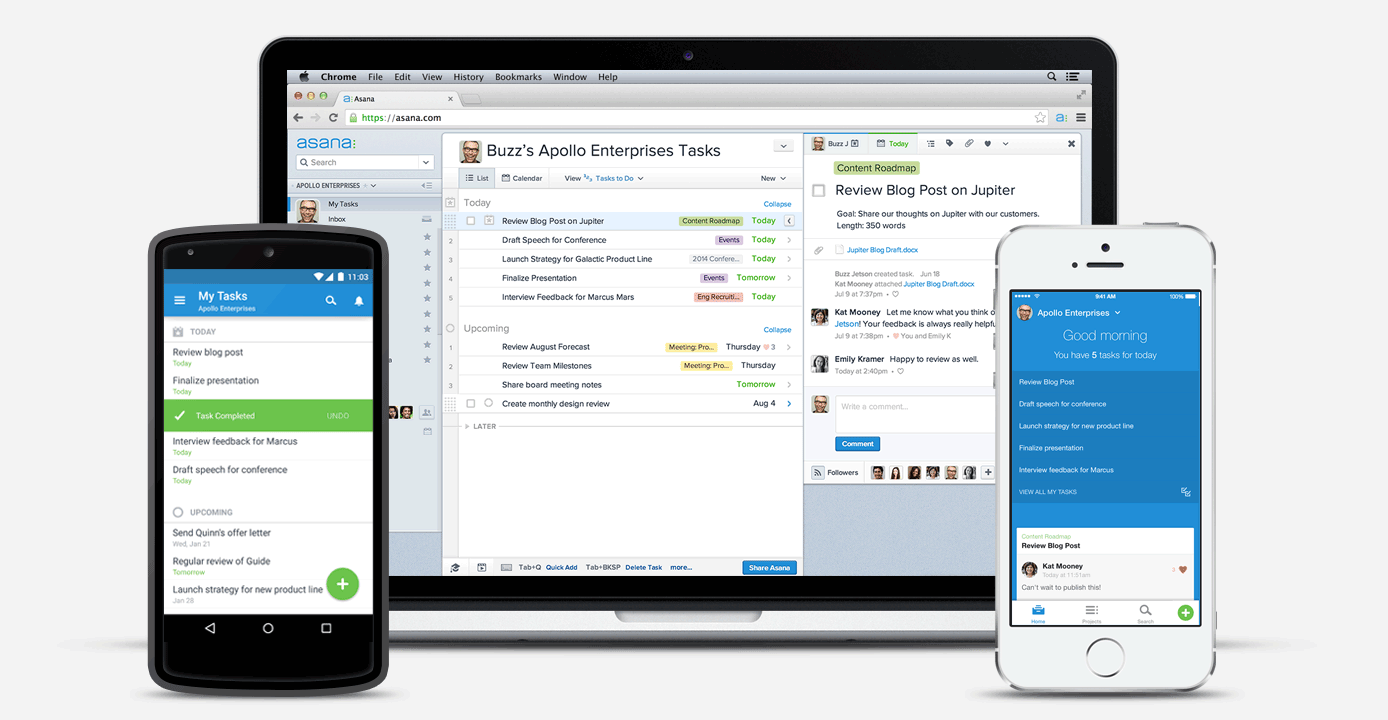
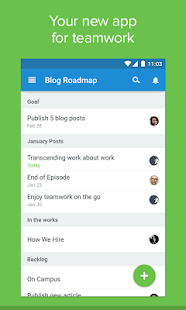
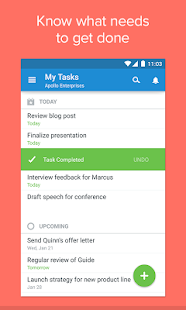
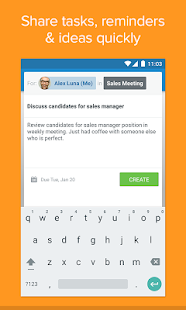
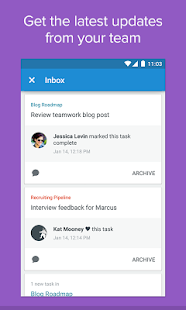
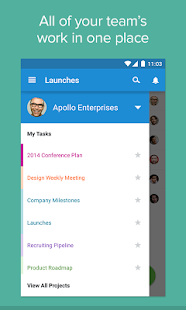
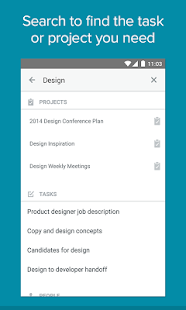
Asana is a teamwork and productivity app with free and premium accounts, that lets you work collaboratively on projects. They have also just announced a native Android app. Originally, it was just an HTML5 web app.

Asana has some nice features including task lists, reminders, task requests, commenting on tasks and updates, tracking due dates, assignments, notes on tasks and more.


The Android app syncs with your web app account so everything stays organized.

Asana - screenshot thumbnailAsana - screenshot thumbnailAsana - screenshot thumbnailAsana - screenshot thumbnailAsana - screenshot thumbnailAsana - screenshot thumbnail
Related:

kanban2go - free visual task management and organization

Getting Students and Teachers Organized - tips and resources

Evernote - super organizing, task list, note taking, project management app


--


Wednesday, December 10, 2014

Get Organized - tips and resources for students, teachers, admin and more


I am a type A personality in many ways and I've always been organized at work (not so much at home). As an engineer, it was vital to be organized. As a teacher, I was too, but harder to do. I learned some great things from United Technologies when I worked at Pratt & Whitney and Sikorsky Aircraft. They use a system called ACE, Achieving Competitive Excellence, and parts of it are related to having an organized work space so that you can be more efficient.


Technology is also a great resource for getting organized. I'm about 99% paperless - everything is either done electronically or scanned. I use Evernote extensively for staying organized.

Below are links, with descriptions, to help you get organized.


Evernote Resources
Evernote is the i-ching for organization. Save everything here, organized by notebooks, notes, stacks, and tags and searchable. Text notes, files, documents, web clippings, etc. It is my main tool for everything from lesson plans, to meeting notes, to personal information to photos and more.

Google Apps Resources
Google apps, like email and calendar, can help you get and stay organized with the features they have. Google Keep is a great, simple note taking app that also allows you to set reminders. I use this for quick to-do's and checklists.

Getting Organized Tips and Resources
I wrote this last January and it has some great tips and ideas for getting organized, along with resources. I even discuss paper planning here.

Taking Organizing and Planning Tips from Ben Franklin
Ben Franklin was great at being organized and had some great ideas that are used today.

Great Uses for Binder Clips
Binder clips can help you get organized, and not just by clipping papers together.

Tips, Resources, and Ideas for Going Paperless
Going paperless can help you get more organized - less clutter, less space needed for paper, and the digital versions are easily searchable.

All Articles Tagged as "Get Organized"
This will pull up a list of any blog post that I tagged as "get organized"

Getting Organized with Google Calendar
Tips on using calendar to get organized.

Getting your Lesson Plans and Room Organized for a Substitute Teacher
Life is much better for the sub, your students, and you when you return, when your lessons and classroom are organized.

Using Technology to Organize your Lessons and Resources
I was a much happier, more efficient teacher when I got myself and my lessons organized.

Getting Students and Teachers Organized
Some tips for students and teachers.


Friday, December 5, 2014

Centrallo launches Productivity App - has some great features


Centrallo recently launched the new version of their Productivity App, a free web, iOS and Android app that helps you stay organized and productive.


The update includes iOS and Android widgets, list sharing, location based reminders and Google drive, One Drive and Dropbox integration.

Centrallo has some different features than other productivity apps. You can create lists within lists and inside store links, photos, video,voice notes, important dates, contacts, Dropbox links and more.
Priorities are brought front and center so you don't loose track of them and it now has location based reminders, similar to Google Now.

Features include:

  • Simple note creation
  • Drag and drop list creation
  • Unlimited hierarchical lists (lists within lists)
  • List sharing at any hierarchical level
  • Photo, video, voice, calendar, PDF and Office attachments
  • Prioritization of notes and lists
  • Password protection
  • Location-based reminders
  • iOS and Android widgets for quickly adding from external sources
  • Twitter, Facebook, email and SMS list push
  • Fast search for active, archived and deleted content
  • Email and link forwarding to private Inbox
  • Self-publishing to private web link, Twitter, Facebook, Email and SMS
  • Cross platform instant synchronization

Take a look and see if it is something you could use - teachers and students can always use something to stay organized and productive. It's free. http://centrallo.com/


Related:

Evernote - super productivity, organization and note taking app

Taking organizing and planning lessons from Ben Franklin - great tips for educators too

Getting Students and Teachers Organized - tips and resources
Great tips, ideas, resources, links (including to paper and electronic planners)


Tuesday, April 1, 2014

Meeting Organization with Evernote


Meetings, meetings, meetings. They are a necessary evil. But, you can make them more organized and productive by being organized yourself.

I use Evernote as my main work (and personal) tool. For meetings, it is indispensable. Here's how:


  1. I clip the meeting/appointment slot from Outlook into Evernote. This has the invitees/attendees, agenda, topic, time and date, etc. 
  2. I then add any additional information and relevant files, along with links to other notes in Evernote. This way, everything related to the meeting is in one place.
  3. I use a template for meeting notes (see below) and copy it into this note. I will add questions I have before the meeting and then use it for the meeting itself. 
  4. I tag the meeting note for easy searching later. 
  5. I can take notes on my smartphone, tablet, or laptop or Chromebook and access all meeting info.
This lets me have everything I need for a meeting in one place, and makes it easier to find the information later.

You can also share the note with others after the meeting.

Meeting Template

Date: 
Topic: 
Objectives: 
Attendees:

Notes: 
  •  
  •  
  •  
Questions to ask:
  •  
  •  
  •  


Action Items:

  •  
  •  
  •  


Related:

Evernote for Educators Resources

My Workflow as CIO - includes heavy use of Evernote

Another great feature of Evernote - integrated in Outlook

Keys to running Effective Meetings

Taking organizing and planning lessons from Ben Franklin - great tips for educators too


Thursday, January 30, 2014

It's National Get Organized Month - here are some great resources


January is National "Get Organized Month" so I decided to share some resources on getting organized. There are some great sites out there too, including the National Association of Professional Organizers.

I am a type A personality in many ways and I've always been organized at work (not so much at home). As an engineer, it was vital to be organized. As a teacher, it was too, but harder to do. I learned some great things from United Technologies when I worked at Pratt & Whitney and Sikorsky Aircraft. They use a system called ACE, Achieving Competitive Excellence, and parts of it are related to having an organized work space so that you can be more efficient.


Technology is also a great resource for getting organized. I'm about 99% paperless - everything is either done electronically or scanned. I use Evernote extensively for staying organized.

Below are links, with descriptions, to help you get organized.


Evernote Resources
Evernote is the i-ching for organization. Save everything here, organized by notebooks, notes, stacks, and tags and searchable. Text notes, files, documents, web clippings, etc. It is my main tool for everything from lesson plans, to meeting notes, to personal information to photos and more.

Google Apps Resources
Google apps, like email and calendar, can help you get and stay organized with the features they have. Google Keep is a great, simple note taking app that also allows you to set reminders. I use this for quick to-do's and checklists.

Getting Organized Tips and Resources
I wrote this last January and it has some great tips and ideas for getting organized, along with resources. I even discuss paper planning here.

Taking Organizing and Planning Tips from Ben Franklin
Ben Franklin was great at being organized and had some great ideas that are used today.

Great Uses for Binder Clips
Binder clips can help you get organized, and not just by clipping papers together.

Tips, Resources, and Ideas for Going Paperless
Going paperless can help you get more organized - less clutter, less space needed for paper, and the digital versions are easily searchable.

All Articles Tagged as "Get Organized"
This will pull up a list of any blog post that I tagged as "get organized"

Getting Organized with Google Calendar
Tips on using calendar to get organized.

Getting your Lesson Plans and Room Organized for a Substitute Teacher
Life is much better for the sub, your students, and you when you return, when your lessons and classroom are organized.

Using Technology to Organize your Lessons and Resources
I was a much happier, more efficient teacher when I got myself and my lessons organized.

Getting Students and Teachers Organized
Some tips for students and teachers.


Friday, January 4, 2013

Getting Organized Tips and Resources


GET ORGANIZED!!


Here are some tips on getting organized. I am a very organized person (type A personality and was an engineer for ten years) and I used to teach organizational skills to other employees at one of my jobs. There are a ton of different organizational methods out there, but it is actually pretty easy to be organized and stay that way using some free tools.

I use a variety of tools to keep myself organized and share them with colleagues, administrators, teachers and with students. I have some links below to other articles I've written that are similar in nature, so please read those too.

The first thing that is important is to decide what tools you are more comfortable with: paper or electronic. If a student/teacher doesn't have a smartphone or easy access to a computer, it is harder to use some of the electronic versions. However, one solution is to use the electronic versions at home/office and print out things for mobile. I used to do that before I got my first PDA. I would print a task list and calendar in Word and keep it updated and then print it out when I had to use it away from a computer. I used to also use a Franklin Covey planner before my PDA days.

The trick to being organized is to always use your system and not deviate from it. If you are using a smartphone, then always use that, don't use paper too. Take 5 min each morning, lunch, afternoon, and evening to get organized, check your schedule and task list, and make plans for the next time period. Keep your task list and schedule up to date and check it before making plans. Prioritize your task list based on what is most important or needed done 1st. Use a calendar or prompts or reminders to make sure you get things done on time.

Electronic organizing tools can be helpful because they can remind you of due dates, meetings, etc. through text messages, emails, and on-screen alerts. They can also link notes, web sites, and more together so it's easier to find things.

Here is how I stay organized: 
(I use electronic resources and can access them from anywhere)
(Technology I'm using daily as a School District CIO)

1. I have a Android Smartphone running on Verizon so I can access all of the tools I use at any time. That means I'm always able to take notes, create a task or calendar event, and review all of my stuff any time, anyplace. I can access all of my emails, my Google Calendar, Google Task List, and Evernote from it. I can also access all of my files via Dropbox. (and all of this is accessible from any computer and always in sync through the cloud)

2. I use Microsoft Outlook at work for email and calendar and contacts. I also have this syncing to my smartphone. I can also export emails and contacts to Evernote to keep things even more organized.

3. I use Evernote to take notes, organize notes, organize info and web clippings, and as a project planning tool. I have access to this from any computer and from my smartphone. I organize notes into notebooks and also have tags, making them easier to find when I need them. This is my main tool and includes all of my notes, files, task lists, and more. I even have a note that has all of my web page links on it and I use that as a start page.

4. I even have an app for my phone that will alert me when I am near a place that I have a task for (via GPS) and have been using Google Now more and more to help stay organized and plan my day.

There are some great tools specifically for students, like Trackclass, Shoshiku, and Dweeber that can help them get organized with their classes, schedule, and notes.

For those who still like paper planning and organizing, there are some great paper planning tools. In addition, a Livescribe Pen and pad offers paper note taking and planning, while syncing it to your computer and/or Evernote.

Paper Planning Resources (not free)
Franklin Covey - great paper planning systems, but a little pricey for students.
Day Timer paper planners
DIY Planner - make and print your own planner pages
Planner Pads - paper planners
Day Runner - paper planners
Mead Student Planners
At-A-Glance
Student Planner USA - some nice ones on here (and not expensive)
SchoolMate Student Planners


You can also create and print out your own calendars and task lists. There are a huge number of sites that have these, and MS Word has templates for it.

There are also some great student planners that you can customize for your school, adding in school calendar and schedules. They also have some great reference pages in the back, including math, English, science, study tips, college planning and more references. Here's one we've used:  Premier Agendas for College Ed. There are a variety out there, and I don't endorse any specific one.

Great Tips, Resources and Ideas for Going Paperless in the New Year
Electronic Planning Resources (free)
Evernote
Student Planner Software (all free) (lots of good ones here to share with your students)


Organizing Resources
Online Organizing
Get Organized Now - great site with great tips and resources
Julie Morgenstern - professional organizer with some great tips and resources


The big thing to remember is that you have to use your system consistently and you have to take a time to plan out your day. You have to prioritize things and realize that free time and sleep sometimes have to take a back seat to priorities. However, if you plan things well and do things each day, you can avoid the sudden backlog and all-nighters that many students end up experiencing.


Basic Steps for being organized:
1. Plan Ahead (every day)
2. Make a ToDo (or task) list
3. Put things in your calendar (and check your calendar during your planning)
4. Students: write down your assignments and due dates in organizer
5. Students: study/work on homework a little each day to stay ahead
6. Stick to your schedule and commitments
7. Reward yourself with some free time.

Administrators, Teachers and students can benefit greatly form being organized. You are more efficient, get things done on time, don't forget things, and generally have less stress.


LinkWithin

Related Posts Plugin for WordPress, Blogger...