Showing posts with label virtual. Show all posts

Monday, November 13, 2017

Virtual Reality Apps for Education


Virtual Reality (VR) is one of the newer technologies moving into the classroom. Google Cardboard and Google Expeditions are the two most popular, but here are some more great VR apps for education:

(these are links to the Google Play store, but they all have iOS versions also)
Cardboard
(free)
Cardboard puts virtual reality on your smartphone. The Cardboard app helps you launch your favorite VR experiences, discover new apps, and set up a viewer.

Try out a set of included demos as well


• Earth: Fly where your fancy takes you on Google Earth.
• Tour Guide: Visit Versailles with a local guide.
• My Videos: Watch your videos on a massive screen.
• Exhibit: Examine cultural artifacts from every angle.
• Photo Sphere: Look around the photo spheres you've captured.
• Arctic Journey: Fly alongside Arctic terns, create your own flower garden, relax under the northern lights and more.



Expeditions

(free)
Google Expeditions is a virtual reality teaching tool that lets you lead or join immersive virtual trips all over the world — get up close with historical landmarks, dive underwater with sharks, even visit outer space!

Built for the classroom and small group use, Google Expeditions allows a teacher acting as a “guide” to lead classroom-sized groups of “explorers” through collections of 360° and 3D images while pointing out interesting sights along the way.
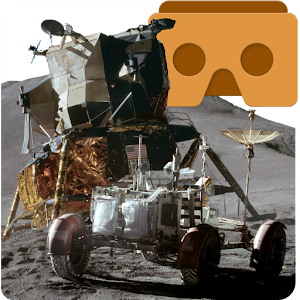


Apollo 15 Moon Landing VR

(Free)
Use your phone and Google Cardboard to simulate the 1971 Apollo 15 Moon Landing.

Feel the rumble as the spacecraft descends to the Lunar surface.
Walk on the moon like Scott and Irvin did, and unpack and drive the Lunar Rover.


Discovery VR for Cardboard

(free)
The Discovery VR app has always been about driving curiosity – exploring new places, characters and ideas. With VR videos, Discovery embraces a new opportunity to tell these amazing stories immersing you in experiences like never before. We’re excited about what virtual reality will show us, and we’ll be adding new content regularly.

Exclusive content from your favorite shows – like Shark Week, Deadliest Catch and MythBusters.
Heart-pounding adventures with incredible thrills – like mountain biking, surfing and, of course, rollercoasters.
Rescue rhinos, swim with elephants and bask in the beauty of majestic tigers.
From Samurai sword fights in Japan to dancing in the pubs of Dublin, come with us to explore the globe


Google Street View
(free)
Explore world landmarks, discover natural wonders, and step inside locations such as museums, arenas, restaurants, and small businesses with Google Street View.
Google Arts & Culture VR

(free)
View artworks curated by museums from around the world with the Google Arts & Culture VR app. Step inside a virtual gallery to see works by artists like Van Gogh or Rembrandt. You can zoom in to see every brushstroke, and hear audio guides from expert museum curators.

The Google Arts & Culture VR app requires a Daydream-ready headset such as Daydream View and a Daydream-ready phone such as Pixel. Learn more at http://g.co/daydream.


YouTube VR
(free)
Experience every YouTube channel, video and creator in virtual reality.

The YouTube VR app turns every video on the platform into your own virtual reality experience and reimagines YouTube as a 3D world you can explore from the inside. Available first on Daydream View.

Experience YouTube like never before
• Step inside YouTube and explore the site in 3D VR setting
• Watch and browse every video on YouTube, from 3D 360 videos to standard rectangular videos
• Get a full, signed-in experience that lets you view subscriptions, playlists, watch history, and more.


RESOURCES:

Google Expeditions Support site: https://support.google.com/edu/expeditions#topic=6334250 
Expeditions Site: https://edu.google.com/expeditions/


20 TOP VIRTUAL REALITY APPS THAT ARE CHANGING EDUCATION

At both the primary and secondary level, augmented reality has the power to provide students with more interactive experiences.

Immersive Technology in Schools Is on the Rise
Virtual and augmented reality tools bring new experiences to students.

Real Uses of Virtual Reality in Education: How Schools are Using VR.

VR kits for schools available from edtech resellers like CDWG. 


.

Thursday, May 7, 2015

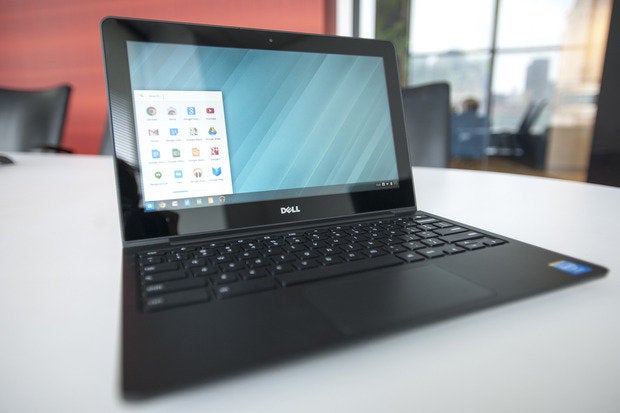
Dell releases network appliance to provide Virtual Windows Desktops to Chromebooks


dell chromebook 11 march 2014

Chromebooks are amazing devices that are great for education. While they can do a lot, there are the occasional times when a user will need access to a Windows only application. Sometimes there are features or legacy apps that users need.

There are a variety of ways to allow this on a Chromebook: setting up Chrome Remote Desktop on a Windows desktop PC, or using server based systems such as VM Ware, Citrix and Ericom AccessNow to provide access.

My district uses Ericom AccessNow to provide access to Windows applications on Chromebooks. This includes running a virtual session of Internet Explorer for a few legacy systems that only run on IE. Simply login to the portal from any browser, and click on the application you want, and it launches and runs.

Dell has now entered the arena with the Dell Appliance for Wyse-vWorkspace product. It uses desktop virtualization to allow Chromebooks, and other devices, to access Windows desktop software. With this appliance, users can run Microsoft Windows Applications or a full Windows desktop through the Chromebooks browser. It can deliver Windows apps up to 350 devices and pricing is said to start at $180 per user for the hardware and license.

These solutions all cost money (except for Chrome Remote Desktop) but can save money in the long run by eliminating expensive Windows workstations (initial cost, support and upgrades, software deployment) with Chromebooks and Chromeboxes.


Related:

BYOD and Web Based Apps, Hosted Apps


What can you do on a Chromebook? Pretty much everything.


-

Explore Madagascar with Google Street View


Map of madagascar country

Google has once again made an awesome place on the Earth available to anyone through Street View. Madagascar (not Mada-who-ha :-) ) is an 88 million year old island off the coast of Africa. It is an amazing place with amazing ecosystems. You can now take a virtual tour of the island with Street View in Google Maps.

Image result for madagascar

It's an amazing place to explore, especially with students. Many of them have probably seen the movie.

Read more HERE.


Tuesday, March 17, 2015

Some Excellent Virtual Field Trip Resources, including lots from Google Maps


Virtual Field Trips are a great way to expose students to the wonders of our world without the expense and time of a real trip. Most museums and historical sites have an online presence and many have virtual tours. Check their sites for more information. Here are some that do have great online resources: Colonial Williamsburg, National Museum of the American Indian, The British Museum, The Anne Frank Annex, American Red Cross Museum, National Museum of American History, The Imperial War Museum, The Vatican Archives and many more.


Here are a lot of great resources for virtual field trips:


Smithsonian
Smithsonian Institute Museums has a lot of resources to use as virtual field trips.


Image result for small google maps icon
Google has some great resources that are excellent for virtual field trips, including Google Maps and Street View.

Field Trip
Google Field Trip - app that finds info about where you are - more useful when actually traveling, It will help you find some cool things near where you are, sometimes things you would never find otherwise.


WhatWasThere - historical photos linked to Google Maps - visit the past!This site connects historical photos to Google Maps, letting you see what places looked like in the past. You can tour locations, browse photos and even upload your own historical photos.


The Grand Canyon National Park’s Distance Learning Program is a great resource for schools to let their students explore one of the most famous national landmarks. 


VFT Header3
The Virtual Field Trips Wiki has some great tips and resources for creating virtual field trips using Microsoft Word, PowerPoint, and Google Earth.


NASA Jet Propulsion Laboratory Virtual Field Trip shows the student around the JPL, explaining what the mission is and what they do. A great way to learn more about one of the most advanced science research labs in the world.


Virtual Tour of NASA Goddard Space Center and Missions goes through the entire life cycle of a mission from idea, to design, to construction, to testing, to launch to operations and finally the analysis of the data collected.


Related:

Virtual Field Trip Resources

Google for Education Resources

Here are a lot more great, free Educational Resources from NASA


-

Wednesday, February 11, 2015

BYOD and Web Based Apps, Hosted Apps


BYOD, Bring Your Own Device, is very popular in many schools. Schools save money by having students and staff use their own technology on the schools network. Many schools doing this also have school owned devices for students who don't have their own.

BYOD does present some challenges including security and access to resources and software from personal devices. Solutions include network access control, robust antivirus, and web based and hosted applications.

Security is something that the school/district's IT department will have to address. Network access control systems can lock down your network, as well as scan user devices for harmful viruses and malware and protect your network.

The other issue is access to software. Many things are web based now, allowing users to access them from any device, anywhere at anytime. However, there are many non-web based software applications being used by schools and providing them to all students on personal devices creates issues of installs, licensing and more. This is also an issue if a district wants to allow users, students  and parents to access systems from outside the district.

A solution is to run a virtual desktop system that allows users to access software and systems from anywhere, on any device, just using their web browser. There are a variety of solutions out there, including VM Ware, Citrix and Ericom. These are also useful for allowing Chromebooks to use Windows or Mac applications. They are not free, but are very useful. My district uses Ericom AccessNow to provide access to Windows applications on Chromebooks. This includes running a virtual session of Internet Explorer for a few legacy systems that only run on IE. Simply login to the portal from any browser, and click on the application you want,

Here is an infographic from Ericom with some more information:


http://www.ericom.com/education.asp

--


Friday, January 9, 2015

Explore the Grand Canyon - right from your classroom


Grand Canyon National Park offers free distance learning programs for classrooms, including virtual field trips, lessons aligned to national and state standards, explorations and more. There are lesson resources and DVDs for loan to teachers.

The Grand Canyon National Park’s Distance Learning Program is a great resource for schools to let their students explore one of the most famous national landmarks. 

The students get to talk with a park ranger online and learn all about the Grand Canyon.

You can find out more in the press release below. 


FOR IMMEDIATE RELEASE                                                       MEDIA CONTACT:
Jan. 08, 2015                                                                                       Chris Fiscus
(602) 417-1329


Visit Grand Canyon Without Leaving Classroom
Technology provides students with virtual experience of the national park

GRAND CANYON – Students now have the opportunity to visit the iconic steep views of Grand Canyon without ever leaving the comfort of their classrooms. All they need is curiosity, Skype or an IP connection.

It can be a major undertaking to physically bring students to the Grand Canyon. But thanks to technology, classrooms everywhere can easily visit through Grand Canyon National Park’s Distance Learning Program.

In 2014, the free program reached about 4,000 students in 26 states.

“We really can connect with just about anyone,” said Amala Posey, distance learning coordinator for Grand Canyon National Park. “A lot of kids can’t get to the Grand Canyon anytime soon, but we can bring the canyon to them.”

Posey points out the curriculum is designed to complement what students are learning in their classrooms, such as geology or ecology. “If you’re studying plate tectonics, why don’t you use Grand Canyon as your subject matter?”

The distance learning program produces curriculum-based education programs for students, but is also used to connect with college students, nature centers and adult learners. The program is used by K-12 students, and more specifically those in third through sixth grade. Each program puts park rangers face-to-face with students.

Eight different programs are offered to schools, including the popular, “Ask a Ranger,” session where students spend time with a ranger discussing Grand Canyon ecology, geology and human history. Other sessions focus on ancient life in the canyon, fossils, or summing up the last 12,000 years – in one hour.

A recent session began with an aerial view of the canyon before taking students inside.  Rangers explained the canyon’s rich history and moved down into the Colorado River, giving students the experience of hitting rough rapids on a river trip.

The Grand Canyon Association, the official non-profit partner of Grand Canyon National Park, helped make the program a reality, giving more than $100,000 to supply the technology that makes it all possible.

“The kids are sitting in New York and all of a sudden they’re 2,000 miles away at the canyon and they say ‘ahhhhhhh’ when they first see it,” said Jacob Fillion, branch chief for resource education and international program coordinator for Grand Canyon National Park.

Past classroom sessions included schools in Canada, Mexico and most recently, Germany. The hope for the national park and Grand Canyon Association is to expand the program to other countries worldwide.

Response from students and teachers has been positive. One student convinced his family to vacation at a national park after participating in a session. “That’s why we are doing it,” Fillion said. “These kids are really connecting with the national parks in their neighborhood.”

More than 200 schools visit the Grand Canyon each year, and rangers travel all over the state thanks to Grand Canyon Association funding. But the distance learning program puts rangers and the canyon within reach of any classroom. You can support this program and others that help Grand Canyon National Park at www.grandcanyon.org.


About the Grand Canyon Association:
Founded in 1932, the Grand Canyon Association (GCA) is the National Park Service’s official nonprofit partner raising private funds to benefit Grand Canyon National Park. The GCA operates retail shops and visitor centers within the park and provides premier educational opportunities about the natural and cultural history of the region. The GCA works to help preserve and protect Grand Canyon National Park by cultivating support, education and understanding of the park.


###


Tuesday, November 5, 2013

Google launches Google Connected Classrooms with Virtual Field Trips


Google just announced Google Connected Classrooms, which allows classes to take virtual field trips using Google+ Hangouts. 

Field Trip locations include the Seattle Aquarium, Minnesota Zoo, American Museum of Natural History, the Philadelphia Museum of Art and more. More trips are coming also. 

The field trips are live hosted events, but past events are archived and can be viewed later. Teachers can also work together on plans and activities. 

This is a great resource for teachers and students to be able to learn and explore without ever leaving the classroom. 


Thursday, September 27, 2012

Google Maps goes Underwater! Explore the Great Barrier Reef


Google Maps is a great resource for more than just finding your way around. It includes street view, inside building views and panoramic views, along with other resources that make it great for education. Take virtual field trips around the world and take virtual trips to museums.


Google has just announced a new set of panoramas in Google Maps - The Great Barrier Reef. I'm a SCUBA diver and the Great Barrier Reef is a place I'd love to dive. But, I have a back injury and can't dive for a while, so this is very exciting for me.

You can now explore coral reefs in Australia, the Philippines and Hawaii. You can find fish, sea turtles, manta rays, and much more. There is also more information about the reef at the World Wonders Project. Teachers and students can explore this awesome underwater world and learn more about the habitat and species living there.

Google also has a complete underwater collection, featuring a Google+ underwater Hangout from the Great Barrier Reef.

Check out the interactive map and video below.

Related:

More great resources and information about Google Maps in Education. 
(indoor maps, wonders of the world, virtual field trips, and much more.)

Google for Education Resources
(all kinds of great resources, tips, and ideas for using a variety of Google apps and resources in education)


Source: The Official Google Blog


Friday, August 31, 2012

DEN Virtual Conference Live is Oct 20th - free!


Discovery Education is once again hosting a fall, online, free virtual conference for educators. These are great events and a great way to get some free PD and resources.


October 20th, 2012.  9am-4pm ET

Register now!

I’m sure at this point you’re wondering what the BIG changes are.  Let me break it down for you.
  • More LIVE: Every session will be live-streamed.  This means that you’ll see full video feeds of every presenter throughout the day!
  • More keynotes: We’ve added one more keynote to the agenda.  Keynotes will be at 9am, 12pm and 3pm ET.
  • More sessions: Each concurrent slot (10am, 11am, 1pm, 2pm ET) will have up to 5 sessions being broadcast for you to pick and choose between.
  • More Face 2 Face events: As of today, we already have 14 F2F events to choose from, with more coming!  Even better, we’ve made it easier than ever for ANYBODY to host their own F2F event.  You put it together, large or small, and DiscoveryEd will provide lunch for your attendees!
  • More presenters: We want YOU to present at the Fall VirtCon LIVE!  The Call for Proposals is open now,visit the conference page to learn how to submit.
  • More ways to get involved: Attend online, attend F2F, present a session, host an event, share the event with colleagues…  Whatever your comfort level, there are a slew of ways for you to join in the fun!
Fourteen Face 2 Face events already, up to 23 sessions to attend, and every single session LIVE streamed out…  This is looking to be the best Virtual Conference yet!!

And what’s the cost for this incredible day??  FREE.  And as I mentioned, if you choose to host a F2F event, we’ll even spring for lunch!

As always, while costumes aren’t required, they are certainly encouraged.  I wouldn’t be surprised if we even had some giveaways in the ol’ prize closet for the best costumes of the day!  Bonus points for incorporating a Discovery theme :)

So what are you waiting for?  Visit http://lanyrd.com/2012/denvirtcon/ to register! 

 And while you’re there, check out where the F2F events will be, considering hosting your own or submitting a presentation proposal, and SHARE it out with your colleagues!


Tuesday, June 19, 2012

Virtual Summer Camp for Teachers - on demand learning for educators


The 4th Annual Virtual Summer Camp for Teachers is now available. It is being hosted through Learni.st.

The Virtual Summer Camp for Teachers provides on-demand, anytime learning for educators. The summer camp is organized by topic areas, which include: Common Core Resources, Essential Apps for Educators, Webinar and Online PD opportunities, Virtual Crafts, and even a mess hall with food and recipe ideas.


On July 24th there will be a live component ASCD Webinar. You can register for this free webinar here: https://www1.gotomeeting.com/register/873801905

Materials from the previous three Virtual Summer Camps are available also:

Virtual Summer Camp Year 1
Virtual Summer Camp Year 2
Virtual Summer Camp Year 3

So, go camping this summer and learn some new things for next year: http://learni.st/users/MikeFisher/boards/1950-virtual-summer-camp-for-teachers-2012


Sourcehttp://digigogy.com

Related:

EdCamp CT is Aug 10th. I'm going. Are you? You should be! (and if you can't be there in person, follow along on Twitter)


Monday, June 11, 2012

Conceptboard - visual collaboration on ideas and documents


Conceptboard Logo

I just found out about Conceptboard, a cool visual collaboration tool, from the company itself. Conceptboard is a cloud-based service that works on PCs, laptops, tablets, and more. It is basically on online whiteboard that allows you to create, review and discuss ideas and concepts and you can even upload a document (PDF, PPT, Doc, images) and share, comment, and work on also. You can also just draw and write on it.

It features real-time, and asynchronous collaboration. You can work with other people in real-time, or people can access the work space at different times and comment and work on the project. There is a moderation mode that allows you to use it as a screen cast and presentation tool and there is also a video conferencing tool.

Here is an example of one with a screen shot of my blog with annotations and highlights on it.


There is a free personal account available, as well as educational accounts for schools. Here are some more examples:


This is a great tool for collaborative work groups, projects, and more. http://www.conceptboard.com/


Related:

Dabbleboard - virtual whiteboard for online collaboration

Monday, June 4, 2012

EdmodoCon 2012 - free online educational conference Aug 8th


EdmodoCon 2012

EdumodoCon is a free, online professional development conference being held on Wednesday, August 8th, 2012. Throughout the day, teachers will share ways they are using Edmodo and other digital tools in the classroom. It is scheduled for 10:00am - 9:00pm ET (GMT -5).

If you are interested in presenting, go to the Call for Presenters site.

You can register for the conference, for free, here.

Edmodo is a great resource for teachers and students, providing a secure social learning network for classes. Teachers can host online discussions, share resources, and assign work to students.


Related:

22 Great Tips on using Edmodo in the classroom

5 Great course management resources for educators

Which Social Network should you use? Infographic on which to use when.

Some more great Android Apps for Education (including Edmodo app)


Thursday, May 10, 2012

Tours from Above - free, virtual aerial tours of the world


Tours from Above –  Aerial Virtual Tour Photography worldwide

Tours from Above is a very cool site that has free, virtual aerial tours of different locations around the world. Tours include Central London, Central Park in NYC, and locations in Spain, Australia, Rio, England and the US. You can search the tours, or browse through them.

You drag your mouse to move around and scroll to zoom in and out.


They are high quality images and are a fun way to explore the world.

It is a great resource for education, allowing students and teachers to virtually visit and explore new places.


Thursday, May 3, 2012

Tech Forum Live Online is tomorrow - free streaming of Tech Forum Chicago


Tech Forum is Doing It Live! (free online) Again!


Join us tomorrow, Friday, May 4 to Tech Forum Live Online, Tech & Learning's live broadcast stream direct from Tech Forum Chicago. Join this preeminent group of education leaders as they tackle some of the most pressing, and promising, issues for today's schools. Watch both sessions as they happen and even participate with a live chat session.

The schedule includes:


• The Flipped Classroom in Action: What is it, How do you Manage it, and Should you Support it? - 9:45-11:00 am
Presenters: Jon Bergmann with Justyna Kalinowska, Allison Drew, Elisabeth Lebris and Robert Bialk
The Flipped Classroom has become a buzzword in recent education news. Is it a viable and effective option for delivering instruction? Is it too burdensome for school technology staff? Join the staff of the Joseph Sears School as they provide a background on the flipped class; then hear from teachers and technology staff who have been involved in implementing this new model of teaching and learning.

• Understanding the Challenges and Opportunities of Emerging Learning Environments - 2:15-3:30 pm
Presenters: David Jakes (moderator), Jon Bergmann, Dean Shareski and Jennie Magiera
Join us for a lively discussion on topics ranging from the pros and cons of digital textbooks to the disruptive impact of mobile computing, online learning, social networking, and the flipped classroom. David Jakes will challenge panelists to share their thoughts about the issues and opportunities that arise as we evolve from the traditional classroom to anytime, anyplace, any path learning spaces. Then it's your turn -- to weigh in, ask questions, and engage with virtual audience members who'll be tapping into this session.

Simply visit this link during those times, tune in and participate. You can submit questions to the presenters using the Livestream chat feature or by tweeting:#TLTF12. It's the next best thing to being there!


Tech and Learning Magazine is an excellent, free resource, for educators.


Friday, April 13, 2012

Free Online Education Conference April 25 - 26 2012 - great opportunity for PD


SimpleK12, a great resource for educators, is sponsoring a great free online Education Conference Wednesday, April 25th - Thursday, April 26th, 2012. Topics include Google Earth and Maps, Free Web Tools, Google Plus, Social Networking, Blogging, Student Projects, iPads in Education, Digital Writing, Curation, and much more. The conference runs for 24 hours so you can attend at anytime, from anywhere.

FINAL OEC Logo

Learn something new without the need for travel or money.


(And don't forget that the Social Learning Summit - free virtual conference is April 21, 2012 )


View a full list of topics and register here: http://simplek12.com/tlc/webinars/#OEC


Conference Flyer:


Related:

Social Learning Summit - free virtual conference April 21, 2012


LinkWithin

Related Posts Plugin for WordPress, Blogger...