Showing posts with label iPad. Show all posts

Tuesday, April 3, 2018

New tablets for Education - comparing the new Acer Chromebook Tab 10 and the new Apple iPad


Last week had two interesting announcements for EDU - a new iPad and the Acer Chromebook Tab 10 tablet. There have been a lot of different reactions from the two, but most reactions were very positive towards the Chromebook Tab and very "meh" to the new iPad. Here are my thoughts and some articles that were posted about them.

I've used iPads and Chromebooks, as well as managing them in the education space. I've been using a Chromebook Tab 10 for over a week now and here are my thoughts and comparisons:


  1. Management and Deployment - Apple still hasn't gotten this right. Chromebooks, including the new Tab 10, are the easiest devices to deploy and manage. iPads are not easy and require 3rd party tools. This means less headaches, work and cost for school IT departments. 
  2. Price - $329 for the Tab 10 includes the stylus, which docks into the tablet and does not need charging. The $299 iPad doesn't include the stylus and there is no where to dock it. In addition, the Apple Pencil (and Crayon stylus) require charging. With the Apple Pencil, the iPad is now $388 ($348 with crayon stylus). 
  3. Specs - display is the same, Tab 10 has 4GB of RAM and iPad only has 2GB; Tab 10 has a microSD card slot, nothing for iPad; processors are both hi end and optimized for their platforms; both have 32GB onboard storage; Tab 10, and G Suite, have unlimited G Drive storage, iPad comes with 200GB of iCloud storage; similar battery life and dimensions; similar cameras and sensors.
  4. Stylus - similar performance and latency, but Tab 10 includes a garaged stylus, while Apple Pencil is extra ($89) and not garaged. 
  5. Apps
    1. Chromebook Tab 10 has G Suite, Chrome Apps and Android apps, as well as a full desktop browser for true web surfing (and still supports Flash)
    2. iPad - iOS apps and a mobile browser

Acer Chromebook Tab 10 D651N - overview design - Large


And don't forget that Professional Development and well designed curriculum and lessons are the really important thing.


The Acer Chromebook Tab 10 is easier to deploy and manage, less expensive with a stylus, and can do pretty much anything.


..

Monday, March 2, 2015

Read & Write Text to Speech web app comes to iPad and Android


Cover art

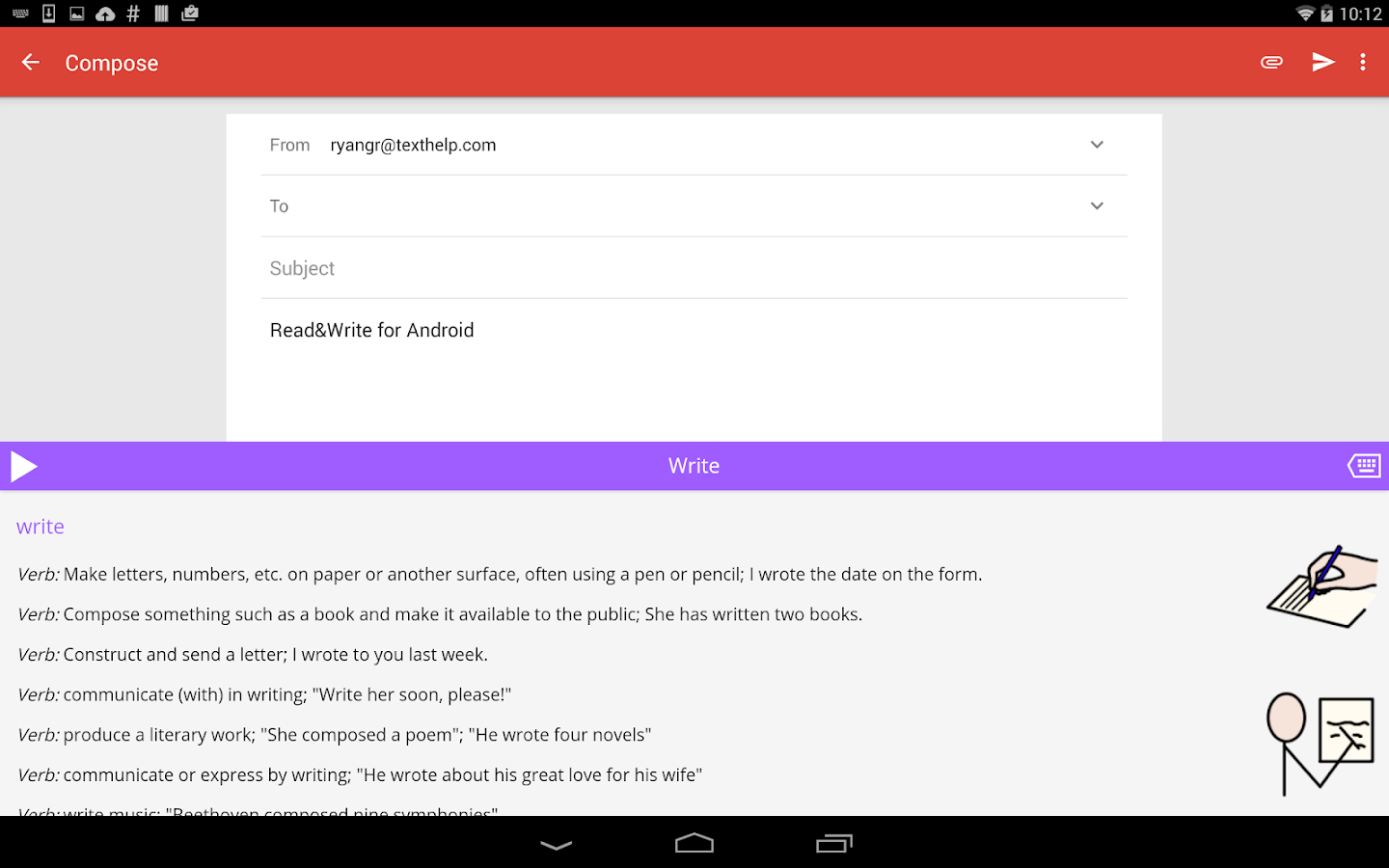
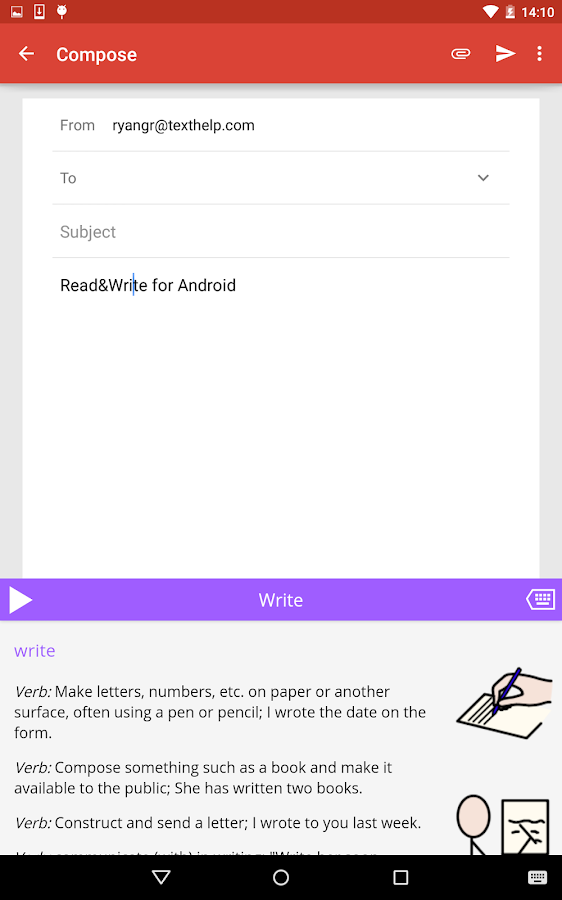
Read and Write for Google is an excellent Chrome app that provides text-to-speech functions from your browser. They have just released a free iPad and Android app.

The apps provide text to speech functions, which are great for ESL, learning disabled, visually challenged and struggling readers, on your device, just like the web app does in the Chrome Browser and Chromebooks.

There are some other features that are available also, either with a fee or by using a Google Apps for Education account.

Read&Write for Android - screenshotRead&Write for Android - screenshot


Related:

Google for Education Resources

Google Accessibility Features in Chrome (OS and Browser)
Android for Education Resources

Evernote Clearly gets Text-to-Speech - premium only
--


Tuesday, January 13, 2015

Osmo - social intelligence and creative thinking iPad game - free giveaway!

Osmo logo

Osmo is an educational game for the iPad that has some nice features. It encourages creative thinking and social interaction by turning any physical object into a digitally connected game piece. You can see more on how it works here: https://www.youtube.com/watch?v=CbwIJMz9PAQ


You can play the games on any surface and with multiple people. It's very easy to use and a lot of fun. I played with it with some friends and they were impressed.

It comes with three games to start with:

Tangram

Arrange tangible puzzle pieces into matching on‑screen shapes. Play with a friend or challenge yourself to more advanced levels as your handy‑work lights up with each victory.


Newton

Use your creative noggin and inventive objects like a hand‑drawn basket, grandma's glasses, dad's keys, or anything around you to guide falling on‑screen balls into targeted zones.


Words

Be the first to guess and spell out the on‑screen hidden word by tossing down real‑life letters faster than your friends. A related picture gives the clue.


Take a look and explore it more.


GIVEAWAY!

In addition - after you take a look at the site more, comment (on Google+ and/or Twitter) with what your favorite Osmo feature is, or how you want to use it and I will randomly select one person to win a free Osmo. (You must live in the US, sorry). So, comment away!


--


Wednesday, February 27, 2013

iPad Apps 4 Schools - great site with info and resources for iPads in Education


iPad Apps for School


iPad Apps for School is another site from Richard Byrne, author of Free Technology for Teachers and Android 4 Schools. In this site, Richard and his guest authors will be sharing resources and reviews of apps (mostly free) that can be used in K-12 schools, along with ways that those apps can be used in the educational setting by teachers, students, and administrators.


If you use iPads as an educator, administrator, or student, or your school is looking at using them, you should check out this site.


Related:

Android SmartPhone and Apps that I use as an Educator

Android resources - information, news, resources, and more


Sunday, August 12, 2012

Interesting idea - Chromebook + Nexus 7 instead of just an iPad


At EdcampCT this past week, I was chatting with Greg McVerry (@jgmac1106) about devices, 1-1 and BYOD and he made an interesting comment. Instead of a school purchasing an iPad and keyboard for all the students, what about a Chromebook and Nexus 7 for each student?

I like this idea for a lot of reasons. An iPad starts at $500 and then add the case for $50 and keyboard for around $50 and you are at $600 for one device. Then add in any apps that are not free. A Chromebook starts at $300 and the Nexus 7 starts at $200. Add in a case for the Nexus 7 at $20 and you get two devices for just over $500. That's a great deal.

Account management is very easy with the Chromebooks and Nexus 7 using Google accounts for each student. Google Apps for Education would also be a great way to utilize these devices and provide excellent resources for the students and faculty and staff.

I would have the Chromebooks stay at school. Less for students to carry, less risk of damage or theft. Their data and files are all online so they can still access them anywhere. The Nexus 7 tablets could go home with the students. They are small, light, easy to use, and can be used at home for assignments, research, communications, and more. By having the two devices, students have backup. If they forget the Nexus 7 at home, it doesn't matter because they have the Chromebook at school.

One of the big concerns I have for 1-1 programs is that if students have one device, what happens when they lose it, have it damaged or stolen, or forget it somewhere?

Google apps and these two devices also making it easy, and very inexpensive, to do all the things students need to do. There is minimal support needed for the Nexus 7 from school staff and practically no support needed for the Chromebooks.

I'm a big fan of this idea and will be sharing it with my district.

What do you think?


Related:

New Chromebooks and Chrome OS - great for education

Google for Education Resources

Android for Education Resources

On device apps/software vs. web apps - which is better for schools?


Tuesday, May 22, 2012

NearPod - create and share lessons on iPads in classroom - free


NearPod is a free service/app that allows you to create interactive lessons and then share them across iPads in your classroom. Teachers create interactive presentations and then share them with the class.


Here's how it works. The teacher uses the Content Tool to create multimedia presentations and then share the content with the students. The Teacher app allows the teacher to control the activity also. Students receive content and assessments on their device and then can submit answers and responses. The teacher can use the Reporting tool to monitor what the students are doing and collect their responses, assess their learning and gather data.

The multimedia presentations start with a PDF file and then quizzes, polls, videos, activities and more can be added.


It's free, easy to use, and a great resource to use with iPads in the classroom.


Get it from the App Store: http://itunes.com/apps/panarea


Wednesday, May 16, 2012

My thoughts on the iPad2 after using it for a while


(note - I'm guessing that I'm going to get hammered by some Apple fans here, but this is my honest opinion).

So, most who know me know I'm not a fan of Apple. I think they are the biggest monopoly in the world with their closed system and need to have everything through them. I hate iTunes. Some say that's a benefit. I also think that their products are over hyped and over priced for what they do. I've used many an iPhone and iPad in the past and been underwhelmed. I wonder if it's because I used a webOS phone (and still use a webOS tablet)? webOS is the slickest mobile OS in terms of user interface and multi-tasking. I also used a PDA and smart phone long before the iPhone came out, so it wasn't as big a thing to me.


Many people asked me if I owned an iPhone or iPad and I had not. I've used friends' iPhones or iPads a lot, but didn't own one. That recently changed, sort of. I was given a loaner iPad2 to review the PhotoShop Touch app (I do have to return it soon). I used the iPad for about 2 weeks straight to test it out also and came up with some thoughts and issues I list below. The funny thing is that I stopped using it after that and it has sat on my shelf for the last 3 weeks. I have no need or desire to use it.

Droid Incredible 2

For mobile use, I use my Android smartphone, an HTC Droid Incredible 2, most of the time and then use my TouchPad for some things. I also use my CR-48 Chromebook. At home I have a Dell Laptop and use an HP Desktop at school. I have yet to have an app I want that isn't available on either Android or as a web app.


Points of Contention:

  • I was very underwhelmed by it. I really don't see what makes it so special. I have an HP TouchPad running webOS and find it much more useful, even with out having 3 gazillion apps. It multi-tasks like a champ with the card view, and I need that if I am using a tablet.
  • I really don't like the keyboard. The letters stay capitals even when typing lower case and the number keys require a shift. On the TouchPad, the letters change to match the case you are typing and the number row is always visible.
  • Lack of native Google apps is a major issue for someone like me. Even the TouchPad has more. 
  • Email is ok, but I don't like how it tries to put everything on one screen. 
  • Safari works well, but the tab close "x" is on the opposite side of the tab from every other browser out there. I also don't like that it doesn't resize pages to fit well. 
  • It was not as responsive or as fast as I thought it would be and there were only a couple of apps loaded on top of the factory setup. 
  • Very hard to find settings for many apps (where's the menu button?). Android and webOS have menu buttons for every app.
  • Multi-tasking isn't. A double tap on button just brings you to a list of recently used apps like in Android. Both Apple and Android need to look at webOS cards for the way to truly multi-task.
  • Lack of Flash is still an issue as I can't access some web sites I use in my Physics classes. Luckily, Discovery Education has an app so I can access their stuff. 
  • The button. I really miss the back button from Android and the back gesture from webOS. It makes things work so much better. 
  • Sharing features missing. Android has easy, one-click sharing from almost any app to almost any app. This is a very useful feature. 

Positives:

  • Hardware is solid and well built, as well as light
  • Battery life is excellent
  • Apps and UI are elegant, gorgeous to look at
  • Apps - lots of them. Many companies make iOS apps 1st (and sometimes only for iOS)
  • Easy to use (although not any easier than any other device I've used)
  • Widely used in education, so lots of resources on using them available. 

There was no "wow" for me like so many people get. Maybe I'm missing something? Maybe I just don't understand the whole obsession with Apple products? 


Related:


Apple iPad - is it a game changer?  (written Jan 2010 and updated Dec 2010)

iPads, Chromebooks, on-device apps, cloud apps - great discussions

Android Resources for Education - apps, tips, lesson ideas, reviews, and more

Google Chrome OS and CR-48 notebook review and 1st impressions


Tuesday, April 24, 2012

Great resource for using iPads in the classroom


Edudemic, a great resource for educators, is releasing a special mini-issue next week with some great resources. The issue will be available in the Edudemic Magazine iPad app and, best of all, FREE to subscribers! If you’re not (yet) a subscriber, it’ll be just $0.99.

One of the articles in the mini-issue is about iPads in education, including projects, lesson ideas, apps and more. They have already released a great image from the article that has 25 Ways To Use iPads In The Classroom by Degree of Difficulty. You can see it below, or go to their site and download a PDF version. It's got some great ideas and the apps to use to accomplish them.

You can become a subscriber today by downloading the iPad app! If you subscribe this week, you’ll get our April issue free AND the upcoming mini-issue free.


Related: 

Edudemic - online community with education and tech news

Monday, February 27, 2012

Adobe PhotoShop Touch for iPad2 now available


Adobe announces the availability of Adobe Photoshop Touch for the iPad2. Photoshop is the premiere, industry standard, for photo editing and effects and having it available for the iPad expands it's usability.

The Android version of Adobe Photoshop Touch, along with other Adobe Touch Apps, was launched on Android back in November 2011.

Photoshop Touch brings core Photoshop tools to mobile devices, and now to the iPad2. Features include: combine multiple photos into layered images, edit and add professional effects, touch up photos, paint, lay out ideas, and more. It also integrates with Facebook and Google Image Search to make finding images easier.

It also has interactive tutorials for users.

This is another great tool for educators and students to use to create projects.

Adobe Photoshop Touch is available in the iTunes App Store for US$9.99. Adobe Photoshop Touch will also be available for $4.99 via the education volume App Store (iTunes Link: http://bit.ly/Ax2Gmj).

If you would like additional information about the app please visit the product page or follow @AdobeEDU or @AdobeStudents for the latest news. Please feel free to contact me directly with any questions.

Here is a link to the press release that Adobe issues – it has some really helpful links: http://eon.businesswire.com/news/eon/20120226005151/en/Adobe/Photoshop/Touch


Related:

Adobe Education Exchange - resources, tips, links, and forums on using Adobe tools in education

Adobe Digital School Collection - supporting creativity and digital literacy

Adobe - wrap up of their recent product releases - great tools for education

Here are some screenshots of Adobe Photoshop Touch:

ios_pstouch_screenshot_01.jpg

ios_pstouch_screenshot_03.jpg

ios_pstouch_screenshot_04.jpg

ios_pstouch_screenshot_06.png


ios_pstouch_screenshot_09.jpg


Check it out!


Wednesday, November 16, 2011

iPads, Chromebooks, on-device apps, cloud apps - great discussions


A couple of weeks ago, I wrote an article entitled "On device apps/software vs. web apps - which is better for schools?" in which I discussed the pros and cons of on device apps and web apps when it comes to education.
I had made some points about web apps being free, no install required, automatically update, and platform/OS independent.

A while back, I wrote about Google Chromebooks and Chrome OS and why they were a great idea for education. Reasons included no apps to install, no IT support needed, no updates to do, multiple student logins, no student data stored on device, etc. I also prefer a physical keyboard when typing anything more than a quick message or email.

I find that on-device apps are great in many cases, especially if there is a chance of not having internet access, but they are platform dependent, not always free, and have to be installed and updated. Web-apps are free, platform independent (just need a web browser) and no installs or updates to worry about. These days its very hard to find an educational location that does not have WiFi, so that isn't an issue for the most part.
Screen shot 2011 11 11 at 9.55.22 AM 300x161 iPad vs. Chromebook

I just read an article that points out many of these same things, entitled "Can I Trade the iPads for Chromebooks?". The author talks about his school have iPad and Chromebook initiatives and the difficulty of updating and installing apps on the iPads. He also points out how the iPads are difficult to use with multiple students. He also talks about the cost of both. The Chromebooks are cheaper and can even be leased and the iPad requires some accessories, like a case. Then there's the issue of app cost. It's an interesting read.

I would prefer a room full of Chromebooks over iPads, but many teachers will find iPads or other tablets, better for their needs. I prefer web apps because of their cost (free), ease of use, and platform independence. A student can go home and continue their work on any device they have. 


I think that iOS and Android need to have multi-user logins built in to their next devices and have a system to install apps and updates on classroom sets of devices, over the air, from a master device. Any developers want to work on this?

What is great, is that there are so many different devices and systems out there to fit everyone's needs and preferences. 


Which do you prefer? Have you used iPads or Chromebooks in school. 


Wednesday, January 27, 2010

Apple iPad - is it a game changer?


(images from Engadget)

Apple just announced their long awaited and anticipated tablet/slate, the iPad. Steve Jobs described it as something between a smart phone and a laptop.

It is really an over sized iPhone. It runs the same operating system and can use the same applications. iPhone apps look a little weird on it, but they are releasing a software developers kit so that developers can modify their applications for the iPad.

This device has been heralded as a "game changer" by many in the technology, and education sectors. It is a very cool device, but I don't know that it is the game changer they expected.

Like the iPhone, the iPad is a thin tablet. It even has the center button like an iPhone. It is 1/2" thick, weighs 1.5 pounds and has a 9.7" (diag) screen. The screen is multi-touch and capacitive. Memory comes in 16GB, 32GB or 64GB (flash memory). It has Bluetooth and WiFi also. Apple states that the battery lasts 10 hours with a month of standby. My guess this is a combination of a new chip from Apple and the fact that the operating system does not multi-task.

There will be support for 3G wireless in some models too. They have a special deal with AT&T with lower prices and prepaid (no contracts). The GSM will be unlocked also.

I was surprised that there is no camera on it. I would think a forward facing camera would be good for video conferencing.

That's right, no mention of multi-tasking on the iPad. For me, this is not good. It also has a virtual keyboard only. These two things make this less of a productive or educational tool. I can't imagine a student doing research and creating content and projects on a device that doesn't multi-task. Every time they left an app, it would close. It would also be difficult to do much typing on a virtual keyboard that is flush with the screen instead of tilted. I think that a laptop is still a much better educational tool than this.

Now, if they have an app that can use a special stylus and allow students to take handwritten notes in a digital pad, that might be useful for some.

There is a Bluetooth keyboard with a stand to support the iPad at a nice angle, which would make it better for productivity and educational uses. No word on price or availability.


I think the device is very cool and is great for web browsing, checking email, watching videos, playing games and the like, but I don't see it as anything that great as a productivity or educational tool. Not yet at least. I think that developers can create some great apps to make it more useful, but it has limitations.

They also announced a new app for it: iBooks. iBooks is the eReader/Bookstore for the iPad. Apple has partnered with publishers to create content for the iPad. So far it just looks like an eReader. I was hoping to hear that the publishers were creating interactive books with links, popup definitions, and more. Hopefully that will come in the future.

It is great for sitting on your couch and doing things but I don't see it as a great way to create things. Virtual keyboard + no multi-tasking + keyboard at same angle as screen = hard to create things.

They do offer a version of iWorks for it (separate cost) so that you can do word processing, spreadsheets, and presentations.

We'll see what happens as it matures and develops and more apps appear. The Bluetooth keyboard and stand is a nice accessory to make it easier to create, but then you lose the "slate-ness". You can't use it on your lap like I use my laptop or netbook. You can type with the virtual keyboard on your lap, but that takes some time to get used to.

I really want to see multi-tasking and native flash support. Flash support is available on Palm's webOS. Palm's Pre and Pixi will be the first smart phones to get native Flash next month. Then Adobe will be porting the technology to other platforms.

Apple doesn't seem to care about Flash but educators should. Many educational web sites, news sites, and science sites use Flash for videos, demos, and interactive activities and labs. Without Flash support, you can't use the iPad to access these things.

It is a really nice device. I think that it does fit between a laptop and a smartphone as Steve Jobs said. However, I think laptops will be more useful for work and education. The iPad might be great for at home and travel, but it is lacking some things that I feel are essential for productivity and creation.

The iPad will start at $499 (16GB model) . The 16GB model with 3G will be $629. The 64GB version is $699 and with 3G is $829.

The Wifi versions will be available in 60 days and the 3G versions will ship in 90 days.

But my $300 netbook does more than this and has multi-tasking, Flash support, a real keyboard, support for peripherals, and millions of apps. I guess if you are already an Apple user (especially iPhone or iPod Touch) then this would be good for you. As a Windows user, I'm not as inclined to run out and buy it. I also think that a school system that uses Windows computers would be much better off with laptops, netbooks, or tablet PCs.

So, that's my take on the Apple iPad. Not really the game changer I'd been hoping for, but a nice device none-the-less.

Let's hear your opinions and thoughts.


UPDATED 1/28/10 at 1730 hrs:

This article is also posted at Tech&Learning magazine. There are a bunch of comments there and I just posted the following in response to some:

I have to explain and counter some points:

1. I thought of the stylus and digital ink for math and science and engineering. You can't enter equations during class while taking notes with a keyboard. A stylus and digital ink would be great for this. A stylus, as a commenter mentioned, would also be good for art.

2. Good for current iPhone owners because they can port their already purchased apps to it.

3. Not good for education because it is expensive and apps cost money. I haven't paid for software for my classes in years because there are so many free apps available for education.

4. There is no multi-tasking now - as I said, the future may make this a better device. Freezing an app is not the same as multi-tasking.

5. Textbooks on it - like most of Apple's things, its a closed system. That means that if you start in with them, you are kind of stuck with them. I can access tons of online, FREE textbooks right now for all of my classes. My students don't lug any books around. And, instead of being stuck with the textbook the school system buys, they have multiple options. My physics students have access to 6 free digital texts and 12 online, interactive, web sites that are all better than any of the $130 physics texts I previewed. They can access these anywhere, not just on one device.

6. Netbooks - my netbook multi-tasks like a champ. I have 9 tabs open in Chrome, am running OpenOffice presentation and writer, and have a photo editor running. And, it is running very fast without any problems. Multi-tasking, USB ports, 5 x the disk capacity, and thousands of FREE applications for it.

7. I can read books on my Palm smart phone and my netbook and laptop too. I've been using an eReader for many, many years. It's nice that there will be more books available, but they will not be free. The books on the iPad will have to be something special to justify their cost.

8. I'm more of a believer of web based apps anyways. I don't want my students to have to worry about having an Apple product at school and a Windows or Linux product at home or vice versa. With web based apps, the hardware matters much less.

9. Apple's apps only run on Apple products. Apple is the only manufacturer. There is no other option if you use Apple OS. With Windows and Linux, there are multiple hardware vendors. Schools can get great deals on hardware.

10. I don't know too many school systems near me that could afford to outfit each student with their own iPad as Randolph Jakes states. Most 1:1 schools have class sets of devices that students only use in class.

I stand by my opinion that this is a consumer device, not yet an educational one. It is hard to create on it due to the virtual keyboard.

Reviews and surveys across the web, including Engadget, Fast Company, Edutopia, CNET, and more all show that the iPad was a let down and most people surveyed are not rushing out to order one. As it matures, who knows what it will be able to do.

This is a great discussion. Let's keep it going. Discussions like this are what can push manufacturers and software vendors to create new products and push new products to new uses.

UPDATE 12/10/2010
Since the launch, Apple has sold millions of iPads. I've used a few that friends have, and while it is a fun device, I stand by my original thoughts. It is lacking for education. Still expensive compared to netbooks, no real keyboard (except as pay for accessory), no Flash support (a huge number of educational sites and sites used by teachers use Flash), not enough free apps. All contribute to the fact that it is not my choice for education. I think that netbooks using Google Chrome OS will be a better choice. Inexpensive, real keyboard, Flash support, tons of free apps, everything stored and sync'd in the cloud, and easy to use.

I know that Apple fans love their devices, but Apple is expensive and a closed system. I like inexpensive or free, open systems better.


LinkWithin

Related Posts Plugin for WordPress, Blogger...