Showing posts with label google Chrome OS. Show all posts

Tuesday, March 27, 2018

Android Apps for Education - work on Chromebooks and Chrome OS Tablets too!


Android Apps for Education 


Android is the most popular mobile operating system in the world, running on smartphones and tablets. But, you can also use Android Apps on Chromebooks, including the new Chromebook Tab 10 Chrome OS tablet. Chrome and Android all in one! And don't forget about all of the Chrome Apps, Extensions and full websites Chromebooks and the Chromebook Tab can access.


Finding good apps can be hard, so here is a list of Android apps for Education to use on Chromebooks, Chromebook Tab and other Android devices.


Explore these apps and try them out in your schools. 


.

Monday, March 26, 2018

Acer Chromebook Tab 10 - the first Chrome OS tablet is here, and it's great!


Acer and Google have just announced the first Chrome OS tablet, the Acer Chromebook Tab 10. Works and managed like a Chromebook, but in tablet form.

This is a great device for schools looking for a tablet device, with a stylus and Android apps, that is easy to deploy and manage. It uses the same management license as Chromebooks and is managed in the same way. It also has a full desktop browser, removing the limitations of mobile browsers.


It is mobile, lightweight, touch and easy to use. Using Chrome OS makes it easy to deploy, manage and share with others. It has dual cameras, an integrated EMR active stylus, multimedia features, note taking and handwriting apps, educational apps (Chrome and Android) for K-3, STEM, video, multimedia and accessibility apps and features. It has a textured surface, similar to the Acer C738T, making it easier to carry, and less likely to be dropped.

Performance is fast and smooth, handling over 15 tabs and 5 apps during my testing time and the stylus is amazing, with no noticeable lag, allowing me to take handwritten notes effortlessly, as well as annotate items.

  • First tablet running Chrome OS designed for education, promoting engagement and collaboration. 
  • Chrome Education License support allows central and remote management of a large number of devices. 
  • Included Wacom® EMR stylus pen for natural writing and drawing. 
  • Stylus is battery-free, slips into a handy dock on the tablet and replicates the usage, accuracy and size of an ordinary pen. 
  • Planned support for Google Expeditions AR (augmented reality) to enable immersive learning experiences. 
  • Full Google Play support, giving teachers and students access to educational Android apps curated by administrators. 
  • All-day productivity with up to 9 hours of power from the lithium-polymer battery.

Specs:
  • MSRP: $320 available in April in US.
  • Operating system Chrome OS with Android support through Google Play
  • Display 9.7-inch QXGA backlit LED, 2048x1536
  • Processor OP1 platform
  • Storage 32GB eMMC
  • Expandable microSD
  • RAM 4GB
  • Rear camera 5 MP
  • Front camera 2 MP
  • Connectivity 2x2 MIMO 802.11ac Wi-Fi
  • Bluetooth 4.1
  • Ports USB 3.1 Type-C
  • Combo headphone/microphone jack
  • Battery 34 Wh (Up to 9 hours)
  • Stylus Wacom EMR (included) With onboard housing
  • Software Support for Chrome Educational licensing
  • Planned support for Google Expeditions AR
  • Dimensions 172 x 238.8 x 9.98 mm 
  • 550 g
  • Colors Cobalt Blue

Related:

Thursday, January 15, 2015

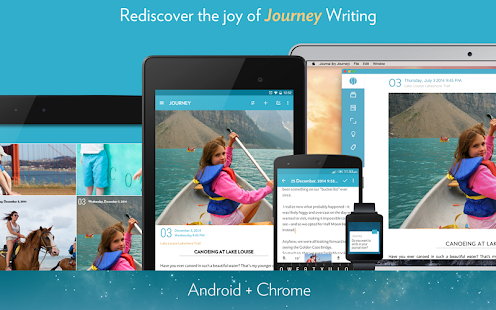
Journey - free Journal app for Chrome OS and Android


Journey app for Android, Chrome and wear

Journey is a journal app for Chrome OS and Android that is easy to use and nicely designed. It could be very useful for students to use for their journals for any class.

Many English classes have students write journals, but a journal can be very useful for any class as a means to record what students are doing, thinking, and learning. 

There is a free version, and a paid premium version (adds markdown support, removes PDF watermark, lets you export and backup the journal, and has Night Mode).

It has some very nice features and is very easy to use:

  • Easy writing experience with keyboard shortcuts
  • photo and video entries
  • cross platform (syncs with your Google account)
  • tracks weather
  • geotagging
  • reminders
  • daily inspirations
  • publish to Facebook, Twitter and others
  • search by keyword
  • create tags
  • browse entries by journey, list, calendar, photo or atlas
  • import from other systems
  • share
  • Does not sync real time so don't try editing on multiple devices at once
This is a nice platform for writing that can help students. 

Thursday, August 14, 2014

Chromebox and Chromebase - definite contenders for desktop replacements


Chrome

I'm currently testing out the LG Chromebase and Asus Chromebox for potential use in our district (and for me at home). So far, I'm very impressed. They setup and work like a Chromebook, have very fast performance but offer the experience of a desktop with large screens and full keyboards and mice. The specs are in the links below.

I'm thinking about the Asus Chromebox as a desktop replacement for student desktops. They already have newer flat screen monitors and keyboards and mice, but older desktops. It's just a matter of swapping out the "box". Since we have over 11,000 Chromebooks being used, this makes sense. It would take a lot of load off of my techs, and provide a great experience for users. 

The libraries, a few computer labs, and desktops in the lower grade classes are the target. 

The Chromebase is a all-in-one monitor/cpu that comes with a keyboard laid out like the Chromebook with the special keys, and a mouse. The Chromebox is just the box, with a mounting bracket. It also has a notebook lock slot to help prevent "walking".

I'm using both as my main computer and it's great - performance and experience of a desktop, with the speed and ease of a Chromebook.


 LG Chromebase: http://www.google.com/intl/en/chrome/devices/chromebooks.html#lg-chromebase
~$349


Asus Chromebox: http://www.google.com/intl/en/chrome/devices/chromebooks.html#asus-chromebox
$179


Google for Education Resources


Monday, May 20, 2013

Google Apps and Chromebooks Training Resources


I put this list together for our district as we are going with GAFE and Chromebooks and I figured I'd share it here too. 

Chromebooks


Miscellaneous Computer and Tech Help
Free online resources on computers  http://www.gcflearnfree.org/computers


Thursday, October 25, 2012

Google now has one click access to Docs, Sheets, and Slides


Google just announced this week a nice addition to Google Drive - the ability to immediately start a new document. Instead of having to go into Drive and then click on New___, you can install Docs (documents), Sheets (spreadsheets) and Slides (presentations) as apps from the Chrome Web Store and use them to immediately start a new file. The shortcuts appear as apps on the new tab page in Chrome. Docs, Sheets, and Slides will appear in your apps list on a Chromebook by default. They will be automatically added to Chromebooks in the next Chrome OS update.

This will make it even easier and faster to create new docs files using Chrome Browser or Chrome OS.


Related:

Google for Education Resources (lots of great resources for students and educators)


Saturday, September 1, 2012

Attachment Viewer for Gmail - view & edit docs and more in Gmail


I use InstallFree Nexus and Rndr on my Chromebook and in Chrome to LibreOffice and Java on any device, including my Chromebook.

They have another great extension for Chrome, Attachment Viewer for Gmail, which lets you view, edit, save and share attachments in Gmail. You can work with Office and other document formats directly from Gmail, on any device running Chrome, including Chromebooks, Chromeboxes, Linux, Mac and PCs. This means you can work on them directly in your browser without any installs or downloads on your device.


This is a great resource for Chromebooks and shared computers and is very useful in educational settings where you don't want files downloaded or shared computers are being used.

Get it in the Google Chrome Web Store or go to InstallFree's website for more information.


Sunday, August 12, 2012

Interesting idea - Chromebook + Nexus 7 instead of just an iPad


At EdcampCT this past week, I was chatting with Greg McVerry (@jgmac1106) about devices, 1-1 and BYOD and he made an interesting comment. Instead of a school purchasing an iPad and keyboard for all the students, what about a Chromebook and Nexus 7 for each student?

I like this idea for a lot of reasons. An iPad starts at $500 and then add the case for $50 and keyboard for around $50 and you are at $600 for one device. Then add in any apps that are not free. A Chromebook starts at $300 and the Nexus 7 starts at $200. Add in a case for the Nexus 7 at $20 and you get two devices for just over $500. That's a great deal.

Account management is very easy with the Chromebooks and Nexus 7 using Google accounts for each student. Google Apps for Education would also be a great way to utilize these devices and provide excellent resources for the students and faculty and staff.

I would have the Chromebooks stay at school. Less for students to carry, less risk of damage or theft. Their data and files are all online so they can still access them anywhere. The Nexus 7 tablets could go home with the students. They are small, light, easy to use, and can be used at home for assignments, research, communications, and more. By having the two devices, students have backup. If they forget the Nexus 7 at home, it doesn't matter because they have the Chromebook at school.

One of the big concerns I have for 1-1 programs is that if students have one device, what happens when they lose it, have it damaged or stolen, or forget it somewhere?

Google apps and these two devices also making it easy, and very inexpensive, to do all the things students need to do. There is minimal support needed for the Nexus 7 from school staff and practically no support needed for the Chromebooks.

I'm a big fan of this idea and will be sharing it with my district.

What do you think?


Related:

New Chromebooks and Chrome OS - great for education

Google for Education Resources

Android for Education Resources

On device apps/software vs. web apps - which is better for schools?


Wednesday, May 30, 2012

New Chromebook, Chromebox and updated Chrome OS - look awesome, great for education


Google and Samsung have just announced a new Chromebook, the Chromebox and the new version of Google's Chrome OS.

I have been a long time user of Google's Chrome OS and Chromebook (almost two years) on their beta device, the CR-48. I love it! I can do everything I need on it.

Chromebooks run Google's Chrome OS which is based on the Chrome web browser. They are fast, easy to use, secure (not data on device) and run all of Google's apps, along with thousands of third party apps. They are really great for schools because of the long battery life and the fact that nothing is stored on the device and there is no school IT support needed.

The new Chromebook from Samsung is fast, portable and easy to use. The Chromebox is a compact desktop device that is very powerful. They both have Intel Core processors and are 3 times as fast as the first-generation Chromebooks (which are very fast and boot in seconds). They include hardware accelerated graphics, multi-touch trackpad, and boot in less than 7 seconds. The Chromebook allows you to multi-task easily. I've used my beta CR-48 with 20 tabs open running lots of apps without a problem and these new devices are much more powerful.

Old Interface:
       

New Interface

The new version of Chrome OS also has a new user interface. The old interface looked like the Chrome browser and the new app window. The new interface looks more like a typical desktop OS interface, with a taskbar at the bottom. You can easily find and launch apps, and multi-task with apps and the browser window or use full screen mode.

Chrome OS includes the ability to view MS Office files (.doc, .docx, .xls, .xlsx, .ppt, .pptx) and .zip, .rar, .txt, .pdf, .html, and most video, audio and image files. You can access all of your Google apps and your files on Google Drive (along with other cloud storage services),

Google is also rolling out Google Docs OFFLINE support in the next few weeks (yeah!). You can work on your files while offline and they will sync as soon as you connect to the internet. There are also offline capable web apps available in the Chrome Web Store. There are tons of apps for work and play.

Another great new feature is the Chrome Remote Desktop Beta. With this you can connect to your PC or Mac from your Chromebook or Chromebox and use your files and apps just as if you were sitting in front of your computer (similar to SplashTop Remote Desktop.). This can be used with Chrome OS or in the Chrome Browser.

The other major benefit of Chromebooks is that they are constantly, and automatically, being upgraded with new features and improvements.

There was one limitation to the Chromebooks - I could run a couple of Java apps I needed for school. That is no longer a problem with InstallFree Nexus and Rndr - free apps that add a ton of functionality to the Chrombooks. Read my review of them here: http://educationaltechnologyguy.blogspot.com/2012/05/update-on-installfree-nexus-and-rndr.html


I really love my CR-48 Chromebook and can only imagine the experience this new device will provide. the Chromebook is a great laptop - light, powerful, with a long battery life. The Chromebox would be a great replacement for desktop computers also. 99% of what I do is online, so a device like a Chromebook works great for me. I use Google's apps, Evernote, and Tweetdeck for most of my daily work. My Chromebook is my go to portable device, along with my smartphone. I really believe that a Chromebook is the best device for education. They are lightweight, have long battery lives, and require no support. They are easy to use and fast and there is no data stored on the device. They update automatically and there is no need for software or OS licensing.

If you or your school are looking for a new device, I highly recommend the Chromebooks.

Starting yesterday, you can get the new Chromebook and Chromebox from the online retail partners in the U.S. and U.K., and in other select countries over the coming weeks. The Series 5 Chromebook starts at $449.99 and the Chromebox is $329.99 with Education pricing available.

Here's a great video about Chrome OS and Chromebooks:


I did NOT receive any compensation for this post. I just really like Chrome OS and the Chromebooks.


Source: Official Google Blog

Related:

Google Chromebooks and Chrome OS revisited - great for education

Update on InstallFree Nexus and Rndr - work great on a Chromebook!


Wednesday, May 23, 2012

Update on InstallFree Nexus and Rndr - work great on a Chromebook!


Nexus Logo

Earlier today I wrote about InstallFree Nexus and Rndr, apps that allow you to use other apps, like LibreOffice and Java, on any device. Here's the full article: http://educationaltechnologyguy.blogspot.com/2012/05/installfree-nexus-us-ms-office-or.html


I've been using them all day on my CR-48 Chromebook and they work great! The biggest thing that I was not able to do on my Chromebook was accessing our Gradebook system, which runs on Java. Using Rndr, I was able to access it and use it on the Chromebook. It's not as speedy as on a Windows device, but not bad at all, and the company making Rndr tells me that there are some performance improvements coming shortly.

You can also use their apps to use LibreOffice (or MS Office) in the cloud on any device, including iOS, Android and Chrome. I was using the LibreOffice version and I was able to open up, view and edit LibreOffice and MS Office files directly from my Google Drive without needing to convert them to Google Docs formats.

All-in-all, these apps are a great resource for anyone, especially those using Chromebooks.

Check out my full review here: http://educationaltechnologyguy.blogspot.com/2012/05/installfree-nexus-us-ms-office-or.html


Related:

Google Chromebooks and Chrome OS revisited - great for education
iPads, Chromebooks, on-device apps, cloud apps - great discussions


Google Chromebooks and Chrome OS revisited - great for education


I am a huge user of Google's many apps and resources. I also was lucky enough to receive a CR-48 Chromebook from Google to use and review. I really love how it works and think Chromebooks are an excellent idea for education. There is no support needed, nothing to install, it updates on it's own and you can do everything on it. All you need is an internet connection. Considering most people do everything online with web apps anyway, that's not a big deal. You can also have different user accounts and no data is stored on the device, making it great for sharing among students. The battery lasts a long time too. With all of the free web apps that exist, there is no need to license software either.

One issue that I did have was that I couldn't run Java apps so I couldn't run our gradebook software (from PowerTeacher). I just reviewed a new, free, app for Chrome called Rndr, that allows you to use Java apps on any device. I was able to use the gradebook on my Chromebook and now there is nothing I can't do with it.


They are becoming more popular and widespread and a great option for schools.


Here is a great video on what Chrome OS is:


Related:


Google Chromebooks for Education - updated pricing and info

Tuesday, February 7, 2012

Google Chrome now available on Android - the perfect combo


I love Google Chrome as a web browser. It's fast, secure, works perfectly with Google products that I use, and has great features and extensions. I also love Chrome OS - starts up fast, works great, has all the features of  the Chrome browser. I also love Android - great UI, great apps, works great with all the Google products I use. 

I kept thinking that the perfect device for me would be Android with the Chrome Browser. The browser in Android is very good, but this would be better. It would combine the best of both worlds. Awesome web experience, with apps and ability to work offline. I could actually replace a laptop or desktop with an Android tablet that has the Chrome browser and an external keyboard. It would also add even more functionality and usefulness to my smartphone.

I also think it would be great for education. All the great web browsing and web apps access with the Chrome browser, along with ability to work offline and access tons of great apps.

And now, it seems like Google is heading towards making that a reality.

Today, Google announced that the Chrome Browser is available for Android (Version 4.0, Ice Cream Sandwich only though).It is still in Beta, but looks very good.

      Android Central

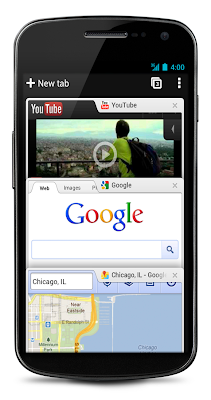
The Chrome browser on Android is faster and has tabs and syncs with your Chrome browser on your desktop, bringing your bookmarks with you. You can even view open tabs on your desktop browser in your Android Chrome browser and send pages between the two.

The big feature I'm waiting to hear about is extensions. If Google can have Chrome for Android handle extensions like goo.gl, Evernote and such, it may be the perfect mobile system.

You can read more about it and see a video and some great screen shots at the source links below.

Sources: 


The Official Google Blog: http://googleblog.blogspot.com/2012/02/introducing-chrome-for-android.html

Android Central http://www.androidcentral.com/google-chrome-beta-now-available-android-40-devices


Related:

Google Chrome Web Browser

Android Smartphone and Apps I use as Educator

On Device Software vs. Web Apps

Google for Educators Resources

Google Chrome OS - great idea for Education

Why I use Google Products as an Educator


Monday, November 21, 2011

Chromebooks upgraded and price cut


Chromebooks, the notebook computers that run Google's Chrome OS, are gaining popularity.

I have one of the original test models, the CR-48, and love it. I think Chromebooks and Chrome OS are great for education: nothing to install or update, students log in with own account, no data stored on device. A recent article of mine about Chromebooks vs. iPads and cloud apps vs. on-device apps got some good articles. 

Google has updated Chrome OS with some nice new features and has dropped the price of the Chromebooks to $299.

If you have ever looked at getting a Chromebook, now is a good time.


Thursday, November 17, 2011

Evernote Clearly - one click for distraction free online reading - very cool


Evernote, one of my favorite web apps (along with Google's many apps), just announced a very cool new product.

Evernote Clearly is a browser extension for Google Chrome (other browsers will be added soon) that allows you to read online with less distractions. You simply click the extension and it hides all the distractions from blogs and articles, allowing you to read with less distractions and more easily.

When you click on it, it slides in, showing you a new view of the page without any ads, links, or navigation. When you are done reading, simply click the return arrow and Clearly slides out of the way allowing you to continue browsing the site normally.

Get Evernote Clearly from the Chrome Store »


Another nice feature is that Clearly will automatically turn a multi-page article into a single page, making reading much more enjoyable (especially for those articles that like to use 10 pages for a short article to increase their ad impressions).

Since Clearly is made by Evernote, it works with Evernote also. When Clearly is open, there is a Evernote clipping function so that you can clip the cleaned-up article right into your Evernote account to read later.

You can also use their built in themes or create your own to create a pleasant reading experience. Everything is done in your browser and it works really well.

There are other apps that do similar things to make online reading easier, but I've found this to be the most polished and the integration with Evernote to clip and read later is a big plus.


Evernote promises that it will be coming to other platforms and browsers soon too.


Get Evernote Clearly from the Chrome Store » 

UPDATED 12-21-2011 - Evernote Clearly now available for Firefox - https://addons.mozilla.org/en-US/firefox/addon/clearly/ 


Related:

Evernote - get organized for free and on all platforms (one of those apps you really need to use)


Wednesday, November 16, 2011

iPads, Chromebooks, on-device apps, cloud apps - great discussions


A couple of weeks ago, I wrote an article entitled "On device apps/software vs. web apps - which is better for schools?" in which I discussed the pros and cons of on device apps and web apps when it comes to education.
I had made some points about web apps being free, no install required, automatically update, and platform/OS independent.

A while back, I wrote about Google Chromebooks and Chrome OS and why they were a great idea for education. Reasons included no apps to install, no IT support needed, no updates to do, multiple student logins, no student data stored on device, etc. I also prefer a physical keyboard when typing anything more than a quick message or email.

I find that on-device apps are great in many cases, especially if there is a chance of not having internet access, but they are platform dependent, not always free, and have to be installed and updated. Web-apps are free, platform independent (just need a web browser) and no installs or updates to worry about. These days its very hard to find an educational location that does not have WiFi, so that isn't an issue for the most part.
Screen shot 2011 11 11 at 9.55.22 AM 300x161 iPad vs. Chromebook

I just read an article that points out many of these same things, entitled "Can I Trade the iPads for Chromebooks?". The author talks about his school have iPad and Chromebook initiatives and the difficulty of updating and installing apps on the iPads. He also points out how the iPads are difficult to use with multiple students. He also talks about the cost of both. The Chromebooks are cheaper and can even be leased and the iPad requires some accessories, like a case. Then there's the issue of app cost. It's an interesting read.

I would prefer a room full of Chromebooks over iPads, but many teachers will find iPads or other tablets, better for their needs. I prefer web apps because of their cost (free), ease of use, and platform independence. A student can go home and continue their work on any device they have. 


I think that iOS and Android need to have multi-user logins built in to their next devices and have a system to install apps and updates on classroom sets of devices, over the air, from a master device. Any developers want to work on this?

What is great, is that there are so many different devices and systems out there to fit everyone's needs and preferences. 


Which do you prefer? Have you used iPads or Chromebooks in school. 


Monday, October 31, 2011

Google Chromebooks for Education - updated pricing and info


Last Spring, Google announced their  "Chromebooks" - notebook computers running Google's Chrome OS. They will be available in June.

There are two models right now. Samsung has one with a 12.1" screen, 8.5 hours of continuous usage, a mini-VGA port and a weight of 3.26 lbs. Samsung's WiFi model will cost $429 with the 3G model costing $499. Acer's will have an 11.6" screen, 6 hours of continuous usage, a HDMI port and a weight of 2.95 lbs and will start at $349. Both will have 2 USB ports, a 4-in-1 card reader, webcam and an Intel Atom dual core processor.


Chromebooks will run Google's Chrome OS, an operating system that is basically a web browser. This has some great features. It is fast (starts up in 8 seconds) and easy to use. You can access your data anywhere because you end up having it online. It supports all the new web standards and runs Adobe Flash. The Chromebooks come with built in Wi-Fi and 3G to allow you to connect anywhere. The 3G models will include a free 100MB per month of mobile data from Verizon Wireless for 2 years.

Just like the Chrome browser, it is very safe and secure. It is designed to be safe and protect against viruses, malware, and more. It even updates automatically.


Everything; apps, documents, and settings are stored in the cloud, just like using the Chrome browser and Google Docs and apps. There will be offline access to Gmail, Calendar, and Docs also, so in the rare occasion where there is no WiFi or 3G, you can still access your data. There is Google Cloud Print to print things, you can connect devices to upload files, and their is a file manager built in.

There are millions of web apps you can use, including Docs, Evernote, Tweetdeck, and even Angry Birds. All available from the Chrome Web Store. Most are free.

If someone else wants to use the Chromebook, you can have them login with their own Google account, or as a guest. Either way, they can't see your information or data.

Now, why am I writing about this? Because I happen to like Chrome OS and have been using it for quite a while on the Google CR-48 I received a while back and I love it. I was already using Chrome Browser and 90% of what I did was in the browser and web based, so it was an easy transition.


I think Chrome OS is a great idea for education (you can read my original article on Chrome OS for Education here.)

Chrome OS and Chromebooks are good for schools for a variety of reasons. It's a simple login with fast startup, there are no crashes or issues, student data is not on the device, multiple students can use them without worrying about data sharing, and student data and settings are backed up to their Google account. It can run apps virtualized through CITRIX. It is easier on the IT department with less issues and crashes and no software or apps to install and no disc to image. IT can configure and manage the Chromebooks and accounts through the web. There is less work needed by IT and no servers to store data.

Google is also offering a special deal for education, with Chromebooks being offered for $20 per month per student. This may sound like alot, but it includes Google support, updates, and a warranty to replace hardware in the case of an accident. In the end, the warranty, support, and decrease in IT workload will save schools money and issues.

All-in-all, I think the Chromebooks are a great idea for education.

Here is a great article by Vicki Davis about some of the issues that need to be addressed about the Google Chromebooks in Education.


UPDATED October 2011: Google is now offering schools and businesses the option to purchase the Chromebooks outright instead of using the monthly payment option.


Related Articles


Google Chrome OS - great idea for education!


LinkWithin

Related Posts Plugin for WordPress, Blogger...