Showing posts with label smart phone. Show all posts

Wednesday, December 12, 2018

4 Factors to Consider When Debating Cell Phones in Schools - Guest Post

4 Factors to Consider When Debating Cell Phones in Schools

Image result for cell phones in school

Hilary Bird is a digital journalist who writes about the things that fascinate her the most: relationships, technology, and how they impact each other. As more and more people become more and more reliant on their tech devices, Hilary wants to help them stay safe and understand how these devices will reshape the way we communicate.
Image result for cell phones in school

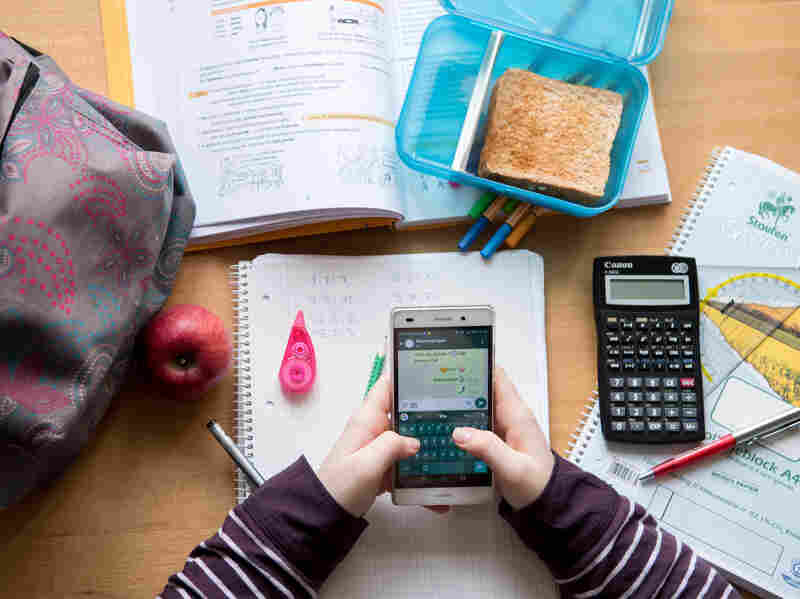
More than ever, cell phone technology shapes our relationships, habits, perspectives, and our learning. But do phones have a place in the classroom?

The debate has been raging for years, and some districts have taken to banning the oft-maligned devices altogether. However, that may not be the right call in every case.

Here are four factors to consider when forming your opinion about phones in the classroom.

The Role of Tech for Education
The appropriateness of cell phones in the classroom depends largely on how well they fit the lessons they’re helping teach. School may be one of the best places to teach technology management skills. In fact, explicit instruction in digital citizenship, online learning, and online safety may benefit students as they prepare for an increasingly digital future.

Unfortunately, screen time does have downsides. Some sources indicate that overexposure could be linked to insomnia and depression in teens, among other issues. As such, curriculum plans that include the use of phones might do well to keep device use moderate and interspersed with face-to-face learning.

Time Saved and Spent
Any teacher who has used technology can attest to its wonders. It can aid understanding and cut time spent on mindless tasks like grading, and provide instant access to class materials. Cell phone tech can even aid in accessibility—students with disabilities who are unable to take notes quickly could save a lot of time by taking pictures of a teacher’s slides, for instance.

The caveat here is that phones will only save time if they can handle the tasks required of them. Schools may need to adjust their internet plans depending on how much data the intended curriculum needs. Likewise, they may need to supply devices for students who aren’t able to use their own, which could be difficult to budget for.


Content

Recent reports indicate that moving learning into the mobile realm could open up pathways to explore new educational content. Phones with internet access connect students to thousands of educational videos, podcasts, games, tutorials, and other supplemental materials that can reinforce classroom objectives and facilitate learning. Teachers can also post assignments and reminders online for students to view before, after, and during class.

However, some inappropriate content is bound to find its way into classrooms using phones. This poses a risk to teachers, students, and administrators. To combat problematic content, staff and educators should remain diligent in monitoring students as they use devices at school, and teach kids online safety.

Social Connections
Cell phones also facilitate social connection, which has its benefits even in a classroom setting. Parents can contact their children with needed information or during emergencies as well. In addition, many teachers use social media to engage students with academic content. Online discussions about class material, outreach to content experts, and other strategies can build a real-world learning network for students.

But cell phones can pose some social risks. The CDC indicated that in 2017, nearly 15% of high-school aged students had been bullied electronically in the past year, and this cyberbullying will undoubtedly find its way into more schools as phones are allowed. Teachers and parents may have to work extra diligently to keep in-person lines of communication open so that kids dealing with cyberbullying feel safe enough to communicate it. Though on the positive side, phones could make it easier to document bullying when it does occur.

Image result for cell phones in school

While there’s no single solution that will work for every classroom, educators don’t need to fear phone use in all forms. With proper management, cell phones can be useful teaching tools both inside and outside the classroom.


Related: 


-

Wednesday, April 18, 2012

Mobile Nations - great resources for all mobile OS's and devices


If you own a smartphone or tablet, you should be using Mobile Nations. Mobile Nations is a group of web sites that each focus on a mobile operating systems. Each site has app reviews, hardware reviews, accessory reviews, tips, resources, forums, help topics, and much more.

These sites are great for anyone who uses a mobile system, including teachers, students, and others. Find out about new apps, resources, tips, problems, help and more. Share them with your friends, students, and colleagues. Education apps and uses for the systems are often featured on the sites. EdTech and IT personnel can find help information, reviews, and more to help them use these devices.

I use Android Central (and subscribe via RSS) for my Android Smartphone to find tips, app reviews, and more. I use webOS Nation for my HP TouchPad. I've learned about new apps, problems, help tips, and more from these sites and spent a lot of time on Android Central reading phone reviews before purchasing my Droid Incredible 2.

There are 5 sites/communities based on different mobile systems.

Android Central for all things Android.

Crackberry for Blackberry.

iMore for iOS (iPhone and iPad)

WP Central for Windows Phone/Mobile

webOS Nation for webOS (Palm/HP)


Android for Education Resources


Tuesday, April 10, 2012

Mobile Apps and Resources for Students and Teachers


Smart phones are an incredible educational tool for both educators and students. I have an Android Smart Phone and I can do pretty much everything with it that I can do on my computer or laptop or tablet. This means that I always have access to my data, files, information, and can do work anywhere. Students have the same ability with their smart phones. They have access to information, class resources, and so much more at any time. Instead of buying a $200 graphing calculator, they can buy a $0.99 app. There are tons of great apps out there for educators and students to use.

Here are some mobile / smart phone apps and resources for students and teachers:

100 Mobile Tools for Teachers - mobile sites and resources for teachers

Android for Education - resources, apps, links, and much more

10 Great, Free Apps for Students for Notetaking and Class Planning
My students used their cellphones in class - and I encouraged it!

Google Calendar and cell phones

Infographic on Mobile devices and Studying - and free apps to help


Monday, April 9, 2012

Infographic - What do High School Students want from mobile tech


ASCD Logo    

ASCD (Association for Curriculum and Development) has taken statistics from a variety of sources and coalates it into a nice infographic about students, mobile learning, learning methods and what high school students want in mobile learning.

The research shows that banning mobile devices in school does not work and that schools should be embracing these devices and helping students use them for learning. Some of the stats:

63 percent of students attending schools carry their mobile devices despite the rules (probably conservative)
63 percent of students want online textbooks with communication facilities;
40 percent want online texts with collaboration tools.
43 percent stated social media is one of the main ways they communicate with friends online.
62 percent of student use the Internet as a new source; whereas 17 percent use it to gain knowledge concerning topics generally difficult to talk about — such as drug use.

I am one of those teachers who hastes the rule banning these devices. I've allowed my students to use them in class before and, along with some other faculty, is pushing to change the rules. 


Android for Education resources and apps


5 Great Smartphone Apps for the High School Science Classroom - Guest Post


5 Great Smartphone Apps for the High School Science Classroom
Technology is a crucial part of the modern classroom. Especially in science, teachers who embrace the use of new technologies provide their students with learning tools that are both fun and useful. Apps for smartphones are just the latest way to integrate learning and technology. Below are some of the best new apps for high school science classrooms.


Frog Dissection by Emantras Inc
Available for iPad and iOS for just $3.99, Frog Dissection is a great ethical alternative to the classic biology lab. For those students who conscientiously object to opening up an actual frog on their lab tables, the Frog Dissection app gives them the chance to explore anatomy in a new way. The realistic app mimics the actual procedure of dissecting using step by step instructions and virtual dissection tools. Clear 3D imaging allows students to see each organ in vivid detail. In addition to the dissection, the app contains information about classification, organ functions, and the lifecycle of frogs, as well as a comparison to human anatomy.


Atomium: Periodic Table by Henri Hansen
Chemistry students are constantly referring to the periodic table of the elements to find atomic masses, atomic numbers, and other important facts. With a periodic table app, students can have the information at their fingertips. Atomium, available on iOs and iPad for $0.99, is a great reference app that provides more information about each element than any student could hope for. It also allows users to regroup and recolor the elements according to properties. This is a great way to help students visualize the trends and patterns that are otherwise tough to see in a static table.


Science Friday BE by ScienceFriday Inc.
Most high school students are likely unaware of NPRs Friday talk show. The app for iPhone and Android is a great way to introduce students to the show that makes science relevant and fun. Teachers can use stories from the program as teachable moments and to further explore concepts taught in the classroom. A new aspect of the SciFri app is the show’s science and the arts section. It can help to engage students who are more interested in creative subjects. And best of all, the app is free.


Skeptical Science by Shine Technolgies
High school students are full of questions. One of the most contentious and political debates today is the one over global warming. Science teachers are often bombarded with questions regarding the ins and outs of the debate. With this free app, students can explore the whole range of doubts, questions, and skeptical arguments made regarding climate change. Skeptical Science keeps up to date with all new arguments made against climate change and offers counter arguments backed by hard science.


Vernier Video Physics by Vernier Software and Technology
Vernier has long provided teachers with technology for the physics classroom. Now, for just $2.99, students can visualize and analyze motion with this Vernier app. Students film the motion of an object  with their phones and the app displays the path of the object on a graph for analysis. This is a great tool for taking basic physics concepts into the real world.

Mary Ellen Ellis is a science teacher and writer for Teacher Certification Degrees, a career site for individuals interested in researching how to become a teacher in their state and featuring interviews with current teachers and leaders in the education field.


Related:


Android for Education resources and apps


Tuesday, January 3, 2012

Great infographic - what's going on inside your smartphone

It seems that everyone has a smartphone these days (not really, but the number keeps going up). The folks at MyCricket have put together a great infographic that explains how a smartphone works, from the processor, to sending and receiving calls, to the accelerometer and more.

This is just plain interesting, but can also be used in class to get students interested in science and engineering or to relate topics you are teaching to their smartphone.


What's Going on Inside Your Phone | Cricket Wireless

Monday, February 8, 2010

Review - Palm Pre+ and Pixi+


(Disclaimer - I am not being compensated in any way by Verizon or Palm for this review. This is simply my take on a new smart phone and how I am using it in education).

I recently got a Palm Pre+ on Verizon. I have been a Palm user for over 10 years, starting with a Palm IIIxe, then T3, LifeDrive, TX, and Centro on Verizon. I've been anxiously awaiting the Pre on Verizon since it was announced by Palm back in January 2009. My wife got the Pixi+.

I'm not going to write a full review of the Palm Pre+ or Pixi+ because that's been done plenty of times (here is Precentral's Review). I'm going to discuss how Palm's revolutionary operating system (webOS) and the Pre are great for me as an educator.

For more in depth info on the specs of these phones you can go to Verizon's site, or Palm's site (Pre+, Pixi+).

Both phones run Palm's new operating system, webOS. WebOS is built on a Linux base and uses web technologies for programming. This means that it is very easy for people to develop apps for it. It allows for multi-tasking, which is unusual for a smart phone. The user interface is bright, easy to read, and easy to use. WebOS also has unobtrusive notifications of incoming calls and messages, allows you to sync and merge multiple accounts, contacts and calendars. It is very easy and intuitive to use with finger touches and gestures doing most functions. It also supports multi-touch gestures. WebOS's ability to multi-task is great, and all apps are handled as cards think "windows" on a PC. webOS also has "Universal Search". Simply start typing at the home screen and it will search your phone (contacts, calendar, etc) and the internet for the search term. It makes finding anything very easy.

The hardware is beautiful. The Pre+ looks like a black, smooth, pebble and fits nicely in your hand. Both the Pre+ and Pixi+ have rubberized backs to make sure they don't slip out of your hand.

The Pre+ has a larger screen than the Pixi+ and a slide out QWERTY keyboard. The Pixi+ is thinner and has a candy bar format with the QWERTY keyboard fixed in position. The Pre+ has 16GB of memory and the Pixi+ has 8GB. Both have Bluetooth and Wifi. They both have great web browsers, email systems, and MMS (text and picture messaging) and there are thousands of apps available for both phones. Both also have digital camera's and LED flashes. The web browser displays web sites just like your computer's browser does and then you can just zoom in on different parts of the page. This means no more "mobile" versions of web sites.

A very cool accessory is the Touchstone charger. The Pre+ simply sticks to this little round charger using magnets and the phone charges using inductive technology. When the phone is on the charger, the screen displays the time and any notifications.

I use my Pre+ every day in my job as an educator and it truly makes my life easier. When I wake up in the morning I go over to the phone on the charger and see what notifications I have (emails, texts, alarms and alerts). I can address those right away or just put them off until later.

I can quickly look at my calendar for the day (synced with my Google Calendar), check notes in Evernote, check my email, RSS feeds (Google Reader), Twitter and Facebook and get my self ready for the day. I also check the weather using the Weather Channel's free app.

I can use the built in Google Maps and GPS for directions and use the media player to listen to music, videos, or use a streaming music service like Pandora (free) to get some great music.

Once at school, I use it for appointments, reminders (memos), taking notes, checking email, RSS feeds, Twitter, Facebook and more from my Personal Learning Network. The multi-tasking feature means I can have apps open and running in the background while doing other things. I can even have multiple web pages open using different cards, just like I use multiple tabs on my computer. There is also a YouTube app for viewing videos. Full native Flash support is available now and the Flash app is scheduled for release by Adobe shortly. The ability to see Flash in the web browser is very important to me and education since many educational sites and science sites use Flash for demos, videos, and more. The updates are done over the air and can be automatic.

I have a scientific calculator and unit conversion app on it for use with my physics classes. I also use it to take notes, store my lesson plans, access student info and grades, and much more no matter where I am in the building.

The webOS and great hardware allow me to do so much of the things that I can do on my computer with my Pre+. It doesn't matter where I am in the school or what I'm doing, I have my files, a great web browser, email, and apps to get my work done.

I think it's a great smart phone for educators and it's just as good for students. Students can do research, take notes, go online, check email, and use tons of educational apps in their studies. (see the related article below).

The only downside to the phone is that it doesn't have the best battery life. UPDATE: The February update did bring enhanced battery performance and the battery can be switched by the user (unlike Apple products). The update to webOS 1.4 also sped up actions and applications and made a variety of other improvements.

The multi-tasking really makes things easy for me. I can have Pandora on playing music, and have multiple web browsers open, my URL shortener and a Twitter client and be able to post information to Twitter and my blog. Since all of the apps are running, there is no delay when switching from one to the other.

Overall, I am very impressed with the Pre+ (and my wife loves her Pixi+) and have found it to be a great tool for work and for fun. It is easy to use and very powerful.

I recommend it to anyone looking for a new smart phone or looking to purchase their first smart phone due to it's power, usefulness, and ease of use. The Pre+ and Pixi+ are available on Verizon Wireless and the original Pre and Pixi are available on Sprint.

It is also great for education. I'm hoping Palm will come out with a PDA version and maybe a netbook/tablet version with webOS. It is easy to use and powerful - perfect for students.

Related Articles:


Tuesday, May 5, 2009

Palm Pre coming soon?


I'm a Palm fan. I have been using Palm products for 12 years, starting with a Palm III, moving to a Palm Tungsten T3, then Lifedrive, then TX, and currently using a Palm Centro on Verizon. I've always thought that Palm had the best PIM (Personal Information Management - calendar, tasks, memos, and contacts) system of any PDA or smart phone. I use my Centro for everything - Calendar, Contacts, Memos (over 1600), Tasks, email, web browsing, text messaging, games, productivity, lesson plans, and even as a phone.

I've been anxiously awaiting the Palm Pre. Palm announced their new smart phone back in January. The phone has a new operating system (webOS) and a great form factor (touchscreen with a slide down QWERTY keyboard). The applications and operating system look great and all the industry analysts are calling the Pre an "iPhone killer". 

The problem - it still hasn't been released and I'm dying to get one. It will be released on Sprint for the first 6 months, and then go to other carriers after that. Palm has announced that it will be released in the first half of 2009. There are indications that the release is imminent. There are commercials being filmed, reports of Sprint employees being trained on it, and reports of Pre shipments being sent out to stores. 

I'm hoping it will be out soon. I love the idea of a smart phone as an educational tool, and I think that the Pre will be a great educational tool.

For more info: www.palm.com and www.sprint.com 

Disclaimer - I do own Palm stock.

LinkWithin

Related Posts Plugin for WordPress, Blogger...